TEL:+86 132 6656 7067





Optical transceiver compatibility depends on more than the physical fit of a module inside a switch or router. The host device reads module identification information, checks supported interfaces, and may apply platform-specific recognition policies before enabling the port. This makes module configuration an important consideration in networks that use equipment from multiple manufacturers.
Vendor-coded and universal optical modules represent two different approaches to equipment identification and deployment flexibility. Vendor-coded modules are configured for a specified equipment brand or platform, while universal modules are marketed as options for use across multiple equipment environments. However, universal does not mean that one module is guaranteed to work in every switch, router, or network adapter. The actual result depends on hardware support, firmware behavior, module management specifications, and optical interface requirements.
1. What Is a Vendor-Coded Optical Module?
A vendor-coded optical module is configured with identification information intended for a particular equipment manufacturer's platform or product family. The module's EEPROM or management memory contains fields that allow the host device to identify the transceiver and determine its advertised capabilities.
For example, an independent optical transceiver manufacturer may supply different coding configurations for Cisco, Juniper, Arista, HPE, or Dell equipment. Although the underlying optical design may be the same, the module identification profile can differ according to the target platform.
Vendor coding generally involves information such as:
Vendor name and organizational identifier.
Module part number and product revision.
Serial number and manufacturing date code.
Transceiver form factor and interface information.
Optical wavelength and supported link characteristics.
Diagnostic monitoring and management capabilities.
Correct vendor coding helps the host recognize the module, but it does not independently guarantee compatibility. The equipment must also support the module's form factor, data rate, optical standard, and operating characteristics.
2. What Is a Universal Optical Module?
A universal optical module is a product marketed for use across multiple equipment brands or platforms. Depending on the supplier's implementation, it may use a broadly compatible identification profile, configurable coding, or a management design intended to support several host environments.
The term "universal optical module" is generally a commercial description rather than a guarantee established by a single industry-wide compatibility standard. Different suppliers may use the term to describe different technical capabilities.
Some products are designed to operate with a broad range of equipment without changing their configuration. Others may support multiple vendor profiles through supplier configuration or a programmable identification process.
Before purchasing a universal module, buyers should establish exactly what universal means in the supplier's product documentation. A claim of multi-vendor compatibility should be supported by a tested equipment list or a clearly defined configuration process.
3. Vendor-Coded vs Universal Optical Modules: Main Differences
| Category | Vendor-Coded Module | Universal Module |
|---|---|---|
| Identification profile | Configured for a specified equipment brand or platform | Designed for broader equipment recognition or multiple configurations |
| Target application | Known equipment environment | Multi-vendor or changing equipment environments |
| Compatibility approach | Platform-specific identification and validation | Broad compatibility profile or configurable vendor identification |
| Deployment flexibility | Usually focused on the selected platform | Potentially supports more equipment environments |
| Configuration requirements | Normally specified before ordering | Depends on whether the product is fixed-profile or configurable |
| Equipment recognition | Validated for the specified host models and software versions | Must be confirmed for each intended host platform |
| Optical performance | Determined by the module's optical design and specifications | Determined by the module's optical design and specifications |
| Multi-vendor network use | May require different coding versions for different brands | Can simplify sourcing if the supported platforms are verified |
| Procurement | Useful when equipment requirements are known | Useful when equipment environments are diverse or may change |
The most important difference is the identification and compatibility approach. Vendor coding is intended to match a known equipment environment, while universal products aim to provide broader deployment flexibility. Neither approach automatically guarantees successful operation.
4. How EEPROM Coding Works
Optical transceivers use serial identification and management interfaces to communicate with their host equipment. In many SFP-family modules, the host reads identification data through a two-wire interface. The information allows the switch or router to identify the module and access its supported features.
For SFP and SFP+ modules, SFF-8472 defines important management-interface fields. These include vendor name, vendor organizational identifier, part number, revision, wavelength, serial number, date code, and diagnostic monitoring information.
The host may use this information as part of its module recognition and configuration process. Equipment manufacturers can also implement additional checks beyond the standardized identification fields.
| EEPROM Information | Purpose | Deployment Relevance |
|---|---|---|
| Vendor Name | Identifies the module manufacturer or reported vendor identity | Can be used by the host for module recognition |
| Vendor OUI | Identifies an organization through its IEEE-assigned identifier | Provides vendor identification information |
| Part Number | Identifies the transceiver model | Helps distinguish module types and product variants |
| Revision | Indicates the product revision | Supports product identification and traceability |
| Wavelength | Reports the nominal optical wavelength for applicable modules | Helps identify the intended optical application |
| Serial Number | Identifies an individual module | Supports inventory and traceability |
| Diagnostic Information | Indicates supported digital monitoring functions | Supports host-side module monitoring |
Higher-speed modules may use different management specifications. QSFP-family modules commonly use SFF-8636, while many newer QSFP-DD and OSFP modules use CMIS-based management. The exact memory map and capabilities depend on the module form factor and specification revision.
5. Does Universal Coding Mean One Module Works With Every Brand?
No. Universal coding should not be interpreted as guaranteed compatibility with every equipment manufacturer or model.
Even when two devices use the same optical transceiver form factor, their hardware and software implementations may differ. A switch may recognize the module but still reject its operating mode, report unsupported capabilities, or fail to establish a link because the optical interface is unsuitable.
Several factors affect compatibility:
Hardware platform: Different switch models may support different transceiver types and port configurations.
Firmware and operating system: Module recognition behavior can change between software releases.
Port capability: The port must support the module's data rate and electrical interface.
Optical standard: The wavelength, fiber type, reach, and lane configuration must match the link.
Management interface: The module must implement the required management and diagnostic behavior.
Vendor policy: Some equipment platforms apply restrictions or warnings for unsupported third-party modules.
6. Optical Compatibility Is Different From Vendor Coding
Vendor coding concerns how the module identifies itself to the host. Optical compatibility concerns whether the transmitter, receiver, fiber infrastructure, and remote-end transceiver can operate together within the specified interface requirements.
For example, a 10GBASE-SR module and a 10GBASE-LR module may use the same SFP+ form factor, but they are designed for different fiber applications. Changing the module's vendor identification profile does not turn one optical standard into the other.
Engineers should verify the following parameters independently of coding:
Ethernet or Fibre Channel interface standard.
Data rate and electrical lane configuration.
Transmit and receive wavelength.
Single-mode or multimode fiber requirements.
Optical connector and fiber polarity.
Maximum transmission distance.
Transmit power and receiver sensitivity.
Optical power budget and channel loss.
For parallel-optics modules, lane mapping and fiber polarity are particularly important. A module may be recognized by the switch but still fail to establish a link if the fiber arrangement or remote-end configuration is incorrect.
7. Vendor-Coded Modules in Multi-Vendor Networks
Enterprise networks and data centers often contain equipment from several manufacturers. A network operator may use one brand for core switching, another for access switching, and different platforms for storage or server connectivity.
In this environment, vendor-coded modules provide a clear way to match each transceiver to its intended host platform. An independent supplier may offer the same optical application with different identification configurations for different equipment brands.
| Network Environment | Possible Module Strategy | Verification Requirement |
|---|---|---|
| Single-vendor network | Use the platform-specific vendor-coded version | Exact model and software compatibility |
| Multi-vendor enterprise network | Use different coding versions for each platform where required | Validate each equipment family separately |
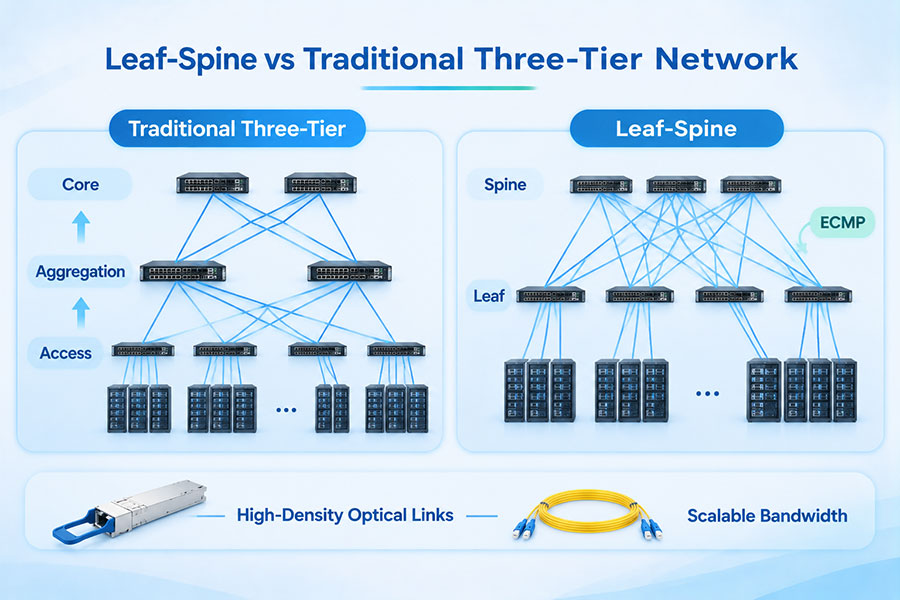
| Data center leaf-spine network | Use modules qualified for the relevant switch and port combinations | Check speed, optics, lane mapping, and interoperability |
| Network with changing equipment | Consider configurable or multi-vendor module options | Confirm supported coding profiles and reconfiguration requirements |
| Telecommunications infrastructure | Select modules according to the optical transport and host equipment specifications | Verify optical budget, management, and environmental requirements |
For large deployments, keeping an accurate record of module type, coding profile, host model, software version, and link destination can simplify maintenance and troubleshooting.
8. Universal Modules and Inventory Management
Universal modules can be attractive for organizations that maintain equipment from multiple manufacturers. If a product genuinely supports several target platforms, it may reduce the number of separate module variants required in inventory.
However, inventory simplification depends on the supplier's actual configuration method. A universal module with a fixed identification profile may not behave like a configurable module that can be supplied in different vendor-specific versions.
Before adopting a universal module strategy, procurement and engineering teams should confirm:
Which equipment brands and models are supported.
Whether the module uses a fixed or configurable identification profile.
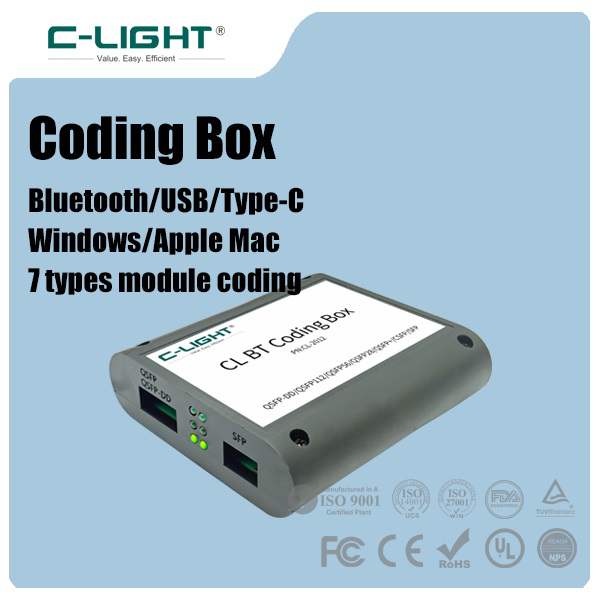
Whether configuration changes require supplier assistance.
Whether the module retains its configuration after power cycling or firmware updates.
Whether diagnostics and monitoring work correctly on each platform.
Whether the same optical hardware is suitable for all intended applications.
A documented compatibility matrix is more useful than a general statement that a module works with all brands.
9. Testing Requirements for Vendor-Coded and Universal Modules
Both vendor-coded and universal modules should undergo appropriate testing before deployment. Coding alone is not proof of module quality or link performance.
A practical qualification process should include:
Identification verification: Confirm that the host reads the expected module information.
Port recognition: Check whether the equipment accepts the module and enables the intended port operation.
Optical performance: Measure or verify transmit power, receiver sensitivity, wavelength, and other specified parameters.
DDM/DOM testing: Confirm that temperature, voltage, bias current, and optical power readings are available and reasonable where supported.
Link testing: Establish the link with the intended remote-end module and fiber plant.
Traffic testing: Verify stable data transmission under the required operating conditions.
Software testing: Check operation on the intended firmware or operating system version.
Environmental verification: Confirm that the module meets the required operating temperature range.
For high-speed links, testing should also cover the applicable lane configuration, error performance, and host thermal conditions. A module that passes a basic insertion test may still require additional validation before production deployment.
10. When Should You Choose Vendor-Coded Optical Modules?
Vendor-coded modules are often the more straightforward option when the target equipment is already known and the network operator wants a clearly defined compatibility profile.
The equipment manufacturer and exact model are known.
The network has a fixed hardware environment.
The supplier provides a tested platform-specific module version.
Procurement requires clearly documented equipment compatibility.
Different network platforms need separate module identification profiles.
Maintenance teams prefer consistent product identification across deployed equipment.
This approach is particularly useful in networks with established equipment standards and formal qualification procedures.
11. When Should You Choose Universal Optical Modules?
Universal modules may be useful when the network includes different equipment brands or when inventory flexibility is a priority. They can reduce the need to stock separate module versions, provided that the supplier's stated compatibility has been verified.
The network contains equipment from several manufacturers.
The supplier provides a clear multi-vendor compatibility list.
The module supports the required optical standards and data rates.
The product's identification behavior is documented.
The deployment does not rely on unverified universal compatibility claims.
Technical support is available for platform-specific issues.
For critical infrastructure, universal modules should still be qualified on representative host equipment before large-scale deployment.
12. How to Select the Right Optical Module
Choosing between vendor-coded and universal modules should begin with the actual network requirements rather than the product label. The following information helps suppliers identify the correct module configuration.
| Selection Item | Required Information |
|---|---|
| Equipment brand | Switch, router, server, or network adapter manufacturer |
| Equipment model | Exact model and hardware revision where relevant |
| Software version | Operating system and firmware release |
| Port type | SFP, SFP+, SFP28, QSFP28, QSFP-DD, OSFP, or another form factor |
| Data rate | Required port speed and interface standard |
| Optical specification | Wavelength, fiber type, transmission distance, and connector |
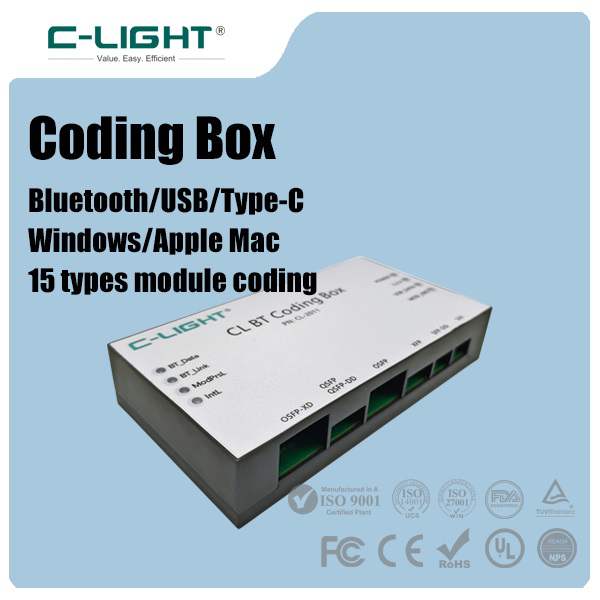
| Module coding | Target vendor profile or documented universal compatibility |
| Diagnostics | Required DDM/DOM or CMIS monitoring features |
| Remote-end module | Optical standard and lane configuration at the opposite end |
| Qualification | Host recognition, link testing, and supplier support documentation |
Providing the exact equipment model and software version is especially important. A supplier can then identify whether a fixed-profile universal module is appropriate or whether a dedicated vendor-coded version is required.
13. Conclusion
Vendor-coded and universal optical modules address different equipment identification and deployment requirements. Vendor-coded modules are configured for a specified equipment platform, making them suitable for known and controlled network environments. Universal modules aim to support broader equipment compatibility and can offer inventory flexibility in multi-vendor networks.
However, universal does not mean universally compatible. EEPROM identification, host recognition, electrical interface support, optical standards, and remote-end interoperability must all be considered independently.
The most reliable selection is based on the exact equipment model, software version, optical application, and documented supplier testing. For optical transceiver requirements across different speeds, form factors, and equipment platforms, view C-LIGHT optical transceiver products or Contact C-LIGHT for technical assistance.
 >

 >
 >
 >
 >
 >
 >
 >