TEL:+86 132 6656 7067





Every pluggable optical transceiver contains management information that helps network equipment identify the installed module. This information is stored in EEPROM or an equivalent management memory structure and can include the vendor name, product part number, serial number, wavelength, interface characteristics, and diagnostic capabilities.
Verifying EEPROM information is useful when checking optical module authenticity, troubleshooting unsupported-transceiver warnings, maintaining equipment inventories, and investigating compatibility problems. It also helps engineers distinguish incorrect module identification from genuine optical transmission faults.
1. What Is Optical Transceiver EEPROM Information?
EEPROM stands for Electrically Erasable Programmable Read-Only Memory. In an optical transceiver, the management memory stores identification and operating information that can be accessed by the host device through a management interface.
When a module is inserted into a switch, router, or network adapter, the host reads its identification information. Depending on the module type and management standard, the device may retrieve details such as:
Transceiver identifier and form factor.
Vendor name and organizational identifier.
Product part number and hardware revision.
Serial number and manufacturing date.
Connector type and optical compliance codes.
Nominal signaling rate and wavelength.
Supported fiber reach information.
Digital diagnostic monitoring capabilities.
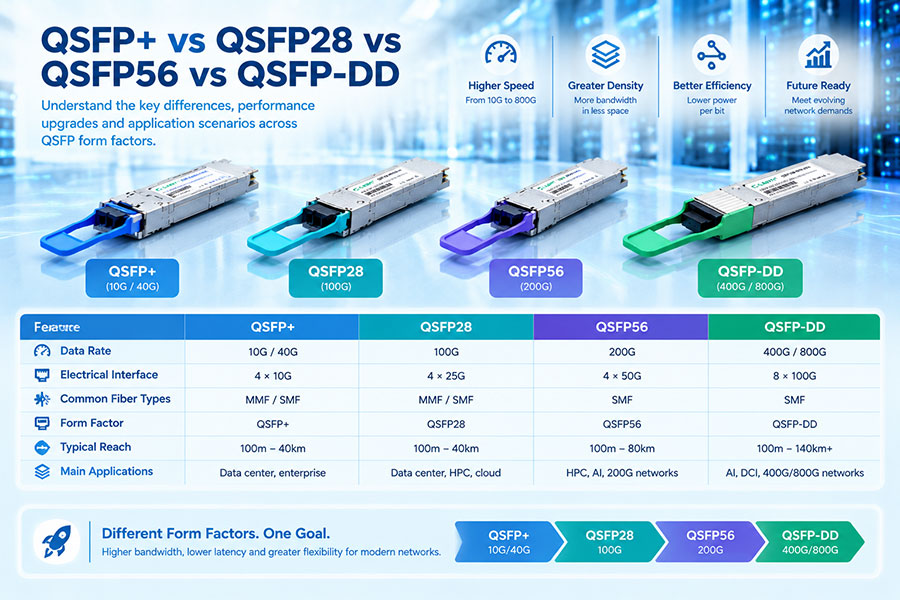
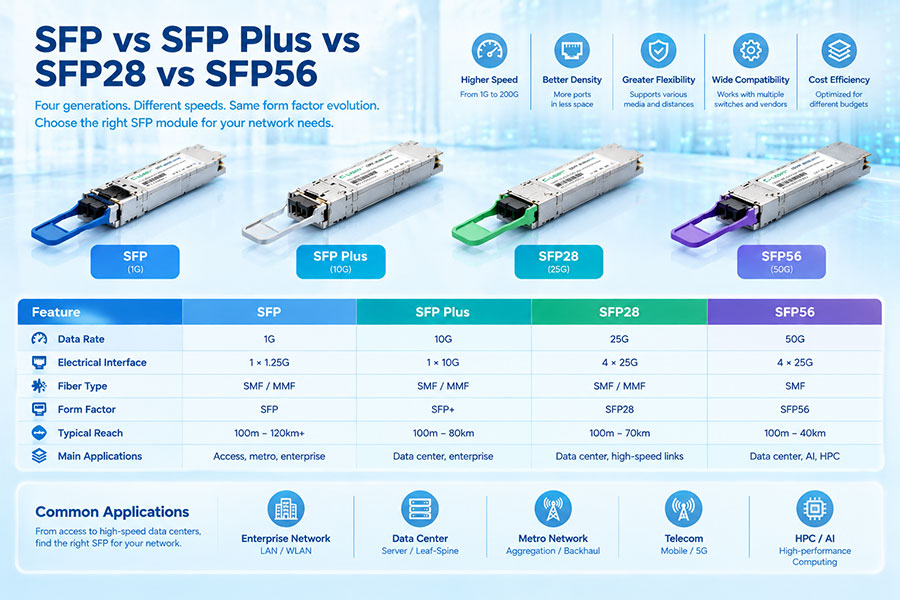
EEPROM information is not identical across every transceiver generation. SFP-family modules, QSFP modules, QSFP-DD, and OSFP products may use different memory maps and management specifications.
2. Which Standards Define Transceiver EEPROM Information?
Industry specifications define how optical transceiver identification and management data are organized. The applicable standard depends on the module's form factor and generation.
| Management standard | Common application | Purpose |
|---|---|---|
| SFF-8472 | SFP and SFP+ modules | Defines identification information and digital diagnostic monitoring. |
| SFF-8636 | Many QSFP+, QSFP28, and related modules | Defines module management, identification, status, and monitoring information. |
| CMIS | QSFP-DD, OSFP, and other supported high-speed modules | Provides a management interface with module state, application, and lane-related information. |
These specifications provide a common management framework, but the available fields, pages, and diagnostic features depend on the particular module implementation and compliance revision.
3. What EEPROM Fields Should You Verify?
Not every EEPROM field has the same importance. For compatibility checks and inventory verification, the most useful information is generally the vendor identity, product number, serial number, revision, optical interface, and diagnostic support.
| EEPROM field | Typical information | Verification purpose |
|---|---|---|
| Identifier | SFP, QSFP, or another module type | Confirms the reported module category. |
| Connector | LC, MPO, or other connector code | Checks the reported physical optical interface. |
| Vendor name | Manufacturer identification | Identifies the vendor reported by the module. |
| Vendor OUI | Organizationally Unique Identifier | Provides an organization identifier associated with the vendor. |
| Vendor part number | Product model or ordering code | Identifies the reported module model. |
| Vendor revision | Hardware or product revision information | Helps distinguish product revisions. |
| Wavelength | Nominal optical wavelength | Checks the reported optical application. |
| Vendor serial number | Unique module serial information | Supports traceability and inventory management. |
| Date code | Manufacturing date information | Supports production traceability. |
| Diagnostic monitoring | DOM/DDM capability indicators | Identifies available monitoring functions. |
For SFF-8472 SFP modules, commonly referenced fields include the vendor name at bytes 20–35, vendor part number at bytes 40–55, revision at bytes 56–59, serial number at bytes 68–83, and manufacturing date at bytes 84–91. These byte locations should not be applied directly to QSFP or CMIS memory maps.
4. How to Read EEPROM Information on Linux
Linux provides a convenient way to inspect optical transceiver information through the ethtool utility, provided the network driver and hardware support module EEPROM access.
First, identify the network interface:
ip -br link
Next, check the network driver and firmware information:
ethtool -i eth0
Read the module information:
sudo ethtool -m eth0
The output may include vendor identification, part number, revision, serial number, wavelength, signaling rate, and diagnostic information. The exact output depends on the module, driver, and installed version of ethtool.
For a supported module, the command may display information similar to the following illustrative format:
Identifier        : SFP/SFP+
Connector         : LC
Vendor name       : Example Optical
Vendor OUI        : 00:11:22
Vendor PN         : SFP-10G-LR
Vendor rev        : A1
Vendor SN         : EXAMPLE123456
Wavelength        : 1310 nm
Nominal bitrate   : 10300 Mb/s
The values above are examples only, not actual readings from a C-LIGHT product. Actual field names and displayed values vary by hardware and software.
ethtool -m reports that the operation is unsupported, the issue may be related to driver support, the network adapter, the module management interface, or the operating system. It does not automatically mean the EEPROM is defective.5. How to Check EEPROM Information on Network Switches
Managed switches often provide command-line tools for inspecting installed transceivers. The available commands vary by manufacturer, operating system, and hardware generation.
| Platform | Example command | Information available |
|---|---|---|
| Cisco IOS / IOS XE | show interfaces transceiver detail | Supported transceiver inventory and diagnostic information, depending on platform. |
| Cisco NX-OS | show interface ethernet 1/1 transceiver details | Module information and optical diagnostics on supported ports. |
| Juniper Junos | show interfaces diagnostics optics | Optical diagnostics for supported interfaces. |
| Arista EOS | show interfaces transceiver | Transceiver information and diagnostics where supported. |
| Linux / supported network adapters | ethtool -m eth0 | EEPROM identification and supported diagnostic information. |
For some platforms, inventory commands and optical diagnostic commands provide different levels of detail. One command may display the product identification, while another shows temperature and optical power.
Always check the command reference for the exact switch model and software version before interpreting the output.
6. How to Verify EEPROM Data Integrity
Reading the EEPROM successfully does not necessarily mean that all stored information is valid. Data integrity checks are important when investigating incorrect product identification, inconsistent inventory information, or module-recognition problems.
For applicable SFF-8472 modules, the base identification area includes checksum fields. The base checksum, commonly called CC_BASE, validates the defined base identification bytes. CC_EXT validates the extended identification area.
| Check item | What to inspect | Possible concern |
|---|---|---|
| Base identification | Identifier, connector, vendor and product fields | Unexpected or incomplete identity information. |
| Base checksum | CC_BASE validation | Incorrect checksum for the defined data area. |
| Extended identification | Serial number, date code, diagnostic capability | Missing or inconsistent extended fields. |
| Extended checksum | CC_EXT validation | Incorrect checksum for the extended data area. |
| Memory consistency | Repeated readings of supported identification fields | Unstable or incomplete read results. |
Checksum interpretation must follow the applicable specification and revision. SFF-8636 and CMIS have their own memory organization and validation requirements, so SFF-8472 byte positions and checksum rules should not be applied to every module.
7. How to Check DOM/DDM Information
Digital Optical Monitoring (DOM), also called Digital Diagnostic Monitoring (DDM), provides information about the transceiver's operating conditions. It is related to EEPROM management, but it is not the same as the static product identification fields.
Common diagnostic parameters include:
Temperature: The module's internal temperature reading.
Supply voltage: The voltage reported by the module.
TX bias current: The reported laser bias current where applicable.
TX optical power: The optical output power measurement.
RX optical power: The received optical power measurement.
Alarm and warning thresholds: Limits used to indicate abnormal operating conditions.
For example, a module may report a valid vendor name and part number but show no optical power readings if diagnostic monitoring is not implemented or not exposed by the host. This should not automatically be treated as an EEPROM identity failure.
For high-speed QSFP-DD and OSFP modules, diagnostic information may be organized by lane and management page. The host software must support the relevant CMIS functions to display the information correctly.
8. Common EEPROM Verification Problems
| Observed problem | Possible cause | Recommended check |
|---|---|---|
| Vendor name is missing | Incomplete data, unsupported decoding, or read issue | Repeat the read and check raw identification data. |
| Part number does not match the label | Incorrect identification data or inventory mismatch | Compare the EEPROM output with the product record. |
| Serial number is duplicated | Inventory error or incorrect programming | Check the supplier's production and traceability records. |
| Wavelength is unexpected | Incorrect interpretation or product identification mismatch | Check the module specification and applicable memory map. |
| DOM values are unavailable | Monitoring not implemented, unsupported driver, or host limitation | Check module capability flags and platform support. |
| EEPROM read fails | Driver limitation, host access issue, or module fault | Test on a supported interface and compare with another known-good module. |
| Checksum validation fails | Corrupted or incorrectly formatted identification data | Validate against the correct standard and memory region. |
EEPROM verification should be treated as one part of module quality control. A correct identity record does not prove that the laser, receiver, electrical interface, or optical performance meets its specification.
9. EEPROM Verification for 400G and 800G Optical Modules
High-speed transceivers introduce additional management complexity. A 400G or 800G module may contain multiple optical lanes, application selections, state information, and per-lane diagnostic readings. The host must interpret the appropriate management specification and memory pages.
For example, a 400G module may expose several optical lanes, each with its own transmit and receive monitoring values. An 800G module may provide even more lane-level information, depending on its architecture.
For these products, verification should cover more than vendor identity:
Correct module identifier and form factor.
Reported vendor and product information.
CMIS compliance and supported revision.
Application and host-interface configuration.
Module state and initialization status.
Optical lane count and per-lane monitoring.
Temperature, voltage, and alarm conditions.
A successful EEPROM read does not necessarily mean that a high-speed module has completed its initialization sequence. Module state, application configuration, host electrical compatibility, and link status should also be checked.
10. C-LIGHT Optical Transceivers and Module Identification
For network deployments involving multiple optical module types, accurate product identification and traceability help simplify installation, troubleshooting, and inventory management. C-LIGHT provides optical transceiver product families for high-speed Ethernet and data center applications.
400G QSFP-DD Optical Transceivers
For supported 400G QSFP-DD platforms. Verification should include module identification, host compatibility, optical interface, and available diagnostic information.
400G OSFP Optical Transceivers
For compatible 400G OSFP equipment. Check the exact product model, module identification, mechanical design, and host management support.
800G QSFP-DD Optical Transceivers
For supported 800G QSFP-DD applications. Management verification should consider module identification, application configuration, lane information, and host compatibility.
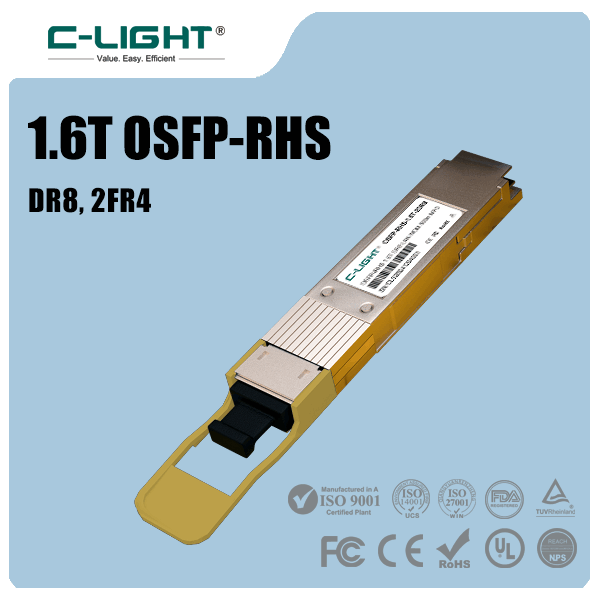
800G OSFP Optical Transceivers
For compatible 800G OSFP platforms, with optical configurations including SR8, DR8, and 2FR4. Confirm the exact module specification and supported management interface.
For project-level verification, the equipment model, module part number, port type, and intended optical standard should be recorded together. This makes it easier to compare EEPROM information against the product specification and deployment requirements.
11. Conclusion
Verifying an optical transceiver's EEPROM information helps confirm module identity, product specifications, and available management capabilities. By checking vendor information, part number, serial number, wavelength, connector, and checksum fields, engineers can identify inconsistencies before deploying modules in production networks.
Linux tools such as ethtool and manufacturer-specific switch commands provide practical ways to inspect module information. For high-speed QSFP-DD and OSFP products, the relevant CMIS management structure and lane-level information should also be considered.
EEPROM verification is not a substitute for optical performance testing. A complete validation process should combine identification checks, host compatibility, DOM/DDM monitoring, optical power measurements, and link testing.
Need optical transceivers with reliable identification and monitoring support?
Provide your equipment model, module specification, and monitoring requirements for a suitable product assessment.
Contact C-LIGHT >

 >
 >
 >
 >
 >
 >
 >