TEL:+86 132 6656 7067





High-speed AI clusters depend on reliable optical connections between switches, network adapters, GPU servers, and storage systems. NVIDIA networking platforms support multiple generations of Ethernet and InfiniBand equipment, but their optical requirements are not interchangeable across every device.
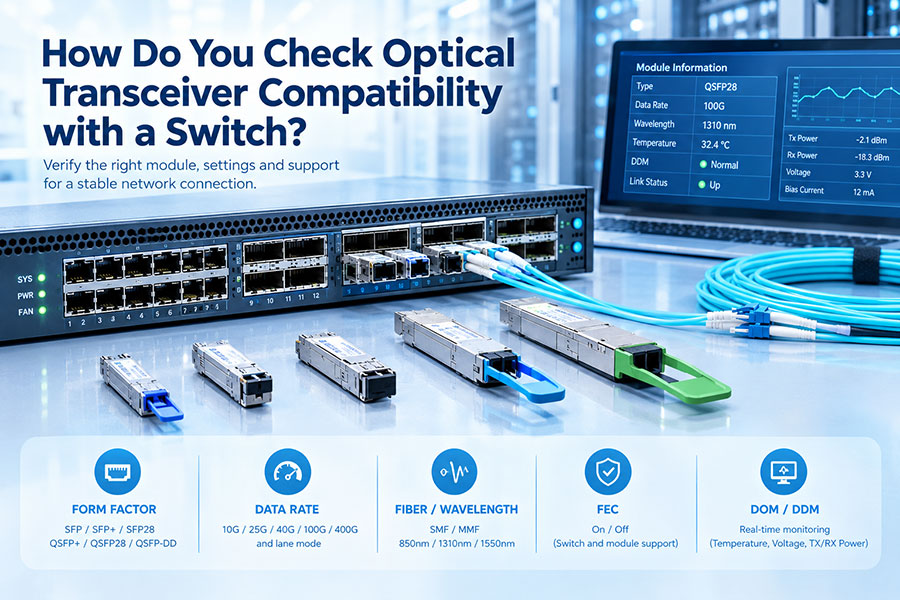
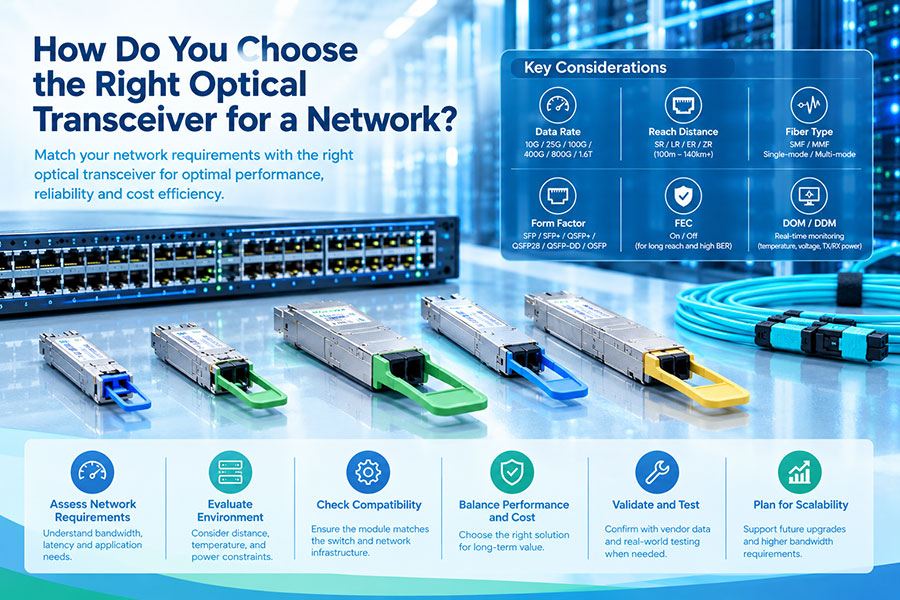
Checking compatibility before deployment helps prevent unsupported-module alerts, incorrect link speeds, optical signal problems, and thermal issues. The process should begin with the exact hardware model and port specification rather than selecting a transceiver by data rate alone.
1. Identify the NVIDIA Networking Platform
The first step is to identify which NVIDIA networking product will host the transceiver. NVIDIA equipment includes Quantum InfiniBand switches, Spectrum Ethernet switches, ConnectX network adapters, and BlueField DPUs. Their port configurations and supported optical modules vary by generation and model.
For example, a switch-to-switch connection may use a different optical configuration from a switch-to-server connection. The same nominal data rate does not guarantee that the modules at both ends have the same connector, lane arrangement, or mechanical design.
| NVIDIA platform | Typical role | Compatibility information to verify |
|---|---|---|
| Quantum InfiniBand | High-performance InfiniBand fabric for AI and HPC clusters | Switch generation, port type, NDR or HDR generation, supported optical interface |
| Spectrum Ethernet | Ethernet switching for data centers and AI networks | Switch model, Ethernet speed, port form factor, supported transceiver types |
| ConnectX adapters | Server and GPU-node network connectivity | Adapter generation, port configuration, supported module and cable type |
| BlueField DPUs | Network, storage, and infrastructure acceleration | DPU generation, physical port, supported speed and optical configuration |
Record the full model number and hardware revision whenever possible. A broad product-family name is not sufficient for a reliable compatibility decision.
2. Match the Port Form Factor and Mechanical Design
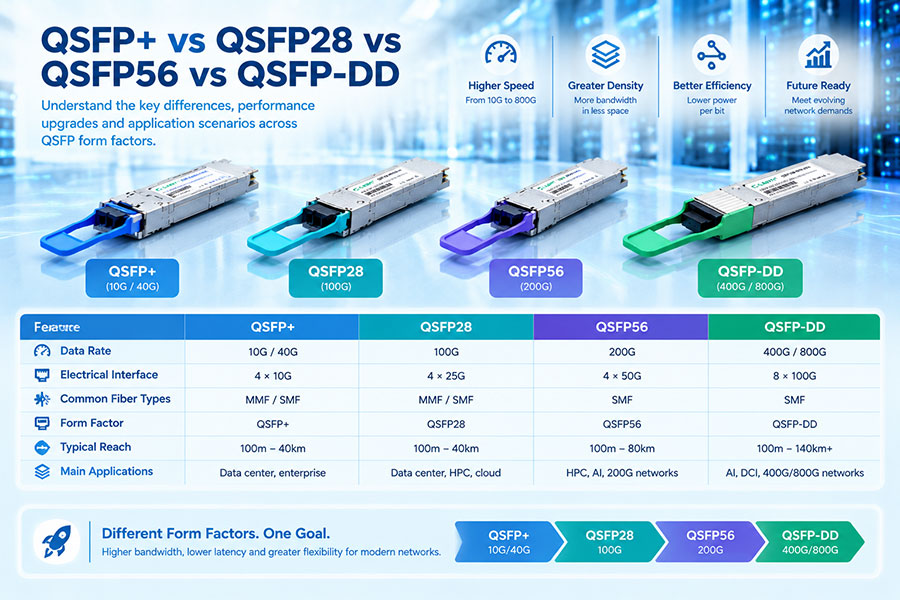
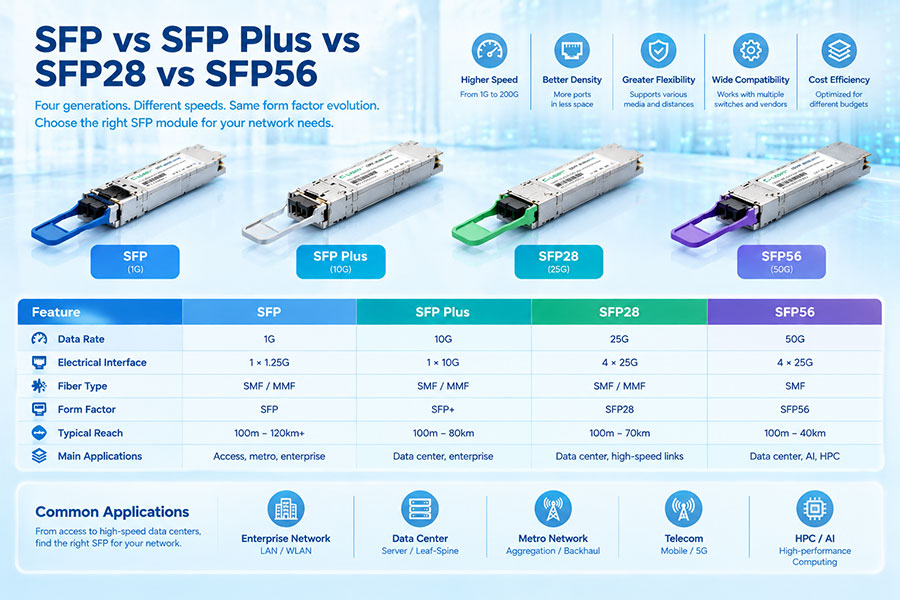
The transceiver must match the physical interface of the target port. Common form factors across NVIDIA networking generations include SFP28, QSFP28, QSFP56, QSFP-DD, QSFP112, and OSFP. However, not every form factor is supported on every switch or adapter.
Newer high-speed NVIDIA platforms also use specific OSFP configurations. For example, some switch designs use OSFP modules with integrated heat-sink structures, while adapter-side or compute-system connections may require a different mechanical version.
| Form factor | Common application area | What to check |
|---|---|---|
| SFP28 | 25GbE connections and selected adapter ports | Port support, 25G signaling, optical standard |
| QSFP28 | 100GbE and selected legacy InfiniBand connections | Lane configuration, protocol, reach, and module coding |
| QSFP56 | 200Gb/s HDR and Ethernet applications | 50G-PAM4 lane support and platform generation |
| QSFP-DD | 400GbE switching and selected high-speed connections | Host port support, lane mapping, and Ethernet requirements |
| QSFP112 | 400Gb/s adapter and DPU connections on supported systems | Adapter-specific support and electrical interface |
| OSFP | 400G and 800G high-speed networking platforms | Switch or adapter version, cooling design, and port configuration |
3. Confirm Ethernet or InfiniBand Protocol Support
NVIDIA networking equipment is used in both Ethernet and InfiniBand environments. Although these technologies can use similar optical components and physical signaling, protocol support must be verified for the actual device and module combination.
NVIDIA LinkX documentation describes dual-protocol capability for certain product generations. For example, selected 100G-PAM4 LinkX interconnects and compatible ConnectX-7 or BlueField-3 devices support both Ethernet and InfiniBand, with the network protocol determined by the connected switch. This should not be generalized to every LinkX generation or every third-party optical module.
| Network environment | Protocol check | Compatibility consideration |
|---|---|---|
| Quantum InfiniBand | InfiniBand generation and supported interface | Check the switch and adapter compatibility matrix. |
| Spectrum Ethernet | Ethernet standard and port speed | Confirm the module supports the intended Ethernet interface. |
| Mixed adapter environments | Adapter port configuration | Check protocol settings and the exact adapter generation. |
| Third-party optical modules | Host recognition and interoperability | Validate the module with the intended platform; do not assume NVIDIA qualification. |
For a ConnectX adapter configured for a particular network protocol, its port configuration must also match the network environment. A module's optical characteristics cannot compensate for an incorrect host protocol configuration.
4. Match Data Rate, Modulation, and Lane Configuration
Data rate is one of the most important compatibility parameters, but it must be considered together with modulation and lane architecture. Modern high-speed optical modules may use multiple electrical and optical lanes, and two modules with the same aggregate bandwidth may use different signaling structures.
NRZ and PAM4 are not directly interchangeable signaling formats. A system may support a conversion through an appropriate gearbox or host architecture, but this capability must be explicitly specified rather than assumed.
| Parameter | What to verify | Potential compatibility issue |
|---|---|---|
| Aggregate data rate | 25G, 100G, 200G, 400G, 800G, or higher | The port may not support the module's operating speed. |
| Modulation | NRZ or PAM4 | Different signaling formats may not interoperate directly. |
| Lane count | Number and speed of electrical and optical lanes | Lane mapping may not match the host port. |
| Breakout configuration | For example, 400G to 4 × 100G | Incorrect breakout configuration can prevent link establishment. |
| FEC requirements | Supported FEC mode at both ends | Different FEC settings can cause link instability or failure. |
For example, a 400G module using four 100G optical lanes is not automatically interchangeable with a 400G module using eight 50G lanes. The host electrical interface, optical architecture, and supported conversion functions must all align.
5. Verify Wavelength, Fiber Type, Connector, and Transmission Distance
Once the host-side interface is confirmed, check the optical specifications. The two ends of a fiber link must use compatible optical standards and a suitable fiber plant.
Wavelength: Confirm that the transmitting and receiving wavelengths are compatible with the selected optical standard.
Fiber type: Match multimode or single-mode fiber to the transceiver design.
Connector: Check LC, MPO/MTP, or other specified optical interfaces.
Transmission distance: Select a reach appropriate for the actual link length and fiber infrastructure.
Optical power: Verify transmitter output, receiver sensitivity, and receiver overload limits.
Link budget: Account for fiber attenuation, connectors, splices, and other insertion losses.
| Optical category | Typical fiber | Common connector type | Deployment consideration |
|---|---|---|---|
| SR / SR4 / SR8 | Multimode fiber | LC or MPO, depending on module | Short-reach data center links |
| DR / DR4 / DR8 | Single-mode fiber | LC or MPO, depending on module | Parallel single-mode optical connections |
| FR4 / 2FR4 | Single-mode fiber | Usually duplex LC | Wavelength-multiplexed links, subject to module specification |
| LR / ER | Single-mode fiber | Usually duplex LC | Longer-reach links, subject to the exact optical standard |
Connector appearance alone does not establish compatibility. Two modules may both use MPO connectors but differ in fiber count, polarity, optical lane arrangement, or connector polish. Always verify the complete optical interface specification.
6. Check NVIDIA Qualification and Third-Party Module Support
NVIDIA LinkX products are designed and qualified for NVIDIA networking platforms. Third-party optical transceivers require a separate compatibility assessment. A module may follow an industry-standard optical interface and still not have the same platform qualification, firmware recognition, or support status as an NVIDIA-qualified component.
Before purchasing a third-party module, distinguish between three levels of compatibility:
These levels are related but not identical. A module that establishes a link in a test environment should not automatically be described as officially qualified or supported by NVIDIA.
For an accurate assessment, consult the official NVIDIA networking documentation and the compatibility information for the exact switch, adapter, or DPU. Useful starting points include the NVIDIA LinkX hardware compatibility information and the NVIDIA Networking documentation hub.
7. Use Software Tools to Inspect the Module and Link
After confirming the hardware and optical specifications, inspect the installed module and the link status. The available commands depend on the switch operating system, adapter generation, driver, and firmware.
On supported NVIDIA ConnectX systems running Linux, the following tools can help collect diagnostic information:
lspci— identify the installed PCIe network adapter.ethtool -i ethX— inspect the network interface driver and firmware information.ethtool ethX— view interface link status and negotiated speed where supported.ethtool -m ethX— read module EEPROM and optical diagnostics when supported by the driver and module.mlxlink -d— inspect supported NVIDIA adapter link information.
For switch platforms, use the diagnostic commands and management interface documented for the installed NVIDIA switch operating system. Command availability and output vary between platforms and software releases.
Pay particular attention to the following readings:
Module presence and identification information.
Configured and negotiated link speed.
Link state and lane status.
Transmitter and receiver optical power.
Module temperature and supply voltage.
Receive errors, symbol errors, and FEC counters where available.
A module that is recognized by the host has not necessarily established a healthy optical link. Likewise, a link that comes up does not prove that the module is formally qualified for every production configuration.
8. Validate the Complete Link Before Deployment
Compatibility should be tested across the complete connection rather than by examining one transceiver in isolation. This is especially important in AI clusters, where switch-to-switch and switch-to-server links may use different module types and cable arrangements.
Record both endpoints. Document the exact NVIDIA switch, adapter, or DPU models and their port numbers.
Confirm the interface. Check the form factor, supported speed, modulation, lane configuration, and protocol.
Verify the optical path. Match fiber type, connector, polarity, wavelength, reach, and link budget.
Check module identification. Confirm that the host detects the module and reports reasonable diagnostic information.
Establish the link. Verify link state, negotiated speed, FEC status, and lane operation.
Run traffic tests. Evaluate throughput, packet errors, link stability, and performance under the intended workload.
Review thermal behavior. Check module temperature and platform cooling conditions during sustained operation.
9. C-LIGHT Optical Transceiver Options for High-Speed Networks
High-speed Ethernet and AI data center deployments may require optical transceivers across multiple port generations. C-LIGHT provides optical module product families covering 400G and 800G applications, which can be evaluated against the interface and optical requirements of a specific NVIDIA networking configuration.
400G QSFP-DD Optical Transceivers
Designed for supported 400G QSFP-DD host interfaces. The appropriate optical variant should be selected according to the required reach, fiber type, connector, lane architecture, and Ethernet application.
400G OSFP Optical Transceivers
For high-density networking platforms using compatible OSFP ports. Confirm the specific OSFP mechanical and thermal configuration before selecting a module for a switch or adapter.
800G OSFP Optical Transceivers
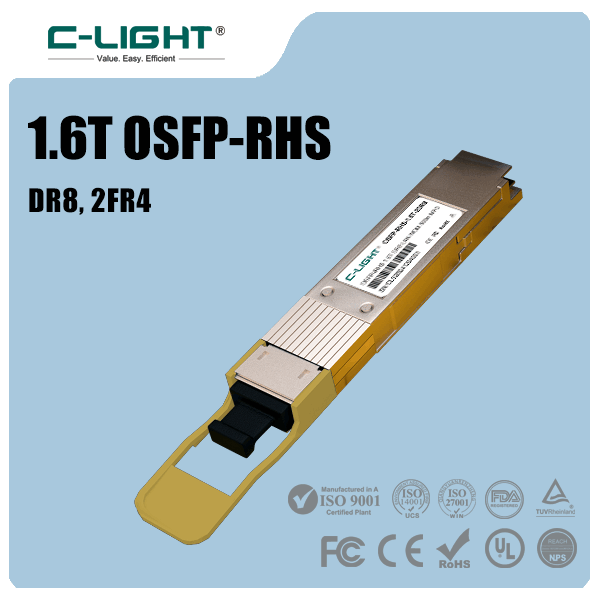
For supported 800G networking interfaces, with optical options such as SR8, DR8, and 2FR4 configurations. The selected module must match the host port architecture, lane mapping, fiber plant, and required reach.
800G QSFP-DD Optical Transceivers
For equipment with a compatible 800G QSFP-DD interface. Verify the exact host implementation and optical standard rather than assuming that all 800G ports support the same module design.
Product-family availability does not by itself establish NVIDIA qualification. For a project requiring third-party optical modules, provide the exact NVIDIA equipment model, port type, protocol, target speed, fiber type, and transmission distance so the proposed module can be checked against the intended configuration.
10. Common Compatibility Mistakes to Avoid
| Common mistake | Why it causes problems | Better approach |
|---|---|---|
| Choosing by data rate alone | Different lane and modulation architectures may be incompatible. | Verify the complete electrical and optical interface. |
| Assuming all OSFP modules are interchangeable | Mechanical and thermal designs can differ. | Check the required OSFP version for the exact platform. |
| Ignoring Ethernet and InfiniBand differences | Protocol support can vary by generation and product part number. | Confirm protocol compatibility at both endpoints. |
| Matching connector type only | Fiber type, polarity, lane mapping, and wavelength may differ. | Review the full optical specification and fiber assembly. |
| Assuming a recognized module is qualified | Host detection does not prove official platform validation. | Check qualification status separately from link operation. |
| Skipping sustained testing | Thermal or signal problems may appear under load. | Test link stability, errors, and temperature before deployment. |
11. Conclusion
Checking optical transceiver compatibility with NVIDIA networking equipment requires a complete review of the host platform, physical port, network protocol, data rate, modulation, lane architecture, optical specifications, and thermal requirements. Compatibility should be confirmed separately for switches, ConnectX adapters, and BlueField DPUs, even when they belong to the same network deployment.
For third-party modules, distinguish physical fit and functional interoperability from formal platform qualification. Reviewing the exact equipment model and validating the complete optical link before deployment helps reduce integration risk in high-speed Ethernet and InfiniBand networks.
Need help selecting optical transceivers for NVIDIA networking equipment?
Share the switch or adapter model, port configuration, target data rate, protocol, and transmission distance for a compatibility assessment.
Contact C-LIGHT >

 >
 >
 >
 >
 >
 >
 >