TEL:+86 132 6656 7067





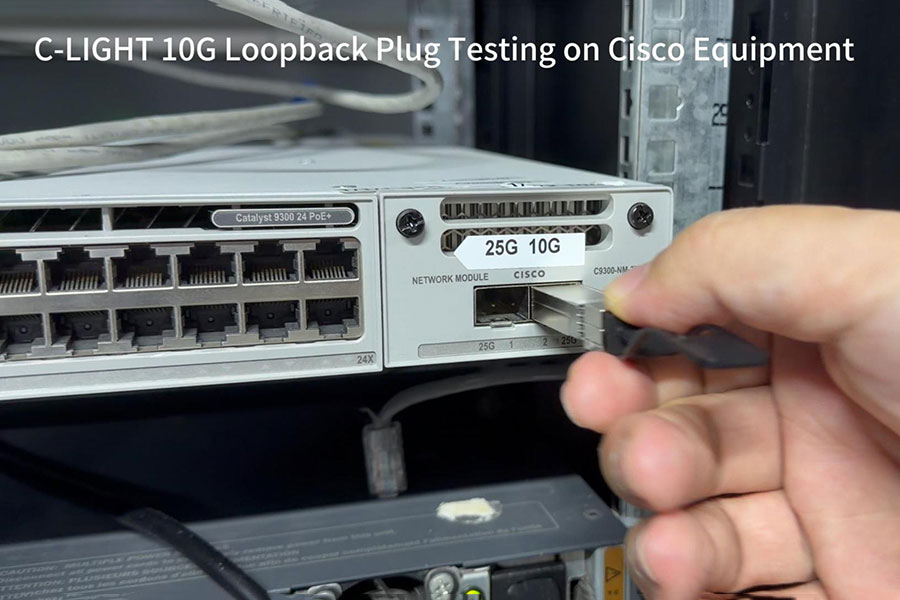
A practical approach to evaluating 10G SFP+ optical interfaces using loopback plugs, TX/RX signal testing, and Cisco switch diagnostics.
Testing 10G SFP+ interfaces is an important part of network equipment validation, maintenance, and troubleshooting. A 10G loopback plug provides a convenient method for checking a local optical interface by routing the transmitted signal back to its receive path.
When installed in a compatible Cisco switch port, a loopback plug allows engineers to evaluate the local interface without requiring a separate optical transceiver at the opposite end of a fiber link. Combined with interface status, optical diagnostics, and supported traffic testing, this method helps identify potential port-level connectivity issues.
1. What Is a 10G SFP+ Loopback Plug?
A 10G SFP+ loopback plug is a test accessory designed to connect the transmit (TX) and receive (RX) optical paths within a compatible SFP+ interface. Instead of sending an optical signal to a remote device, the module returns the transmitted signal to the local receiver.
This creates a local optical loop that can be used to evaluate the interface's transmission and reception paths. It is particularly useful when engineers need to check a switch port independently of external fiber infrastructure or remote network equipment.
Designed for compatible 10 Gigabit SFP+ optical interfaces and supported equipment.
Routes the locally transmitted signal back toward the receiver.
Helps evaluate interface functionality without a separate remote optical endpoint.
2. How Does Optical Loopback Testing Work?
During a loopback test, the SFP+ interface transmits an optical signal through its TX path. The loopback plug internally connects the optical transmission path to the RX path, allowing the same interface to receive the returned signal.
Once the optical signal returns to the receiver, the switch can evaluate the interface's receive condition. Depending on the device, port configuration, and testing method, engineers may also perform traffic-based tests to assess signal integrity and error performance.
An optical loopback plug is different from an electrical loopback adapter or a software loopback interface. The test method must match the physical interface and the device's supported diagnostic functions. A physical loopback alone does not establish end-to-end network connectivity.
3. C-LIGHT 10G SFP+ Loopback Module
For 10G network interface testing, C-LIGHT offers an SFP+ loopback module designed for local port verification and equipment diagnostics. It provides a dedicated testing option for compatible 10G SFP+ interfaces in switch, router, and network laboratory environments.

10G SFP+ Loopback Module
Part Number: CLSFP10GLPC-LIGHT 10G SFP+ Loopback is designed for local optical interface testing, signal verification, and port-level diagnostics. It provides a practical testing accessory for compatible 10G SFP+ networking equipment.
Part of a Broader Loopback Product Portfolio
In addition to 10G SFP+ loopback modules, C-LIGHT provides loopback solutions covering multiple data rates and form factors. This allows network equipment manufacturers, data center operators, and testing laboratories to select products according to their interface requirements.
Higher-speed configurations are also available, including 200G QSFP56 and 800G QSFP-DD and OSFP loopback modules.
4. Testing a 10G Loopback Plug on Cisco Equipment
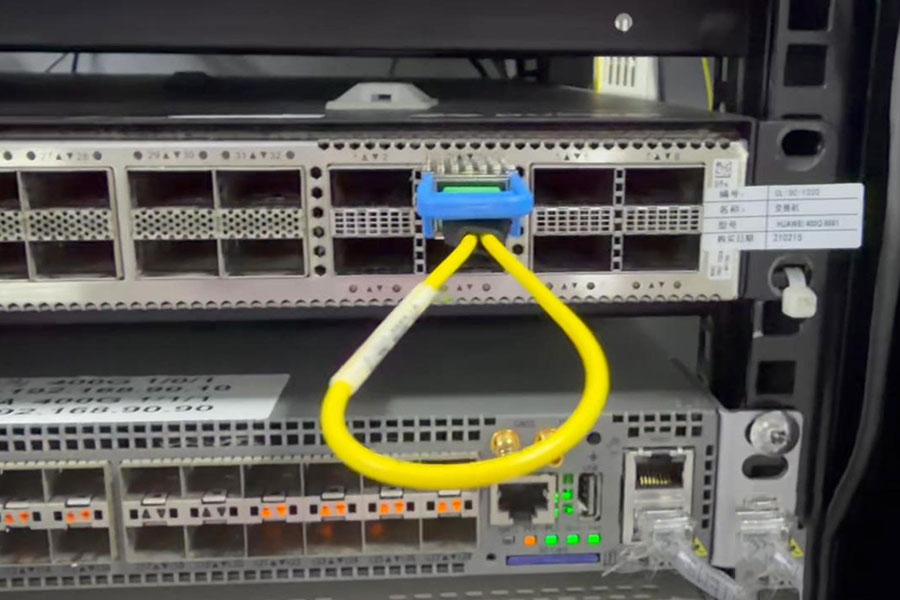
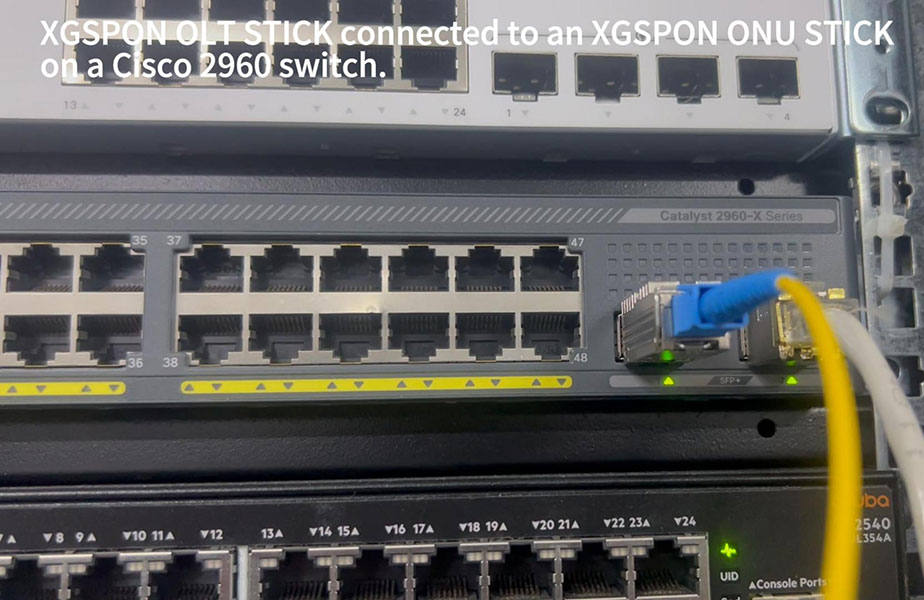
Cisco switches are widely used in enterprise networks and data center environments. A compatible 10G SFP+ loopback plug can be used as part of a local interface validation process, helping engineers inspect port recognition and interface operating status.
Interface Recognition and Status
The first step is to check whether the switch recognizes the installed module and reports the expected interface status. Cisco command availability and output may vary by platform and software release.
Example Cisco CLI commandsThese commands can provide information about interface state, transceiver identification, and optical diagnostic readings where supported. Engineers should use the actual interface name and command syntax applicable to their Cisco platform.
Optical Diagnostic Monitoring
If the installed interface and loopback solution expose supported diagnostic information, engineers can inspect relevant optical parameters. These readings help determine whether the optical signal is within the expected operating range.
| Diagnostic Item | Testing Purpose |
|---|---|
| Transceiver Recognition | Checks whether the switch identifies the installed module. |
| TX Optical Power | Provides information about the transmitted optical signal. |
| RX Optical Power | Indicates the optical signal level received by the interface. |
| Temperature and Voltage | Monitors module operating conditions when DDM is supported. |
| Interface Counters | Helps identify packet errors, CRC errors, and other interface events. |
5. Practical Applications of 10G Loopback Modules
A loopback module simplifies local interface testing by removing the need for a separate remote device. This makes it useful for initial hardware checks, maintenance procedures, and controlled troubleshooting environments.
Helps engineers check whether a compatible SFP+ interface can transmit and receive a returned optical signal.
Provides a convenient local testing accessory for routine inspection and maintenance of 10G optical interfaces.
Helps isolate certain local interface issues from faults associated with external fiber connections or remote equipment.
Supports repeatable local interface checks during switch evaluation, optical module validation, and equipment testing.
6. Loopback Testing vs. End-to-End Link Testing
Although loopback testing is useful for checking a local interface, it should not be treated as a replacement for a complete network link test. The two methods evaluate different parts of the communication system.
| Test Aspect | Loopback Testing | End-to-End Testing |
|---|---|---|
| Test Scope | Local interface | Complete communication path |
| Remote Equipment | Not required | Required |
| Fiber Link Validation | Limited | Included |
| Port Functionality | Can be evaluated | Evaluated as part of the link |
| Traffic Performance | Requires supported traffic testing | Can be evaluated end to end |
For more comprehensive validation, engineers should combine loopback checks with interface counter monitoring, traffic generation, and end-to-end testing where required.
7. Selecting the Right C-LIGHT Loopback Solution
Selecting a suitable loopback module requires matching the product to the host interface, data rate, form factor, and intended test environment.
Interface type: Match SFP+, SFP28, QSFP+, QSFP28, QSFP-DD, or OSFP to the equipment port.
Data rate: Select a loopback module that corresponds to the target port speed.
Platform compatibility: Verify switch hardware, firmware, module recognition, and supported interface modes.
Operating environment: Consider commercial or industrial temperature requirements.
Test objectives: Determine whether the requirement is local port validation, optical signal verification, or broader traffic testing.
A successful loopback test provides evidence that the tested local signal path is functioning under the test conditions. It does not independently verify remote connectivity, complete switching performance, or the condition of an external fiber network. Cisco compatibility should be confirmed for the specific equipment model and interface.
8. Conclusion
10G SFP+ loopback modules are practical tools for local optical interface testing on compatible Cisco networking equipment. By returning the transmitted signal to the receive path, they help engineers evaluate port-level functionality and investigate potential optical interface issues.
C-LIGHT's CLSFP10GLP 10G SFP+ Loopback Module provides a dedicated solution for 10G interface testing. Together with its broader 10G to 800G loopback portfolio, C-LIGHT supports different network speeds and equipment form factors used in data centers, enterprise networks, and testing laboratories.
Combined with Cisco interface diagnostics, DDM monitoring, and traffic-based testing, loopback solutions contribute to a more systematic approach to network equipment validation and maintenance.
Explore C-LIGHT Loopback and Optical Connectivity Solutions
Looking for 10G, 25G, 40G, 100G, 400G, or 800G loopback modules? C-LIGHT provides optical transceivers, loopback solutions, DAC/AOC cables, and customized connectivity products for network testing and data center applications.
Explore Loopback ProductsContact C-LIGHT
 >

 >
 >
 >
 >
 >
 >
 >