TEL:+86 132 6656 7067





Large-scale AI training depends on thousands of processors exchanging data across interconnected servers and racks. Even when individual GPUs have substantial computing capacity, the overall system can slow down if data cannot move between them quickly and consistently. This limitation is known as a network bandwidth bottleneck, and it can affect training efficiency, cluster scalability, and infrastructure utilization.
1. What Is a Bandwidth Bottleneck in an AI Network?
A bandwidth bottleneck occurs when one part of a communication path cannot handle the volume of data being offered to it. Traffic accumulates at that point, increasing queueing delays and reducing the throughput available to applications.
In a large AI cluster, communication passes through several interconnected components. These may include GPU memory, internal GPU links, PCIe connections, network interface cards (NICs), Ethernet or InfiniBand switches, optical transceivers, and fiber links.
If any component has insufficient capacity relative to the traffic demand, it can constrain the entire communication path. Increasing the speed of another component will not necessarily remove the bottleneck.
2. Where Do Bandwidth Bottlenecks Occur?
AI network bottlenecks can develop inside a server, between servers, across switching layers, or within the physical optical infrastructure. Identifying the location is the first step toward selecting an appropriate solution.
| Location | Potential Bottleneck | Possible Performance Impact |
|---|---|---|
| GPU memory and internal interconnect | Insufficient memory bandwidth or limited GPU-to-GPU connectivity | Processors wait for data or internal transfers |
| PCIe and NIC | Host interface limitations, NIC capacity, or data-path contention | Traffic cannot reach the external network at the expected rate |
| Leaf switch uplinks | Oversubscription or insufficient uplink capacity | Traffic between racks becomes constrained |
| Spine network | Limited aggregate capacity or uneven path utilization | Congestion across multiple server groups |
| Optical connections | Insufficient link capacity, excessive loss, or incompatible components | Reduced link performance or connection instability |
| Storage and data delivery | Insufficient storage throughput or data-loading capacity | GPUs wait for datasets or checkpoint operations |
A useful diagnosis must distinguish between a network fabric bottleneck and a bottleneck elsewhere in the system. For example, a GPU may be underutilized because of slow data loading even when its network links are not congested.
3. Why AllReduce and Collective Communication Create Network Pressure
Distributed AI training divides model computation across multiple GPUs. These GPUs must exchange information to keep their model states and training progress coordinated.
One common operation is AllReduce. Each participating GPU contributes data, such as gradients, and receives the reduced result. Other collective operations include All-Gather, Reduce-Scatter, and All-to-All. Their communication patterns can place significant demand on network links and switching resources.
Why synchronized communication matters
In synchronous training, workers often need to complete a communication phase before proceeding to the next dependent computation phase. If one worker's data is delayed by congestion or a slower path, the collective operation may take longer to finish.
This creates a system-wide effect: many GPUs can spend time waiting for communication to complete, even if only a portion of the network is congested.
4. How Oversubscription Reduces Available Bandwidth
Oversubscription occurs when the total potential bandwidth entering a network layer is greater than the bandwidth available on its uplinks. This is a common design consideration in multi-tier data center networks.
Consider a leaf switch with 32 server-facing ports operating at 400 Gb/s each. Its theoretical aggregate downlink capacity is:
If the switch has only 6.4 Tb/s of uplink capacity, the nominal downlink-to-uplink ratio is 2:1. Under simultaneous full-load traffic toward the uplinks, the available uplink capacity is lower than the combined server-facing capacity.
The actual impact depends on traffic direction, destination distribution, workload behavior, and whether traffic remains local to a leaf switch or crosses the fabric. A 2:1 ratio does not mean every application always receives half its link speed.
Oversubscription and AI workloads
AI training can generate synchronized bursts and large transfers between GPU servers. When many endpoints send traffic through the same uplinks at similar times, oversubscribed links can become congested.
Network designers therefore need to estimate traffic demand and choose an oversubscription ratio that reflects the workload, rather than relying on a generic ratio for every AI cluster.
5. What Is Bisection Bandwidth, and Why Does It Matter?
Bisection bandwidth measures the aggregate network capacity available when a network is conceptually divided into two groups and traffic must pass between them. It is an important way to evaluate how much communication a fabric can support across different parts of a cluster.
A network may have high bandwidth at individual server ports but insufficient capacity between groups of racks. In that case, local communication may perform well while cross-cluster communication becomes constrained.
High Per-GPU Bandwidth
Describes the network capacity available to an individual accelerator or server. It helps determine how quickly one endpoint can send and receive data.
High Bisection Bandwidth
Describes the aggregate capacity available between network partitions. It helps evaluate communication across a large cluster.
Both measurements matter. High per-GPU bandwidth cannot compensate for inadequate fabric capacity when many GPUs communicate across racks at the same time.
6. Why Congestion Can Be More Important Than Link Speed
A high-speed network link does not guarantee that traffic will be distributed evenly across the available paths. Congestion can occur when multiple flows compete for the same switch output port or physical link.
AI training traffic can be particularly demanding because collective operations may create large, synchronized flows. If routing distributes these flows unevenly, a subset of links can become congested while other paths remain underused.
Common causes of congestion
Uneven traffic distribution: Some links carry substantially more traffic than others.
Oversubscribed uplinks: Aggregate server demand exceeds available uplink capacity.
Synchronization bursts: Many GPUs transmit data at similar points in a training cycle.
Limited path diversity: Too few usable paths carry traffic between network segments.
Queue buildup: Packets wait for an output link that is already busy.
Routing and flow-control limitations: Traffic-management behavior does not adequately respond to changing network conditions.
Congestion management, adaptive routing, appropriate traffic engineering, and topology-aware workload placement can improve fabric utilization. Simply increasing the nominal speed of one connection may not solve an uneven traffic-distribution problem.
7. How Optical Interconnects Affect AI Network Bandwidth
Optical interconnects support high-capacity communication between servers, switches, and racks. They are particularly important in scale-out networks, where electrical connections may not provide the required reach or deployment flexibility.
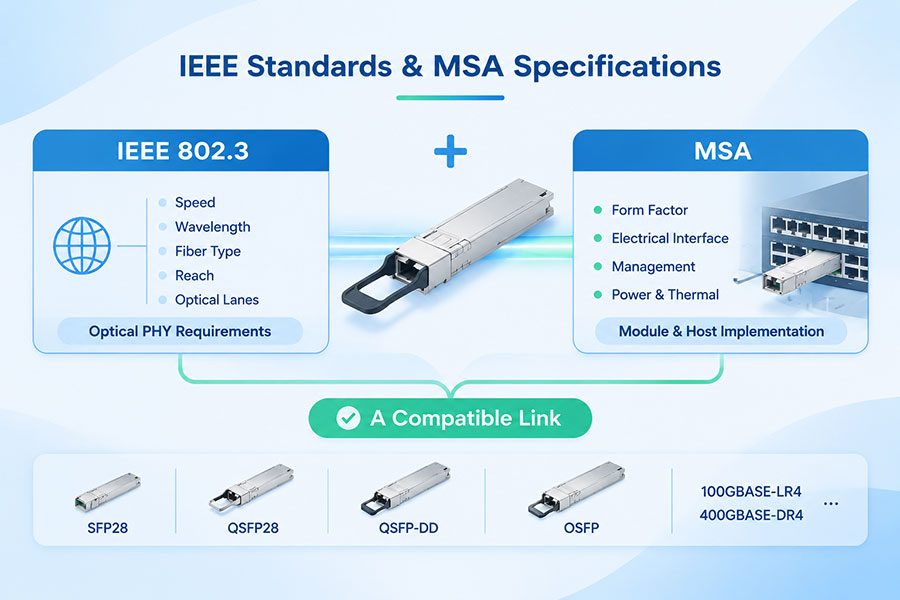
Optical transceivers convert electrical signals into optical signals for transmission over fiber. Their supported data rate, reach, wavelength, lane configuration, connector, and fiber requirements determine where they can be deployed.
| Connectivity | Typical Application | Bandwidth Consideration |
|---|---|---|
| 400G optical transceivers | High-speed switch and server interconnections | Provide 400G-class capacity per interface |
| 800G optical transceivers | Higher-capacity AI cluster fabrics | Increase per-port capacity and can reduce parallel interface requirements |
| 1.6T optical transceivers | Emerging next-generation high-bandwidth connections | Support higher nominal capacity per interface as platforms mature |
| AOC | Integrated optical connections between equipment | Combines optical interfaces and fiber into a cable assembly |
| DAC and AEC | Short-reach electrical connections | Provide practical alternatives for suitable short-distance links |
Optical connectivity can increase available link capacity and extend connections between network locations. However, it does not automatically remove congestion caused by insufficient switch capacity, poor traffic distribution, or oversubscribed uplinks.
C-LIGHT offers connectivity options for high-speed data center applications, including 400G DAC, 400G AOC, 800G DAC, 800G AEC, 800G AOC, and 1.6T OSFP-RHS solutions. Selection should be based on the required distance, interface configuration, host equipment, and network architecture.
8. How to Identify a Bandwidth Bottleneck
Effective diagnosis requires measurements across the complete communication path. A single link-speed reading cannot reveal whether the limiting factor is congestion, endpoint capacity, storage throughput, or an internal server connection.
| Metric or Check | What It Reveals | Potential Warning Sign |
|---|---|---|
| Link utilization | How much of a link's capacity is being used | Persistent saturation during workload execution |
| Port and queue statistics | Traffic distribution and output-port contention | Repeated queue buildup or congestion events |
| Packet drops and retransmissions | Whether traffic is being lost or must be sent again | Increasing drops or retransmission activity |
| Latency and jitter | Communication delay and its variation | Growing tail latency during collective operations |
| GPU utilization | Whether accelerators remain active during training | Idle periods correlated with communication phases |
| NIC and PCIe statistics | Server-side data-path limitations | Interface throughput below expected levels |
| Optical DDM readings | Supported module diagnostics such as Tx/Rx power and temperature | Optical levels or temperatures outside expected operating conditions |
Optical Digital Diagnostic Monitoring (DDM) can help identify physical-link problems, but it does not measure overall network congestion. It should be used alongside switch telemetry, NIC statistics, workload measurements, and application-level performance data.
9. Practical Ways to Reduce AI Network Bandwidth Bottlenecks
Bottleneck mitigation should target the component that limits end-to-end performance. Depending on the diagnosis, improvements may involve topology changes, higher-capacity links, better traffic distribution, server-side upgrades, or adjustments to workload placement.
Improve Fabric Capacity
Review uplink capacity, switch radix, aggregate switching capacity, and bisection bandwidth to ensure that the fabric can support expected traffic.
Optimize Traffic Distribution
Use suitable routing, load balancing, and congestion-management mechanisms to avoid persistent concentration of traffic on a small number of links.
Upgrade Network Interfaces
Evaluate higher-speed NICs, switch ports, and compatible optical connections when measured endpoint or link capacity is insufficient.
Improve Workload Placement
Keep frequently communicating GPUs within suitable network groups where possible, reducing unnecessary cross-fabric traffic.
Validate the Optical Path
Check transceiver compatibility, fiber type, connector cleanliness, insertion loss, and optical power margin.
Measure Before Expanding
Use workload benchmarks and network telemetry to identify the actual limiting component before adding switches or replacing links.
Higher-speed optics are most useful when the network fabric and connected equipment can make use of the additional capacity. If the bottleneck is inside the server or at an oversubscribed switching layer, replacing only the optical module may have little effect.
10. Conclusion
The bandwidth bottleneck in large-scale AI networks is the point where available communication capacity falls short of workload demand. It may occur in GPU interconnects, PCIe paths, NICs, leaf-spine uplinks, switching fabrics, optical links, or storage infrastructure.
Collective communication makes these limitations especially important. Congestion on a small number of paths can delay synchronized operations and reduce the effective utilization of many GPUs. For this reason, AI network performance depends on more than nominal link speed.
A scalable design combines sufficient per-GPU bandwidth, adequate bisection capacity, balanced traffic distribution, suitable optical connectivity, and end-to-end monitoring. The most effective upgrade is the one that addresses the measured bottleneck rather than simply increasing capacity at an unrelated point in the network.
Building or upgrading a high-speed AI data center network?
C-LIGHT provides optical transceivers, DAC, AEC, AOC, and fiber connectivity options for data center infrastructure.
Contact C-LIGHT >

 >
 >
 >
 >
 >
 >
 >