TEL:+86 132 6656 7067




An optical transceiver is a communication module that converts electrical data into optical signals for transmission over fiber optic cables and converts incoming optical signals back into electrical data. It provides the interface between network equipment, such as switches, routers, servers, and optical fiber links. Optical transceivers are widely used in data centers, enterprise networks, telecommunications, and high-performance computing systems.
Understanding how an optical transceiver works helps network engineers and buyers choose the right module for a specific data rate, transmission distance, fiber type, and equipment interface.
1. What Is an Optical Transceiver?
The term transceiver combines the words transmitter and receiver. An optical transceiver integrates both functions into one module, allowing network equipment to send and receive data through optical fiber.
On the transmitting side, the module converts electrical signals from the host device into modulated light. On the receiving side, it detects incoming light and converts it into electrical signals that the host can process.
Most pluggable optical transceivers connect to a switch, router, server network interface card (NIC), or other compatible device through an electrical interface. A fiber optic connector provides the optical connection to the transmission link.
1.1 Why Are Optical Transceivers Important?
High bandwidth: Optical transceivers support high-speed links ranging from lower-rate Ethernet applications to 400G, 800G, and emerging 1.6T systems.
Longer transmission distances: Depending on the module and optical link design, fiber connections can span a few meters to many kilometers.
Electromagnetic immunity: Optical fiber is not susceptible to electromagnetic interference in the same way as electrical copper transmission.
Network scalability: Different transceiver types allow operators to build links for server access, switch interconnection, campus networks, and telecom transport.
Flexible deployment: Pluggable modules can often be replaced or upgraded without replacing the entire switch or router, provided the host supports the replacement.
2. How Does an Optical Transceiver Work?
An optical transceiver performs two related processes: electrical-to-optical conversion during transmission and optical-to-electrical conversion during reception. The exact internal design depends on the module's speed, reach, modulation format, and optical architecture.
2.1 The Transmit Process: Electrical to Optical
Electrical data input: A switch, router, or server sends electrical data to the transceiver through its host interface.
Signal conditioning: The module's electronic circuits prepare the signal for transmission. Depending on the design, this may include equalization, clock processing, digital signal processing (DSP), or other functions.
Optical signal generation and modulation: A laser and, where applicable, an optical modulator generate the optical signal and encode the data onto it.
Fiber transmission: The optical signal is coupled into the fiber through the module's optical interface and travels toward the receiving device.
2.2 The Receive Process: Optical to Electrical
Optical signal reception: Light arriving through the fiber enters the transceiver's receiver section.
Photodetection: A photodiode converts the incoming optical signal into a small electrical current.
Electrical amplification and processing: Receiver circuits amplify and condition the signal. Depending on the design, clock and data recovery, equalization, and DSP may also be used.
Data output: The recovered electrical data is delivered through the host interface for processing by the receiving equipment.
In a typical full-duplex link, each endpoint has both transmitting and receiving functions. Many conventional duplex-fiber links use one fiber for transmission in each direction. BiDi transceivers can transmit and receive over a single fiber by using different wavelengths, when paired with a compatible counterpart.
3. What Are the Main Components of an Optical Transceiver?
An optical transceiver combines optical, electronic, and control components in a compact package. Not every module contains the same components or processing functions, but the following are common building blocks.
| Component | Primary Function |
|---|---|
| Laser diode | Generates the optical carrier used to transmit data. |
| Optical modulator | Encodes data onto light in designs that use external modulation. |
| Photodiode | Converts received optical power into an electrical current. |
| Transimpedance amplifier (TIA) | Converts the photodiode's small current into a usable voltage signal. |
| Laser driver | Provides the electrical drive needed to operate the laser or optical transmitter. |
| DSP or signal-conditioning circuitry | Performs functions such as equalization and signal processing when required by the module architecture. |
| Control and monitoring circuitry | Supports module configuration, status reporting, and diagnostic monitoring. |
| Electrical and optical interfaces | Connect the module to the host equipment and the optical fiber link. |
3.1 What Are TOSA and ROSA?
TOSA (Transmitter Optical Subassembly) refers to the optical transmitting assembly, which typically contains a light source and associated optical components. Its design varies according to the transceiver's application and modulation method.
ROSA (Receiver Optical Subassembly) refers to the optical receiving assembly, typically built around a photodetector and associated receiver components.
These assemblies are important parts of many optical transceiver designs. In more integrated modules, some optical and electronic functions may be combined into photonic integrated circuits or other compact assemblies.
4. What Are the Different Types of Optical Transceivers?
Optical transceivers can be classified by form factor, data rate, transmission distance, fiber type, wavelength, and application. These classifications describe different aspects of a module, so a single transceiver can belong to several categories at the same time.
4.1 Optical Transceivers by Form Factor
| Form Factor | Typical Applications | Key Consideration |
|---|---|---|
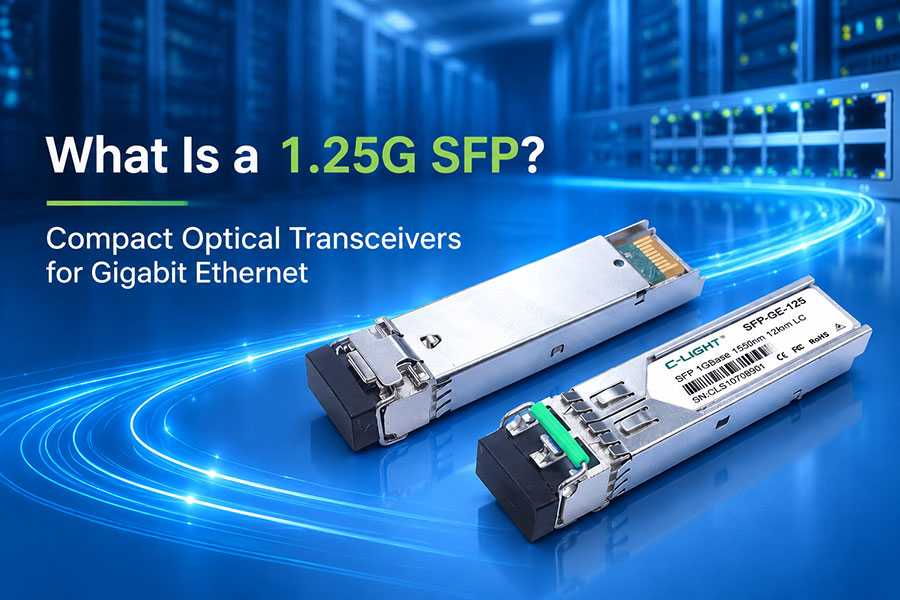
| SFP | Gigabit Ethernet, access networks, and some telecom links | Compact module family with multiple application-specific variants. |
| SFP+ | 10G Ethernet and related networking applications | Common in enterprise and data center networks. |
| SFP28 | 25G Ethernet and compatible applications | Used for server connectivity and switch links. |
| QSFP28 | 100G Ethernet | Supports high-density 100G networking in compatible systems. |
| QSFP-DD | 400G and 800G applications, depending on module specification | Double-density electrical interface; host and module compatibility must be verified. |
| OSFP | High-speed applications including 400G and 800G, depending on implementation | Used in high-density switches and data center platforms. |
Form factor alone does not determine the optical performance of a module. Two transceivers with a similar physical size may support different data rates, wavelengths, fiber types, and transmission distances.
4.2 Optical Transceivers by Fiber Type
Multimode optical transceivers are commonly used for short-reach connections within data centers and buildings. They typically operate with multimode fiber, often using wavelengths around 850 nm for common short-reach Ethernet applications.
Single-mode optical transceivers are designed for single-mode fiber and are widely used in data centers, campus networks, metropolitan networks, and telecommunications. Depending on the optical design, they can support distances from hundreds of meters to tens of kilometers or more.
| Characteristic | Multimode Optics | Single-Mode Optics |
|---|---|---|
| Fiber type | Multimode fiber, such as OM3 or OM4 | Single-mode fiber, such as OS2 |
| Common use | Short-reach data center links | Short-, medium-, and long-reach links, depending on module type |
| Common wavelengths | 850 nm for many SR applications | 1310 nm and 1550 nm for many applications |
| Distance | Depends on the fiber grade, data rate, and transceiver specification | Depends on the optical budget, fiber characteristics, and transceiver specification |
Wavelength examples in this table are common implementations, not universal rules. Always check the exact transceiver specification before selecting fiber or estimating link reach.
4.3 Optical Transceivers by Transmission Distance
SR (Short Reach): Generally used for short connections, often over multimode fiber.
DR (Data Center Reach): Commonly used for defined single-mode data center distances, with exact reach depending on the standard and product specification.
FR (Short-Reach Single-Mode): Used for single-mode links over distances commonly associated with several kilometers, depending on the applicable specification.
LR (Long Reach): Commonly used for single-mode links around 10 km in many Ethernet implementations.
ER and ZR: Used in certain extended-reach or longer-distance applications. Their reach and interoperability depend on the specific standard, optical design, and system requirements.
These labels do not replace a product's full specification. For example, an SR module at one data rate may have a different supported distance from an SR module at another rate.
5. Where Are Optical Transceivers Used?
5.1 Data Centers
Data centers use optical transceivers to connect switches, servers, storage systems, and high-performance computing infrastructure. As port speeds increase from 100G to 400G and 800G, and toward 1.6T systems, transceiver selection becomes increasingly important for bandwidth, power consumption, thermal management, and port density.
5.2 Telecommunications Networks
Telecom operators use optical transceivers in transport equipment, aggregation networks, metro links, and other fiber-based infrastructure. Depending on the application, modules may support standard Ethernet optics, wavelength-specific interfaces, tunable wavelengths, or coherent transmission.
5.3 Enterprise and Campus Networks
Enterprise networks use transceivers for switch uplinks, building-to-building fiber connections, campus backbones, and links between network closets. The choice of module depends on link distance, installed fiber, network speed, and supported equipment interfaces.
5.4 AI and High-Performance Computing
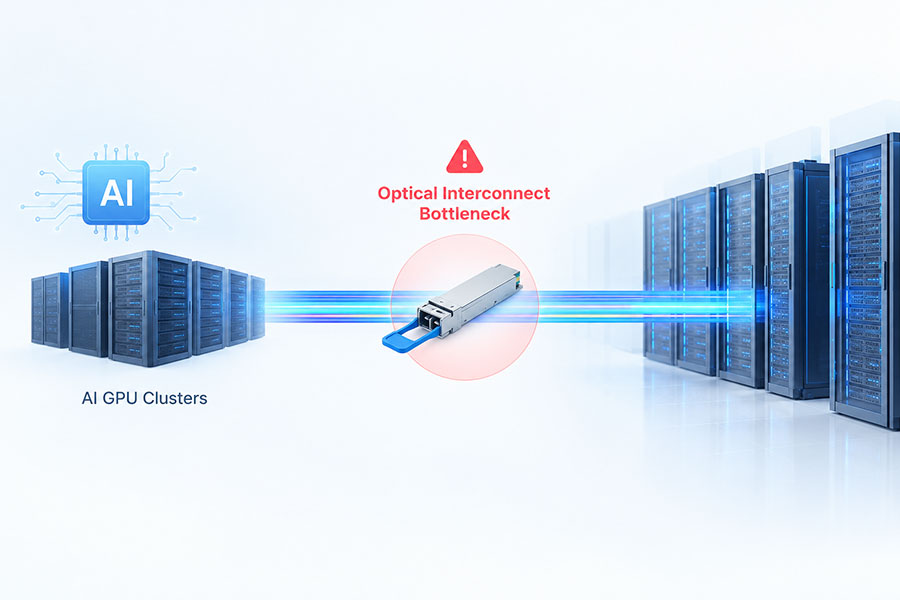
AI clusters and high-performance computing systems require high-bandwidth links between switches and compute nodes. Optical transceivers enable fiber-based connectivity across racks and between network devices, supporting scalable network designs where electrical interconnect distance and signal integrity can become limiting factors.
6. How Do You Choose the Right Optical Transceiver?
Selecting a transceiver requires more than matching the advertised data rate. The module must work with the host device and the optical link as a complete system.
Host compatibility: Verify the switch, router, NIC, or other device supports the transceiver's form factor, interface, and operating requirements.
Data rate and protocol: Confirm the required Ethernet, Fibre Channel, InfiniBand, or other supported application.
Transmission distance: Choose a module rated for the actual link distance and optical loss budget.
Fiber type: Match single-mode or multimode optics to the installed fiber plant.
Wavelength and connector: Check wavelength requirements, connector type, and whether the link uses duplex fiber, parallel fiber, or single-fiber BiDi optics.
Link architecture: Confirm lane configuration, breakout requirements, and compatibility between both ends of the link.
Power and temperature: Verify the host can support the module's power and thermal requirements, especially for higher-speed transceivers.
Standards and vendor qualification: Review applicable standards, multi-source agreement specifications, and the host manufacturer's compatibility requirements.
7. Optical Transceiver vs. Optical Module: Is There a Difference?
In many networking product descriptions, the terms optical transceiver and optical module are used interchangeably to refer to a pluggable device that transmits and receives optical signals.
However, terminology can vary by industry and product category. An optical transmitter or receiver may refer to only one direction of signal conversion, while a transceiver combines both functions. The specific product documentation should be used to confirm what a device includes.
8. Frequently Asked Questions
Q1: What is the main function of an optical transceiver?
An optical transceiver converts electrical data into optical signals for fiber transmission and converts incoming optical signals back into electrical data.
Q2: How does an optical transceiver transmit data?
It receives electrical data from the host device, drives a laser or optical modulator, and sends the resulting modulated light through an optical fiber.
Q3: How does an optical transceiver receive data?
A photodetector converts incoming light into electrical current. Receiver circuitry then amplifies and processes the signal to recover the data.
Q4: Does an optical transceiver need two fibers?
Not always. Many duplex transceivers use separate transmit and receive fibers, while compatible BiDi transceivers can send and receive over a single fiber using different wavelengths.
Q5: What is the difference between SFP and QSFP transceivers?
SFP and QSFP describe different form-factor families. Their supported data rates, lane configurations, and applications depend on the specific module variant.
Q6: Can a single-mode transceiver work with multimode fiber?
Not as a general rule. The transceiver's optical interface must match the intended fiber type and link specification. Using mismatched optics and fiber can cause poor performance or link failure.
Q7: What do SR, LR, DR, and FR mean on optical transceivers?
These labels identify optical application or reach categories. Their precise distances and fiber requirements depend on the relevant standard and product specification.
Q8: What are TOSA and ROSA in an optical transceiver?
TOSA is the transmitter optical subassembly, while ROSA is the receiver optical subassembly. They provide key optical functions for transmitting and receiving data.
Q9: Do optical transceivers support different Ethernet speeds?
Yes. Different product families support different rates, including 1G, 10G, 25G, 100G, 400G, and 800G, with newer high-speed solutions also emerging. The module and host port must support the required interface.
Q10: What should be checked before buying an optical transceiver?
Check host compatibility, data rate, protocol, fiber type, wavelength, connector, link distance, optical budget, and power and thermal requirements.
9. Conclusion
An optical transceiver is a key interface between electronic networking equipment and optical fiber. Its transmitter converts electrical data into light, while its receiver converts incoming light back into electrical signals. Internal optical components, electronic circuitry, and control functions work together to deliver reliable communication.
Choosing the right transceiver requires matching the module to the host interface, network protocol, fiber type, wavelength, and required reach. As data center and telecom bandwidth requirements continue to grow, understanding these fundamentals helps engineers and network buyers build compatible and scalable optical links.
C-LIGHT provides optical connectivity solutions for data center, enterprise, and telecom applications. Review your required data rate, reach, fiber type, and host compatibility before selecting a suitable product.
 >
>

 >
>
 >
>
 >
>
 >
>
 >
>
 >
>
 >
>