TEL:+86 132 6656 7067




MTP-16 and MTP-24 serve different fiber-count and cabling requirements. A typical MTP-16 assembly uses a 16-fiber, single-row arrangement, while an MTP-24 assembly commonly uses 24 fibers arranged in two rows of 12. Their connector interfaces, fiber positions and available transceiver mappings must be considered before selecting a trunk cable, adapter or conversion harness.
For 400G and 800G parallel-optics links, the connector must match the optical interface's transmit and receive lanes. For structured cabling, the priority may instead be trunk capacity, cassette design, port density and future expansion. Fiber count alone does not establish end-to-end compatibility.
1. MTP-16 vs MTP-24: Key Differences
The main distinction is the number and physical arrangement of fibers within the connector. In common industry usage, MTP-16 identifies a 16-fiber connector family or assembly, while MTP-24 usually describes a 24-fiber MTP/MPO assembly. Exact product naming varies, so confirm the actual ferrule, connector hardware and manufacturer specifications rather than relying on the label alone.
| Comparison Item | MTP-16 | MTP-24 |
|---|---|---|
| Typical fiber count | 16 fibers | 24 fibers |
| Common fiber arrangement | One row of 16 fibers (1 × 16) | Two rows of 12 fibers (2 × 12) |
| Typical application focus | 16-fiber parallel-optics links and high-density connections | High-density trunk cabling, structured cabling and 24-fiber distribution |
| 400G / 800G relevance | Commonly used with supported 8-transmit/8-receive parallel-optics interfaces, including SR8 implementations | Can aggregate more fibers in a trunk, but requires a compatible breakout, cassette or interface mapping to serve a specific transceiver |
| Connector compatibility | Requires matching MTP-16 connector hardware, keying and adapter specifications | Requires matching 24-fiber connector hardware, ferrule layout and adapter specifications |
| Potential conversion | May connect through a purpose-designed transition assembly or cassette | May connect through a purpose-designed transition assembly or cassette |
| Selection priority | Match the transceiver's fiber count, optical lane layout and connector interface | Match trunk capacity, cassette layout, polarity and the downstream interface requirements |
Important naming detail: MTP is a branded connector family, whereas MPO refers to a multifiber push-on connector interface. A 16-fiber or 24-fiber count describes the fiber configuration; it does not, by itself, specify every mechanical detail or guarantee interoperability.
2. Fiber Arrangement and Connector Geometry
A common MTP-16 configuration places 16 fibers in one row. This arrangement suits interfaces with eight transmit fibers and eight receive fibers in a parallel optical link. The MTP-16 connector family also includes other ferrule configurations, so a product's exact part number and drawing remain important.
A common 24-fiber MTP/MPO assembly places 24 fibers in two rows of 12. This gives a trunk or distribution cable more fiber positions per connector than a 16-fiber assembly. In a structured cabling system, those fibers may be allocated across multiple links, connected through a cassette, or routed to separate duplex ports.
MTP-16
Typical layout: one row of 16 fibers. The connector hardware uses an MTP-16-specific keying design. Do not assume it can mate directly with a traditional MPO connector just because the overall connector size appears similar.
MTP-24
Typical layout: two rows of 12 fibers. The precise guide-pin arrangement, keying, adapter and ferrule specifications must be checked against the supplied assembly. Products described as MTP-24 should be verified using their manufacturer documentation.
These layouts are not equivalent. A one-row 16-fiber interface and a two-row 24-fiber interface have different fiber positions and termination requirements. A passive adapter cannot automatically rearrange or remap the fibers between them.
3. Applications in 400G and 800G Optical Networks
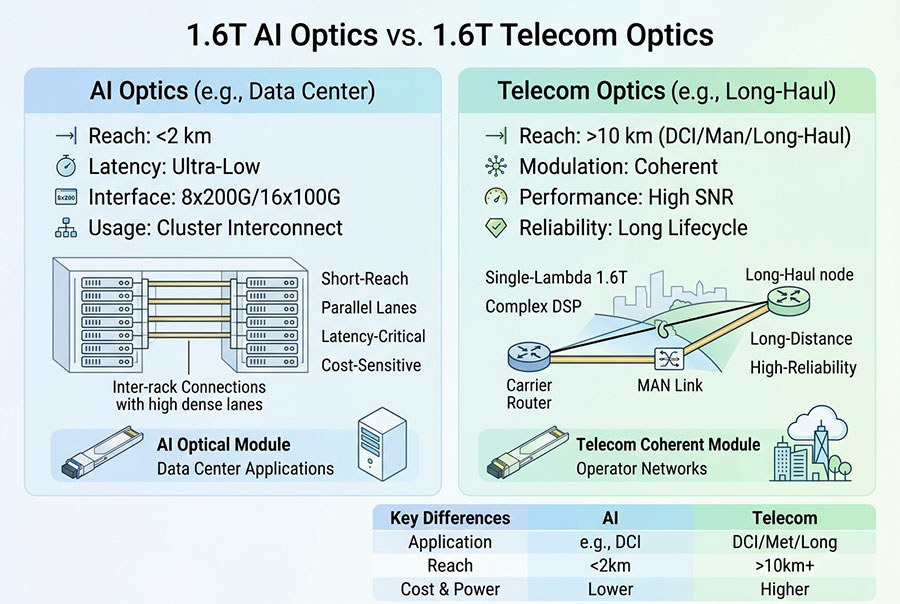
Connector selection for high-speed Ethernet and data-center networks starts with the optical interface, not the aggregate data rate. Different transceiver designs can use parallel fibers or wavelength-division multiplexing, and these approaches require different external connector arrangements.
| Optical Interface or Use Case | Typical Fiber Requirement | Cabling Consideration |
|---|---|---|
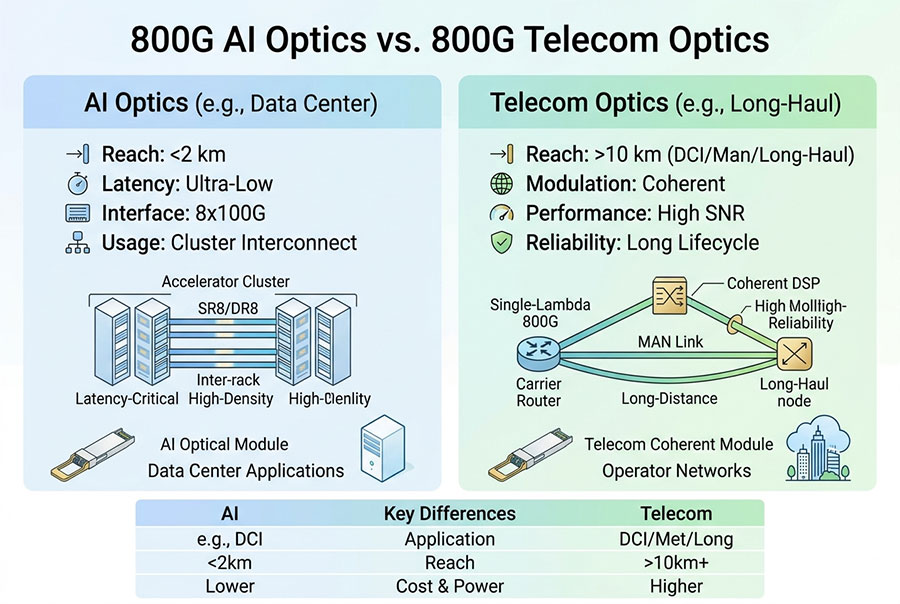
| 400GBASE-SR8 | 16 optical fibers in common implementations: 8 transmit and 8 receive | A compatible 16-fiber parallel-optics connection is typically used. Verify module and cable specifications. |
| 800GBASE-SR8 | 16 optical fibers in common implementations: 8 transmit and 8 receive | Confirm connector type, fiber mode, polarity and the supported optical reach. |
| 400GBASE-DR4 | 8 optical fibers: 4 transmit and 4 receive | Common implementations use an 8-fiber optical interface. A 16- or 24-fiber trunk needs an appropriate breakout or mapping where applicable. |
| 800G parallel single-mode optics | Fiber count depends on the optical interface; many 8-lane implementations use 16 fibers | Follow the exact module specification, including lane allocation and connector type. |
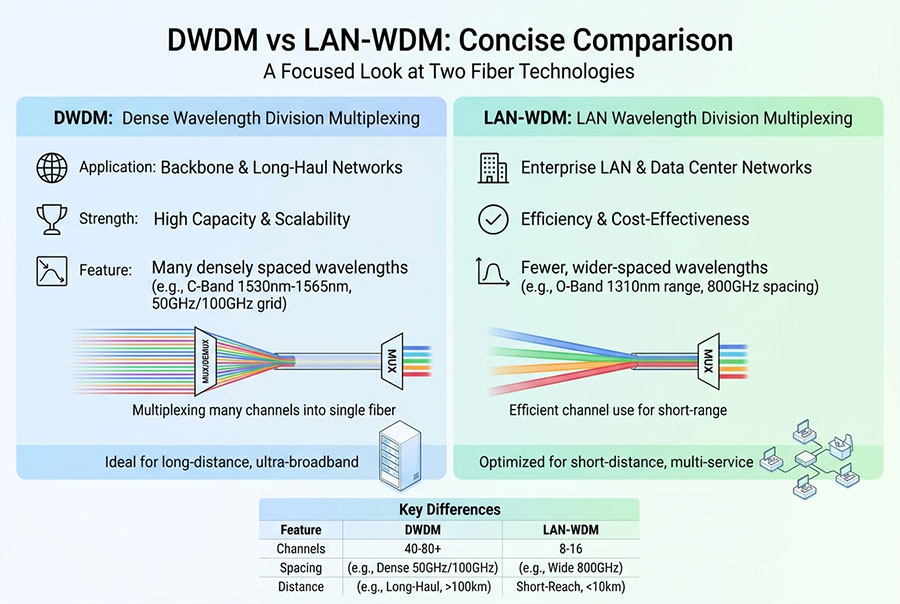
| 400G or 800G wavelength-multiplexed optics | Some designs use a duplex fiber pair rather than a 16-fiber parallel interface | Duplex LC or another specified connector may be required instead of an MTP/MPO interface. |
| High-density backbone cabling | 16 or 24 fibers per assembly, depending on the design | Choose the trunk count based on cassette capacity, link grouping, expansion needs and loss budget. |
A 24-fiber trunk can offer useful capacity in a structured cabling environment, but that does not mean a 24-fiber connector should be attached directly to every 400G or 800G transceiver. A system may need an MTP/MPO cassette, fan-out harness or transition cable to present the correct fiber count and connector at the equipment end.
For new installations, document both ends of every link. An optical interface that uses 16 fibers does not automatically work through a 24-fiber trunk unless the cable design and polarity mapping connect the intended transmit and receive lanes correctly.
4. Connector Compatibility, Keying and Polarity
MTP-16 and MTP-24 should not be treated as directly interchangeable connector types. Compatibility depends on the physical interface, not simply whether both connectors belong to the MTP/MPO family.
Mechanical compatibility: Confirm the ferrule configuration, connector hardware, guide-pin arrangement, key position and adapter specification. MTP-16 hardware uses a distinct keying design intended to prevent accidental mating with incompatible traditional MPO hardware. A 24-fiber assembly must be verified against its own connector documentation.
Gender and guide pins: Many multifiber connections use a pinned connector and an unpinned connector. Check both ends of the mating connection, including the adapter requirements. Two connectors with incompatible pin configurations cannot be made compatible by changing optical polarity.
Fiber polarity: Polarity determines which fiber at one end connects to the intended fiber at the other end. Methods A, B and C use different mapping arrangements. A 16-fiber connection, a 24-fiber trunk and a breakout harness can have different mapping requirements, so verify the complete path rather than relying on connector type alone.
Optical interface and fiber type: Confirm single-mode or multimode fiber, wavelength, connector end-face polish and the transceiver's supported optical specification. An assembly with the right number of fibers can still be unsuitable if its fiber mode, polish or lane mapping is incorrect.
Deployment rule: Do not attempt to resolve a connector mismatch through force, an unverified adapter or an assumed polarity change. Select a specified transition assembly or redesign the connection path, and test the resulting link before commissioning.
5. Choosing Between MTP-16 and MTP-24
The best choice depends on whether the priority is a direct parallel-optics interface or a high-capacity structured cabling plant.
Select MTP-16 when:
The transceiver or optical interface specifies a compatible 16-fiber connection.
The network uses a supported parallel-optics arrangement, such as an SR8 interface.
The connection needs a direct 16-fiber path with documented lane and polarity mapping.
The system's connector hardware and adapter are explicitly compatible with the MTP-16 assembly.
Consider MTP-24 when:
The backbone or trunk design benefits from 24 fiber positions per connector.
The cabling system is built around 24-fiber cassettes, distribution panels or multi-link aggregation.
The deployment requires a planned breakout to smaller fiber groups or individual duplex ports.
The complete link design specifies a compatible connector system and fiber mapping at every transition.
Where a 24-fiber backbone serves equipment that requires 16 fibers, a designed transition assembly can provide the necessary mapping. The unused fibers, if any, should be documented and managed in the cable schedule. Where the transceiver calls for 16 fibers at a direct port, a native 16-fiber assembly may simplify the connection and reduce unnecessary transitions.
6. Installation and Testing Requirements
High-density connectors concentrate many optical channels into a small interface. Contamination, damaged end faces, incorrect polarity and excessive connection loss can affect link performance even when the cable's nominal fiber count is correct.
Inspect and clean: Inspect connector end faces using an appropriate fiber inspection system. Clean and reinspect before mating.
Verify the cable specification: Check fiber mode, fiber count, connector type, gender, polish, key orientation and cable construction.
Confirm polarity: Verify the complete transmit-to-receive mapping through trunk cables, adapters, cassettes and harnesses.
Measure insertion loss: Test the completed link using a suitable procedure and wavelength for the fiber type and application.
Validate the optical link: Check module diagnostics and link status where available, then perform application-level testing under the intended configuration.
Keep records: Save the port map, cable identifiers, fiber mapping, test results and any unused-fiber assignments.
For cabling infrastructure, the design should also account for routing space, bend radius, cable management, patching access and future expansion. Increasing the fiber count at each connector may improve trunk density, but it does not automatically reduce insertion loss or guarantee higher network throughput.
7. MTP-16 vs MTP-24: Frequently Asked Questions
Q1: Can an MTP-16 connector plug directly into an MTP-24 connector?
No direct compatibility should be assumed. The fiber layouts, connector hardware and interface specifications differ. Use a manufacturer-approved transition solution if the cable system must connect these configurations.
Q2: Is MTP-24 always better because it carries more fibers?
No. MTP-24 can provide greater trunk fiber capacity, but a direct optical connection must match the equipment interface. For a transceiver specifying 16 fibers, a compatible MTP-16 assembly may be the more direct solution.
Q3: Does every 400G or 800G transceiver require MTP-16?
No. Connector requirements depend on the optical interface. Parallel-optics variants may use multifiber connectors, while wavelength-multiplexed variants may use duplex LC or another connector. Check the exact transceiver specification.
Q4: Can a 24-fiber trunk support multiple high-speed links?
Yes, if its fiber allocation, polarity, breakout components and equipment interfaces are designed for that arrangement. The number of supported links depends on the actual optical interfaces and mapping plan.
Q5: What information should be confirmed before ordering an MTP cable?
Confirm the fiber count and row layout, single-mode or multimode fiber, connector type, connector gender, polish, key orientation, polarity method, cable length, insertion-loss target and the required end-to-end fiber map.
8. Conclusion
MTP-16 is commonly selected for direct 16-fiber parallel-optics connections, while MTP-24 is often used for higher-capacity trunks and structured cabling based on a 24-fiber layout. Neither connector is universally superior: the correct option depends on the transceiver interface, physical connector specification, polarity mapping and cabling architecture.
Before deployment, verify the exact connector construction and fiber positions, then validate insertion loss and end-to-end mapping. For trunk and breakout requirements, review the available MPO-MPO fiber cable options and the wider optical transceiver portfolio alongside the equipment manufacturer's specifications.
Planning a high-density fiber connection for a 400G or 800G network?
Confirm the required fiber count, connector interface and cabling topology before selecting the assembly.
Contact C-LIGHT >
>

 >
>
 >
>
 >
>
 >
>
 >
>
 >
>
 >
>