TEL:+86 132 6656 7067




Fiber optic connectors provide detachable interfaces between optical fibers and network equipment, patch panels, distribution frames and optical testing instruments. Connector selection affects port density, insertion loss, return loss, installation efficiency and compatibility across the optical link. LC, SC, ST, FC and MPO/MTP are among the most widely used connector families, each serving different connectivity requirements.
Understanding connector geometry, fiber count, ferrule design, polishing type and application requirements helps engineers select the right interface for data centers, enterprise networks, telecommunications infrastructure and fiber distribution systems.
1. Common Fiber Connector Types
| Connector Type | Interface Design | Typical Fiber Configuration | Common Applications |
|---|---|---|---|
| LC | Small-form-factor connector with a latch mechanism | Simplex or duplex | Data centers, Ethernet transceivers, high-density patch panels |
| SC | Push-pull connector with a square housing | Simplex or duplex | Telecommunications, FTTH, access networks and patch panels |
| ST | Bayonet-style twist-lock connector | Usually simplex | Legacy multimode LANs, industrial networks and older test installations |
| FC | Threaded screw-on coupling | Usually simplex | Optical test equipment, instrumentation and specialized telecom systems |
| MPO | Multi-fiber push-on connector with a multi-fiber ferrule | Multiple fibers, commonly 8, 12 or 16 fibers in relevant configurations | Parallel optics, high-density cabling and structured data center cabling |
| MTP | Enhanced, brand-specific implementation of the MPO connector family | Multi-fiber configurations | High-density trunk cables, cassette systems and parallel optical links |
| E2000 | Push-pull connector with a protective shutter | Typically simplex | Telecommunications and applications requiring protected connector interfaces |
LC Connectors
LC connectors use a compact 1.25 mm ferrule and a latch-style coupling mechanism. Their small footprint allows more optical interfaces within a limited panel or transceiver space than traditional SC connectors. LC duplex interfaces are common on many 10G, 25G and 100G optical modules, although the exact connector depends on the transceiver standard and design.
LC interfaces are widely used for duplex single-mode links, duplex multimode connections and optical patching. They are particularly useful when rack space and port density are important design considerations.
SC Connectors
SC connectors use a push-pull coupling mechanism and a larger housing than LC connectors. They are frequently found in fiber distribution systems, passive optical networks and fiber-to-the-home installations. SC/APC interfaces are also common in systems where low back reflection is important, including many PON deployments.
ST and FC Connectors
ST connectors use a bayonet coupling design and are associated with legacy multimode installations. FC connectors use a threaded coupling that helps secure the connection against accidental disconnection. FC interfaces remain useful in selected measurement, instrumentation and specialized optical systems.
MPO and MTP Connectors
MPO connectors accommodate multiple fibers in a single ferrule, enabling high-density cabling and parallel optical transmission. MTP is a specific connector product family designed within the broader MPO interface ecosystem. Although the terms are related, individual products should be evaluated for mechanical compatibility, performance, pin configuration and polarity.
Multi-fiber connectors are especially relevant to 40G, 100G, 400G and 800G network architectures that use parallel optical lanes. The required fiber count and connector configuration depend on the optical module, cabling architecture and transmission method.
2. UPC and APC: Fiber Connector Polishing Types
Connector families describe the mechanical interface, while UPC and APC describe different physical-contact polishing geometries. They are not interchangeable connector-family names.
| Polishing Type | End-Face Geometry | Typical Characteristics | Common Uses |
|---|---|---|---|
| UPC | Ultra Physical Contact; convex end face | Designed for physical contact with low insertion loss and good return loss | Ethernet links, data center patching and many general-purpose optical connections |
| APC | Angled Physical Contact; typically an 8-degree angled end face | Reduces back reflection by directing reflected light away from the fiber core | PON, CATV, analog optical links and reflection-sensitive applications |
Connector color can help identify polishing types, but color conventions are not a substitute for checking product specifications. Blue commonly indicates single-mode UPC, while green commonly indicates single-mode APC. Always verify the connector documentation, particularly for mixed-vendor installations.
3. Simplex, Duplex and Multi-Fiber Connections
Simplex
A simplex connection uses one optical fiber. Depending on the system architecture, it may carry a single optical direction or be part of a bidirectional single-fiber link using different wavelengths.
Single fiberBiDi or one-way links
Duplex
A duplex connection uses two fibers, typically one for transmission and one for reception. LC duplex interfaces are common in Ethernet and enterprise optical networking.
Two fibersTx/Rx pair
Multi-Fiber
MPO/MTP trunk cables carry several fibers through a single connector interface. This supports parallel transmission and compact structured cabling in high-density network environments.
Multiple fibersHigh-density cabling
Breakout Connectivity
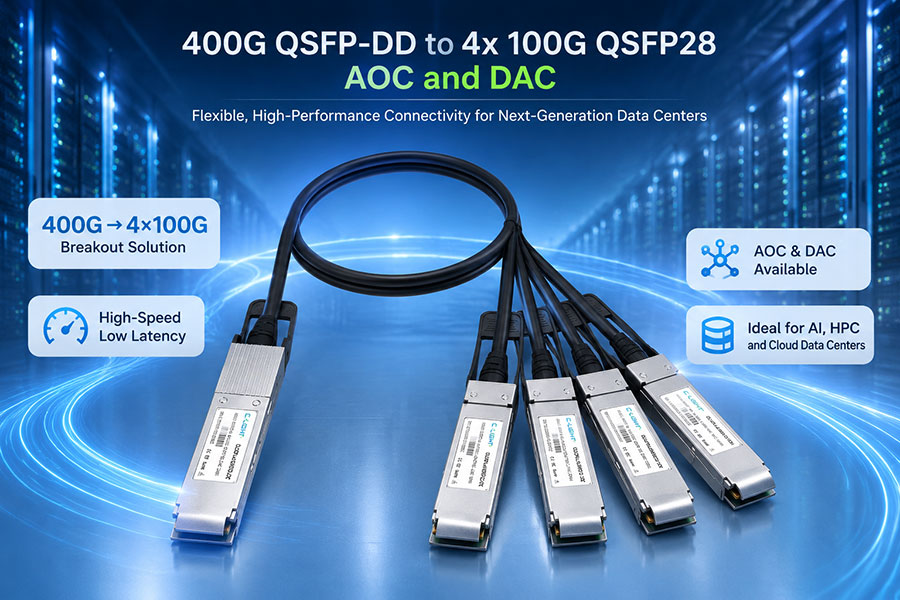
Breakout assemblies connect a multi-fiber interface to multiple smaller interfaces or divide parallel optical paths into separate connections. The lane mapping and polarity must match the equipment design.
Parallel opticsPort expansion
Fiber count alone does not determine whether a cable is compatible. Engineers must also check the transceiver interface, lane assignment, polarity, fiber type, wavelength and supported optical link architecture.
4. Single-Mode and Multimode Connector Applications
Most common connector families can be used in single-mode or multimode systems when the connector assembly is designed for the relevant fiber and application. The connector shape alone does not determine transmission distance or optical performance.
| Characteristic | Single-Mode Fiber | Multimode Fiber |
|---|---|---|
| Fiber core | Typically around 9 μm | Commonly 50 μm; legacy 62.5 μm fiber also exists |
| Common fiber designations | OS2 | OM1, OM2, OM3, OM4 and OM5 |
| Common connector interfaces | LC, SC, FC and MPO/MTP | LC, SC, ST and MPO/MTP |
| Typical optical use | Campus, metro, access, telecom and data center links | Short-reach enterprise and data center links |
| Key selection factors | Wavelength, optical budget, reach, connector polish and fiber specification | Fiber category, wavelength, reach, lane count and transceiver requirements |
OS2 single-mode fiber is widely used for longer-reach optical links, while OM3 and OM4 multimode fiber are common in short-reach data center environments. Actual supported reach depends on the transceiver specification, operating wavelength, link budget and installed cabling performance.
5. Fiber Connectors Used with Optical Transceivers
The optical connector on a transceiver is determined by its optical interface design and supported transmission architecture. The module's electrical host interface, such as SFP28, QSFP28, QSFP-DD or OSFP, does not by itself specify the fiber connector.
| Optical Interface | Common Fiber Connector | Typical Link Architecture | Selection Consideration |
|---|---|---|---|
| Duplex LC | LC duplex | Two-fiber bidirectional Ethernet links | Check wavelength, single-mode or multimode fiber, and supported reach |
| BiDi optical interface | Usually simplex LC | Bidirectional transmission over one fiber using different wavelengths | Both ends must use complementary wavelength configurations |
| Parallel optical interface | MPO/MTP | Multiple optical lanes over a multi-fiber cable | Check fiber count, polarity, key orientation and lane mapping |
| Coherent or DWDM interface | Often LC duplex, depending on module design | Wavelength-division multiplexing and high-capacity optical transport | Verify connector type, optical power, wavelength plan and line-system requirements |
For product selection, C-LIGHT provides optical transceiver options across multiple data rates and form factors. The appropriate connector should be confirmed against the specific module datasheet and the intended fiber plant.
Optical Transceiver Product Catalog — review available optical module categories and interfaces.
100G QSFP28 Optical Transceivers — review product options and connector requirements for the selected module.
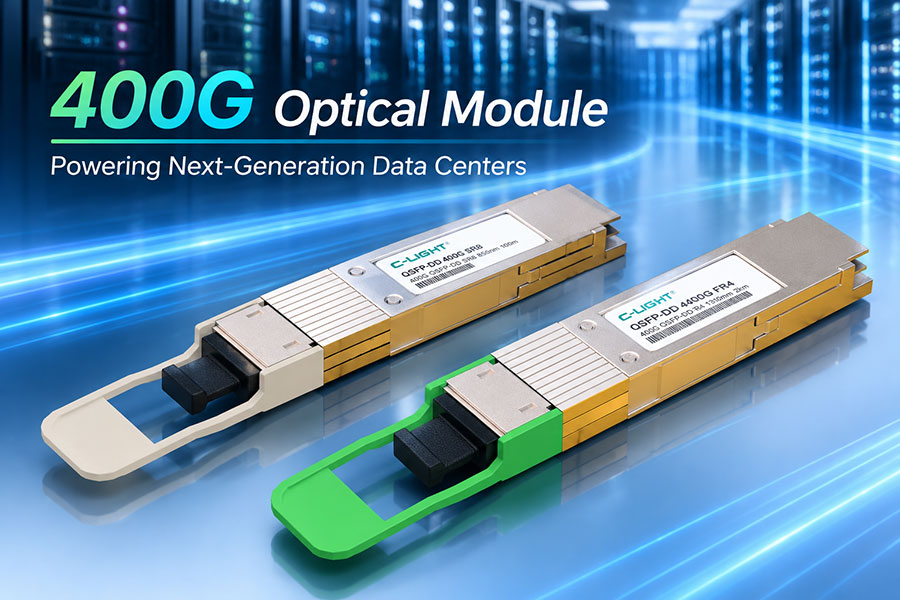
400G QSFP-DD Optical Transceivers — evaluate high-speed optical module options for data center connectivity.
800G OSFP Optical Transceivers — review high-density, high-bandwidth transceiver options.
6. How to Select the Right Fiber Connector
Connector selection should begin with the equipment interface and optical link requirements rather than connector popularity alone. The following checks help avoid cabling mismatches during deployment.
Verify the equipment port: Confirm whether the transceiver or panel requires LC, SC, MPO/MTP or another interface.
Match the fiber type: Select single-mode or multimode assemblies according to the optical module specification.
Check connector polishing: Confirm UPC or APC requirements and never mate the two polishing types together.
Confirm fiber count: Determine whether the link requires simplex, duplex or a multi-fiber configuration.
Check MPO/MTP polarity: Verify the cable polarity, key orientation, pin configuration and transmit/receive lane mapping.
Review optical performance: Check insertion loss, return loss, operating wavelength and the link's optical power budget.
Confirm mechanical compatibility: Similar connector families may have different ferrules, keying or performance grades. Confirm compatibility rather than relying on appearance.
Plan cleaning and inspection: Contamination on connector end faces can increase insertion loss or cause permanent damage. Inspect and clean connectors before mating them.
7. Fiber Connector Installation and Maintenance
Connector condition directly affects optical link reliability. Even a connector with the correct interface can perform poorly if its end face is contaminated, scratched or improperly mated.
Keep dust caps installed when connectors are not in use.
Inspect connector end faces with a suitable fiber inspection tool before connection.
Use approved cleaning tools and methods for the connector type.
Avoid touching the end face or exposing it to unclean surfaces.
Check insertion loss when troubleshooting links with unexpected attenuation.
Protect patch cords from excessive bending, tension and repeated mechanical stress.
Follow laser safety procedures and never look directly into an active fiber or optical port.
For MPO/MTP assemblies, inspection should cover the entire multi-fiber end face. A single contaminated fiber position can affect an individual lane even when the other fibers remain operational.
8. Frequently Asked Questions
Q1. What is the most common fiber optic connector?
Answer: LC is widely used in modern data centers and Ethernet optical links because of its compact design. SC remains common in access networks and fiber distribution systems. The best choice depends on the equipment interface and application.
Q2. What is the difference between LC and SC connectors?
Answer: LC uses a smaller ferrule and a compact latch mechanism, while SC uses a larger square housing with a push-pull coupling. LC is often preferred for high-density equipment, whereas SC is common in fiber distribution and access applications.
Q3. Are MPO and MTP connectors the same?
Answer: MPO is the general multi-fiber connector interface family. MTP is a specific connector product family designed to meet MPO interface requirements. Compatibility should still be verified for ferrule design, pin configuration, polarity and performance.
Q4. Can UPC and APC connectors be connected together?
Answer: No. UPC and APC use different end-face geometries. Mating them can cause high loss, poor return loss or connector damage. Both ends of the connection must use compatible polishing types.
Q5. Does an LC connector support both single-mode and multimode fiber?
Answer: Yes. LC connector assemblies are available for both single-mode and multimode applications. The cable and connector assembly must match the fiber type and the optical transceiver specifications.
Q6. Why is MPO/MTP used in high-speed data centers?
Answer: MPO/MTP consolidates multiple optical fibers into one connector, supporting parallel optical lanes and high-density cabling. Correct fiber count, polarity, lane mapping and transceiver compatibility are essential.
Q7. Does the connector type determine optical transmission distance?
Answer: No. Reach depends primarily on the transceiver design, wavelength, fiber characteristics, optical budget and link conditions. The connector must meet the interface and optical performance requirements but does not independently define the supported distance.
9. Conclusion
LC, SC, ST, FC, MPO and MTP connectors serve different needs across data center, enterprise, telecommunications and access networks. LC supports compact duplex connectivity, SC is widely used in distribution and access systems, and MPO/MTP enables multi-fiber connections for high-density and parallel optical architectures. UPC and APC describe polishing geometries that must be matched correctly.
A reliable fiber connection requires the correct mechanical interface, fiber type, polishing, fiber count, polarity and optical performance. Checking these parameters against the equipment datasheet helps prevent installation errors and supports stable optical network operation.
Optical Connectivity for Your Network
Review C-LIGHT optical transceiver options for data center and telecommunications applications. Confirm connector interfaces, fiber requirements and compatibility with your intended network equipment before deployment.
Contact C-LIGHT >
>

 >
>
 >
>
 >
>
 >
>
 >
>
 >
>
 >
>