TEL:+86 132 6656 7067




800G Ethernet optical interconnects provide high-bandwidth links between switches, server racks and data center network layers. Their performance depends on more than the nominal port rate: optical reach, lane architecture, fiber connectivity, switch compatibility, power consumption and link design all influence deployment.
As AI training clusters and cloud infrastructure grow, 800G Ethernet is increasingly used in high-capacity leaf-spine fabrics and other data center networks. Selecting the right interconnect requires matching the optical module to the physical distance, fiber plant, port configuration and Ethernet implementation.
1. What Is an 800G Ethernet Optical Interconnect?
An 800G Ethernet optical interconnect is a high-speed optical link that carries Ethernet traffic at a nominal aggregate rate of 800 gigabits per second. A typical link uses compatible optical transceivers at both ends and a fiber-optic cable between them.
The transceiver converts electrical signals from the host switch or network interface into optical signals for transmission, then converts received optical signals back into electrical signals. The exact optical architecture depends on the module standard, reach class and implementation.
Conceptual point-to-point link. Actual host interfaces, optical lanes and connector arrangements vary by transceiver type.
2. Common 800G Optical Transceiver Types
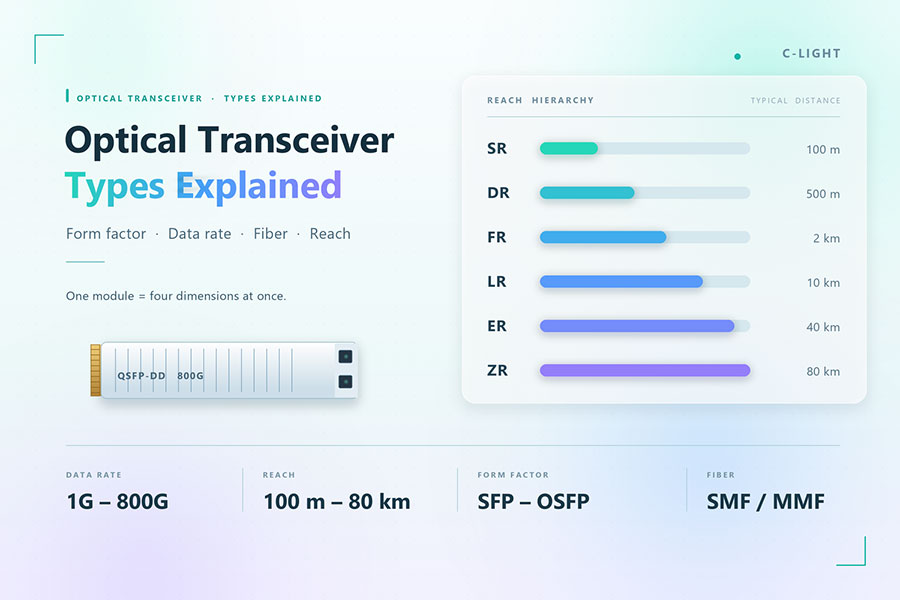
Different 800G optical modules serve different distances and fiber environments. SR8 is generally associated with short-reach multimode fiber, while DR8, 2FR4 and other single-mode designs address different reach and connectivity requirements. Exact specifications must be confirmed against the applicable standard and product datasheet.
| Module Type | Fiber Type | Typical Application | Key Design Consideration |
|---|---|---|---|
| 800G SR8 | Multimode fiber (MMF) | Short links within racks or between nearby equipment | Fiber grade, parallel-fiber count and MPO connectivity |
| 800G DR8 | Single-mode fiber (SMF) | High-density links across data center rows or network areas | Parallel optical lanes and eight-fiber transmit/receive paths |
| 800G 2FR4 | Single-mode fiber (SMF) | Duplex-fiber links over a longer reach than typical multimode connections | Wavelength multiplexing, duplex LC connectivity and endpoint support |
| 800G 2DR4 | Single-mode fiber (SMF) | Selected high-density single-mode Ethernet deployments | Optical lane mapping, breakout requirements and standards compliance |
| 800G FR8 or other multi-wavelength designs | Single-mode fiber (SMF) | Applications specified by the relevant module implementation | Verify the exact standard, reach, wavelengths and connector interface |
Names that look similar do not necessarily indicate interchangeable modules. For example, DR8 and 2FR4 use different optical architectures and typically have different fiber and connector requirements. Always verify the module's exact Ethernet specification rather than selecting by speed and reach alone.
3. Parallel Optics and Wavelength Multiplexing
800G optical modules can achieve their aggregate bandwidth through multiple optical lanes. Two broad approaches are parallel optics and wavelength-division multiplexing.
Parallel optical transmission
Parallel-optics designs transmit and receive data over multiple fiber paths. An 800G DR8 implementation commonly uses eight transmit lanes and eight receive lanes, with each lane carrying a portion of the aggregate data rate. This architecture supports high bandwidth but requires the correct multi-fiber cabling and polarity.
Wavelength-division multiplexing
Wavelength-multiplexed designs combine multiple optical channels onto fewer fiber strands. An 800G 2FR4 design, for example, uses multiple wavelengths in each direction over a duplex single-mode fiber connection. This can simplify the fiber plant compared with a parallel-fiber design, although the transceiver optics and wavelength arrangement differ.
| Attribute | Parallel Optics | Wavelength-Multiplexed Optics |
|---|---|---|
| Fiber usage | Multiple fibers per direction | Can use a duplex fiber pair |
| Connector planning | Multi-fiber connector and polarity planning are important | Duplex connector and fiber continuity are important |
| Optical implementation | Separate optical paths for individual lanes | Multiple wavelengths combined on a fiber path |
| Typical trade-off | High lane parallelism and potentially straightforward optical paths | Lower fiber-strand usage, with more complex wavelength handling |
4. Fiber and Connector Selection
The fiber plant must match the optical transceiver's specifications. Using the wrong fiber type, connector, polarity or patching arrangement can prevent link establishment or degrade optical performance.
Single-mode fiber: Commonly used by DR8 and 2FR4 modules. Confirm the supported fiber category, reach and optical loss budget.
Multimode fiber: Used by short-reach optics such as SR8. Confirm the supported fiber grade and maximum channel length.
MPO/MTP connectors: Common in parallel-optics applications. Verify the fiber count, pin configuration, polarity and end-to-end lane mapping.
LC duplex connectors: Common in duplex single-mode designs. Check transmit/receive orientation and fiber continuity.
Structured cabling: Account for patch panels, intermediate connections, cable routing and the total insertion loss of the complete channel.
Connector fit alone does not establish compatibility. A patch cable must also support the required optical paths and loss budget. For MPO links, incorrect polarity can map transmit lanes to the wrong receive lanes even when the connectors physically mate.
5. 800G Ethernet in AI and Cloud Data Centers
800G Ethernet is particularly relevant to environments that aggregate traffic from large numbers of high-performance servers and accelerators. In a leaf-spine network, leaf switches connect server-facing ports and uplinks, while spine switches provide high-capacity paths between leaf switches.
Illustrative Ethernet fabric. The actual topology, oversubscription ratio and number of switching stages depend on traffic patterns and capacity targets.
In AI clusters, higher-speed links can reduce the number of physical ports required for a given aggregate bandwidth. However, they do not automatically eliminate congestion. Performance still depends on oversubscription, traffic distribution, queue management, congestion control, routing and the characteristics of the distributed workload.
Ethernet is one option for AI networking; some clusters use InfiniBand instead. The optical transceiver must match the intended protocol and host interface. An 800G optical module designed for Ethernet should not be assumed to operate in an InfiniBand environment without explicit support.
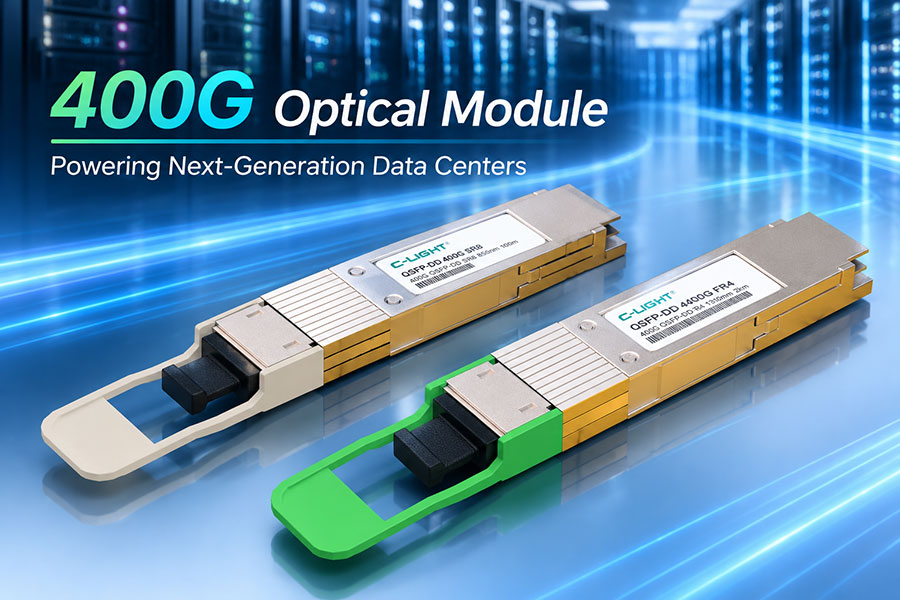
6. 800G Versus 400G Optical Interconnects
Moving from 400G to 800G doubles the nominal aggregate port rate, but the practical benefits depend on the equipment architecture and deployment constraints.
| Consideration | 400G Interconnect | 800G Interconnect |
|---|---|---|
| Nominal aggregate rate | 400 Gb/s | 800 Gb/s |
| Bandwidth per port | Lower than 800G at the port level | Twice the nominal aggregate rate of 400G |
| Port density | May require more ports for a given aggregate capacity | Can reduce the number of ports needed for the same nominal capacity |
| Power and cooling | Depends on module and switch design | Requires evaluation of module power, switch power and cooling density |
| Upgrade requirements | May use an existing 400G platform | Requires supported 800G host ports, optics and compatible cabling |
Doubling the port rate does not necessarily double application throughput. Actual traffic performance is affected by network oversubscription, protocol overhead, congestion, endpoint capability and workload behavior. Similarly, an 800G deployment may improve bandwidth per rack unit while increasing thermal density or requiring changes to the fiber plant.
7. Power, Thermal Management and Reliability
800G optical modules place demands on switch power delivery and thermal design. Module consumption varies by optical architecture, reach, DSP implementation, operating conditions and vendor design. A longer-reach or more complex optical module may have a different power profile from a short-reach alternative.
For high-density deployments, assess the following:
Module power: Confirm the maximum specified power and the switch's supported module power class.
Airflow: Match the module and switch airflow direction to the rack cooling design.
Thermal operating range: Check the specified case-temperature range and the switch manufacturer's limits.
Optical monitoring: Use supported digital diagnostics to track temperature, supply voltage, laser bias and transmit/receive optical power.
Link validation: Test link stability, error counters and performance under representative load and temperature conditions.
Digital diagnostics can help identify abnormal conditions, but a single set of readings does not establish long-term reliability. Qualification should consider the complete operating environment, link margin, host compatibility and the manufacturer's requirements.
8. Compatibility and Deployment Checklist
Before ordering or installing 800G Ethernet optical interconnects, confirm the complete link specification at both ends.
Verify that the switch or network interface supports the required 800G Ethernet module and form factor.
Confirm the exact optical standard, reach class and lane architecture.
Match the fiber type, connector, fiber count and polarity to the selected optics.
Check the total channel loss, including patch panels and intermediate connections.
Confirm that breakout operation, if required, is supported by the host port and switch software.
Check vendor coding, firmware requirements and interoperability expectations.
Validate transmit and receive optical power, link state, error counters and sustained traffic performance after installation.
Where equipment interoperability is uncertain, test the intended module on the actual switch platform before large-scale deployment. Host support, firmware behavior and coding requirements can vary even among systems that share a nominal port rate.
9. Frequently Asked Questions
9.1 What is the difference between 800G DR8 and 800G 2FR4?
DR8 uses parallel optical lanes over multiple single-mode fibers, while 2FR4 uses multiple wavelengths over a duplex single-mode fiber pair. Their optical architectures, connectors and cabling requirements are different, so they are not direct cable-level substitutes.
9.2 Can an 800G Ethernet link use existing 400G fiber cabling?
Sometimes, but it depends on the optical module, connector arrangement, fiber count, polarity and channel loss. Existing fiber may be reusable if it meets the selected 800G link's specifications; the transceivers and host ports must also support the intended configuration.
9.3 Does 800G Ethernet require single-mode fiber?
No. Some 800G optical implementations use multimode fiber for short-reach links, while others use single-mode fiber for different distances and optical architectures. Select the fiber type according to the exact module specification.
9.4 Can 800G optics connect directly to 400G ports?
Not automatically. A connection requires a supported host interface and compatible link configuration at each end. Certain systems support breakout or other interoperability modes, but these must be explicitly supported by the hardware, optics and software.
9.5 What should be checked when an 800G link fails to come up?
Start with host-port support, module recognition, firmware and coding requirements. Then check fiber polarity, connector cleanliness, transmit/receive mapping, optical power, link configuration and error counters. Test with known-good compatible components to isolate the fault.
9.6 Is 800G Ethernet suitable for AI data centers?
Yes. It can provide high-capacity links for AI and cloud Ethernet fabrics. Suitability depends on the required bandwidth, network topology, endpoint support, congestion behavior, power budget and compatibility with the chosen networking protocol.
10. Conclusion
800G Ethernet optical interconnects enable higher-capacity data center links, but successful deployment depends on choosing the correct optical architecture and validating the complete link. Transceiver type, fiber reach, connector mapping, host compatibility, thermal limits and network topology must be considered together.
For AI and cloud infrastructure, an effective 800G design balances port bandwidth with fiber availability, switch capacity, power consumption and operational reliability. Confirming these requirements before deployment helps reduce interoperability problems and supports a more predictable network upgrade.
Share your switch model, target distance, fiber type and required optical module configuration to identify suitable interconnect options.
Contact C-LIGHT >
>

 >
>
 >
>
 >
>
 >
>
 >
>
 >
>
 >
>