TEL:+86 132 6656 7067





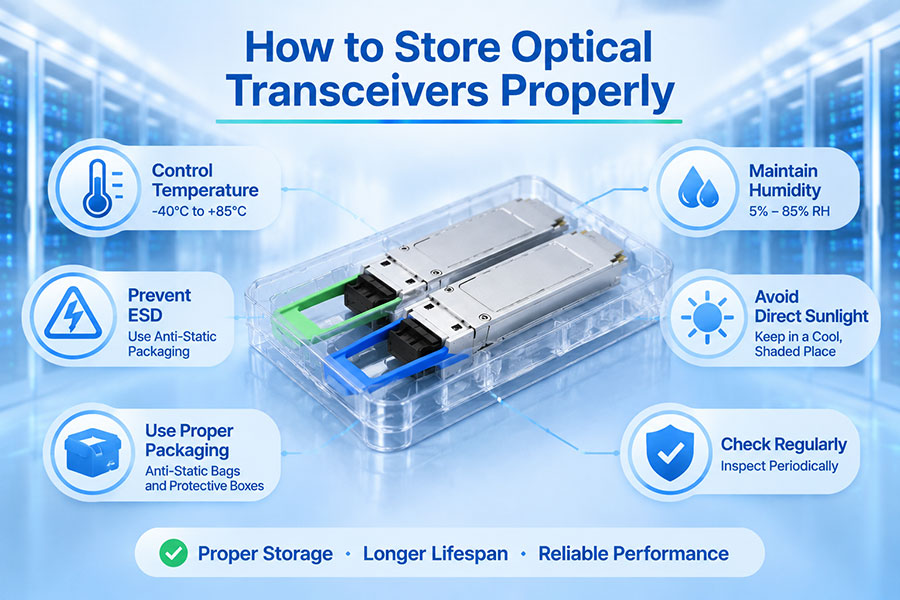
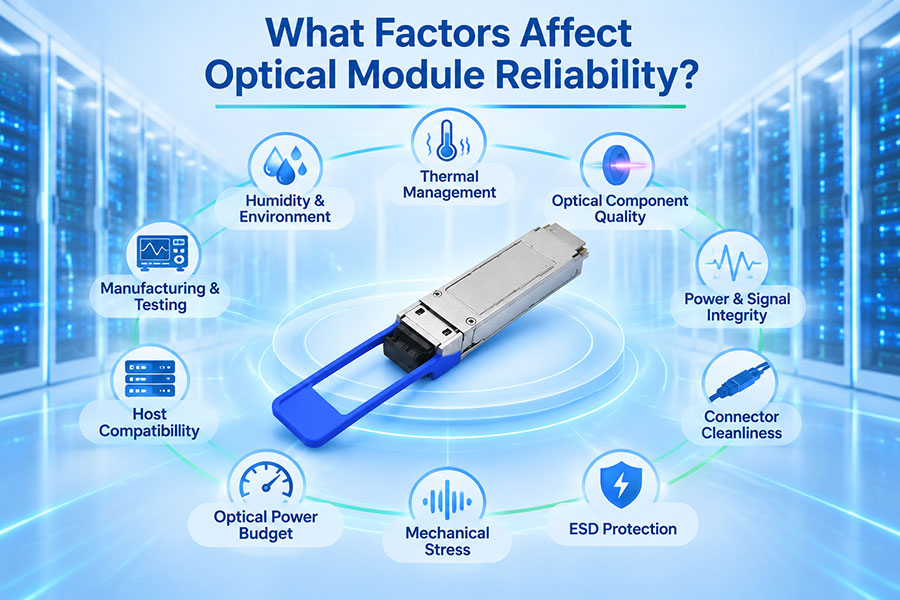
Optical transceivers are precision optoelectronic components that combine laser transmitters, photodetectors, optical interfaces, and electronic circuitry in a compact module. Their performance depends not only on design and manufacturing quality but also on how they are handled and stored before installation.
Improper storage can expose modules to electrostatic discharge (ESD), dust, moisture, temperature extremes, mechanical damage, and connector contamination. These risks apply across SFP, SFP28, QSFP28, QSFP-DD, OSFP, and other optical form factors. A controlled storage process helps preserve module condition, simplify inventory management, and reduce avoidable failures during deployment.
1. Why Proper Optical Transceiver Storage Matters
Optical transceivers contain sensitive electronic and optical components. Although modules are designed for operation in specified environments, their storage requirements are not necessarily identical to their operating requirements.
Incorrect storage can create several problems:
ESD damage: Electrostatic discharge can affect sensitive electronic components, potentially causing immediate or latent failures.
Dust contamination: Exposed optical interfaces can collect particles that increase insertion loss or interfere with optical coupling.
Moisture exposure: Condensation and excessive humidity can affect electrical contacts and internal components.
Temperature-related stress: Storage outside the specified temperature range can affect materials and component reliability.
Mechanical damage: Dropping, crushing, or improperly stacking modules can damage housings, connectors, or internal assemblies.
Identification errors: Poor inventory organization can lead to incorrect module selection or compatibility problems during installation.
Proper storage is therefore part of optical equipment quality control, particularly for organizations maintaining large quantities of spare transceivers for data centers and telecom networks.
2. Follow the Manufacturer's Storage Temperature Requirements
Temperature is one of the most important environmental factors when storing optical transceivers. Each module has a specified storage temperature range, which may differ from its operating temperature range.
For example, many commercial optical transceivers specify a storage range around -40°C to 85°C, but this is not a universal specification. The exact limits depend on the product design, materials, and manufacturer's qualification requirements.
Storage conditions should always be checked against the individual product datasheet or packaging label.
| Temperature Category | Typical Description | Storage Consideration |
|---|---|---|
| Commercial operating range | Often 0°C to 70°C for commercial-temperature modules | This describes operation, not necessarily storage |
| Extended operating range | May include -5°C to 85°C or other specified ranges | Confirm the exact module specification |
| Industrial operating range | Often -40°C to 85°C | Industrial operating capability does not replace storage limits |
| Storage range | Defined separately by the manufacturer | Use the datasheet or product label as the controlling reference |
Do not assume that a transceiver can be stored indefinitely at the highest or lowest temperature in its specified range. Follow any additional restrictions concerning storage duration, packaging, or environmental conditions.
3. Control Humidity and Prevent Condensation
Humidity control helps protect optical transceivers from moisture-related problems. High humidity can increase the risk of condensation when modules move between environments with different temperatures.
Condensation may affect exposed electrical contacts, optical interfaces, and packaging materials. Even when a module is stored within its specified temperature range, sudden environmental changes can create moisture-related risks.
Recommended Humidity Practices
Store modules in a clean, dry environment within the manufacturer's specified humidity limits.
Keep original protective packaging sealed until the module is needed.
Use moisture-barrier packaging and desiccants when required by the manufacturer's packaging instructions.
Avoid storing transceivers near water sources, leaking pipes, or areas with persistent condensation.
Allow sealed packaging to reach the surrounding environment before opening when condensation is a concern.
Follow manufacturer guidance for any required moisture exposure or handling procedures.
4. Use ESD-Protective Packaging and Handling
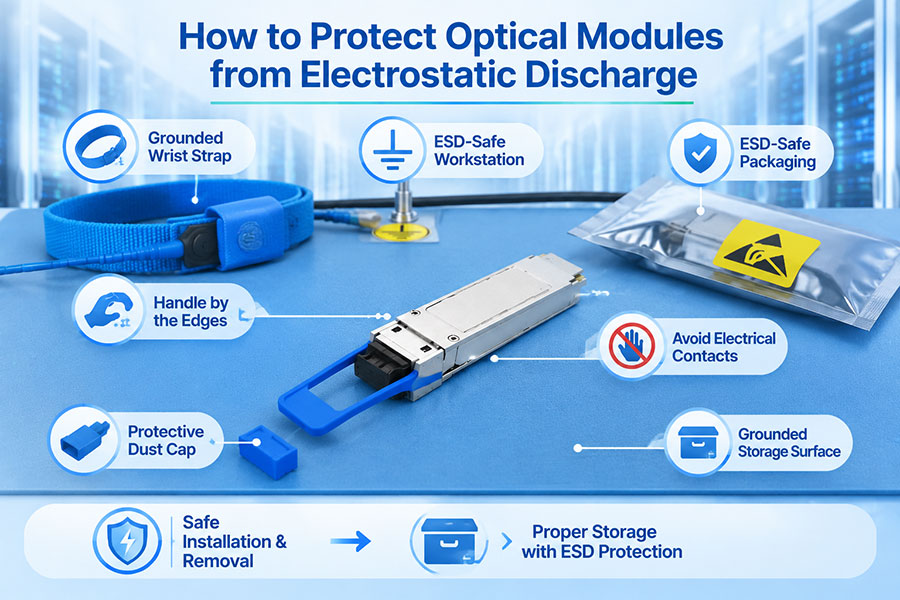
Electrostatic discharge is a significant risk for optical transceivers because their electronic circuits contain sensitive semiconductor components. A discharge that is not visible to the technician may still affect module functionality or long-term reliability.
ESD protection should begin before a module is removed from its packaging and continue throughout handling, storage, and installation.
ESD Storage Best Practices
Keep transceivers in their original ESD-protective bags or approved conductive packaging.
Use ESD-safe storage boxes or trays designed for electronic components.
Maintain an appropriate ESD-protected work area for handling exposed modules.
Use properly grounded ESD wrist straps and other controls according to workplace procedures.
Avoid placing modules directly on ordinary plastic surfaces or other materials that may generate static electricity.
Do not stack loose modules together without protective separation.
ESD-safe packaging should be selected according to the organization's ESD control program. Ordinary plastic bags are not a substitute for approved ESD protective packaging.
5. Protect Optical Ports from Dust and Contamination
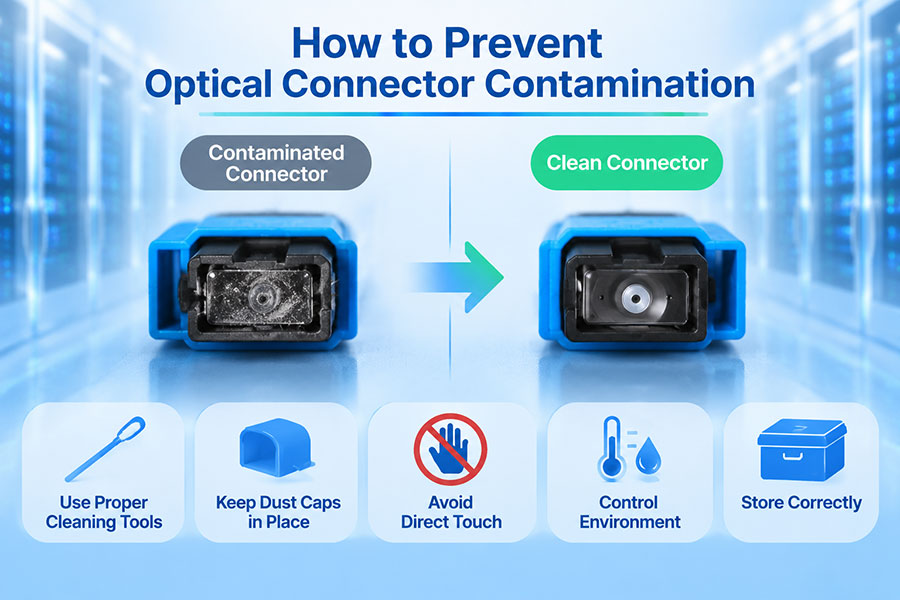
Dust and contamination can affect the optical performance of a transceiver even when its electronic components remain undamaged. The optical receptacle is a precision interface that must be protected from particles, oils, and other foreign material.
Most optical transceivers are supplied with protective plugs or caps covering the optical interface. These should remain installed while the module is in storage.
Optical Port Protection Measures
Keep the manufacturer's protective dust plug installed during storage.
Do not remove protective caps simply to check the optical port visually.
Avoid touching the optical receptacle or internal alignment surfaces.
Keep opened modules in clean, covered storage containers if they cannot be returned to their original packaging.
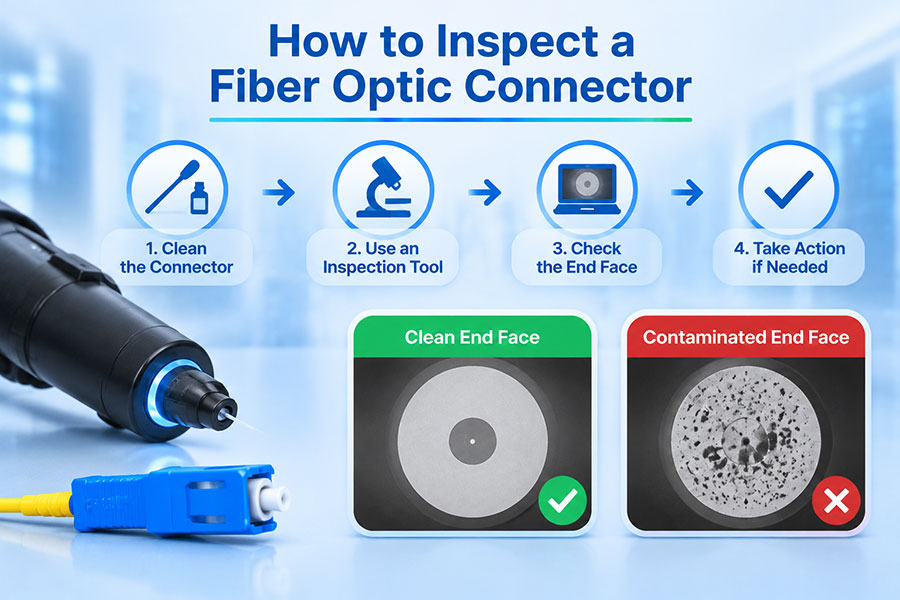
Inspect the optical interface before installation using an appropriate inspection method.
Clean only when necessary and use materials approved for the specific interface.
Protective caps reduce exposure but do not guarantee that an optical interface is clean. Inspection remains necessary before connecting a fiber cable.
6. Store Transceivers in Their Original Packaging
Original packaging is generally the preferred storage option because it is designed to protect the module during transportation and handling. It may include an ESD-protective bag, a protective tray, an optical dust plug, and product identification information.
Keeping the original packaging intact helps reduce exposure to environmental and mechanical risks.
When storing transceivers:
Retain the original ESD bag whenever possible.
Keep the optical dust plug installed.
Place the module in its designated tray or protective insert.
Keep labels and serial number information readable.
Do not place heavy equipment or materials on top of module packaging.
Use suitable secondary containers when storing multiple modules.
If the original packaging is damaged or unavailable, use replacement packaging that provides appropriate ESD protection, mechanical support, and dust protection.
7. Avoid Mechanical Shock and Improper Stacking
Optical transceivers are compact, but their small size does not make them resistant to rough handling. Mechanical shock, vibration, crushing, and pressure on delicate components can affect the housing, electrical contacts, pull tabs, or optical interface.
Storage areas should be arranged to prevent accidental impact and deformation.
Use dedicated compartments or trays to separate individual modules.
Avoid dropping modules or allowing them to collide with other equipment.
Do not apply pressure to pull tabs, latches, or optical interfaces.
Avoid placing loose modules in toolboxes or mixed hardware containers.
Keep heavy objects away from transceiver storage boxes.
Use protective packaging when moving modules between storage locations.
Mechanical protection is especially important for high-density modules such as QSFP-DD and OSFP, where connector and housing dimensions are designed for specific equipment interfaces.
8. Organize Storage by Transceiver Type and Compatibility
Large network deployments may involve multiple generations of optical modules, transmission distances, wavelengths, and connector configurations. Proper inventory organization helps prevent selection errors and reduces the time needed to locate compatible products.
Transceivers should be classified using meaningful product information rather than stored as an undifferentiated collection.
| Classification | Examples | Why It Matters |
|---|---|---|
| Form factor | SFP, SFP+, SFP28, QSFP28, QSFP-DD, OSFP | Helps identify the physical host interface |
| Data rate | 10G, 25G, 100G, 400G, 800G, 1.6T | Supports correct bandwidth selection |
| Transmission distance | SR, DR, FR, LR, ER, ZR | Helps match the module to the link budget and reach |
| Wavelength | 850nm, 1310nm, 1550nm, CWDM, DWDM | Prevents wavelength and optical-system mismatches |
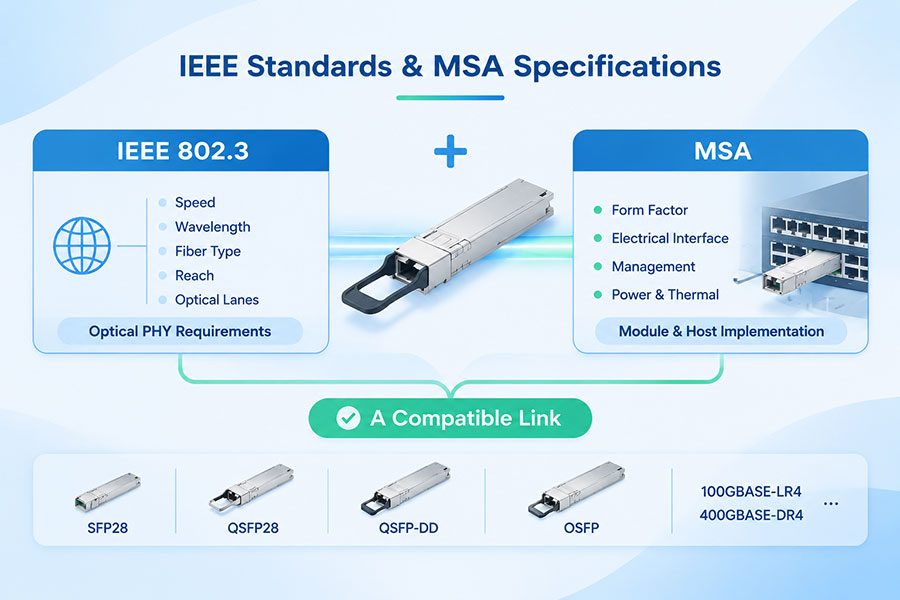
| Fiber interface | LC, MPO/MTP, single-mode, multimode | Supports correct cable and connector selection |
| Host compatibility | Switch, router, server, and platform-specific coding | Reduces compatibility-related installation errors |
Each storage position should have clear identification. Product labels, part numbers, serial numbers, and compatibility records should be retained so that modules can be traced to their specifications and deployment history.
9. Manage Inventory and Storage Duration
Inventory management is an important part of transceiver storage, particularly for network operators and system integrators maintaining spare modules. Poor stock rotation can lead to confusion over product revisions, warranty status, and storage history.
A practical inventory process should include:
Recording the product model, part number, and serial number.
Documenting the date of receipt and storage location.
Maintaining supplier and warranty information.
Recording relevant environmental or packaging issues.
Tracking modules that have been removed from equipment and returned to inventory.
Checking packaging condition before issuing modules for deployment.
Use a first-in, first-out approach where appropriate, while also considering warranty dates, product revisions, and project requirements. Do not assume that all modules have the same permitted storage duration. Follow the manufacturer's recommendations for long-term storage and periodic inspection.
10. Special Storage Considerations for Different Optical Form Factors
Although many storage principles apply across optical transceiver families, different form factors have different mechanical dimensions, optical interfaces, and handling requirements.
| Transceiver Type | Examples | Storage Considerations |
|---|---|---|
| SFP Family | SFP, SFP+, SFP28, SFP56, SFP112 | Protect the optical receptacle, electrical interface, and latch mechanism |
| QSFP Family | QSFP+, QSFP28, QSFP56, QSFP112 | Use suitable trays to protect the housing and pull tab |
| QSFP-DD | 400G and other supported high-speed modules | Prevent mechanical pressure on the module housing and interface |
| OSFP | 800G and 1.6T optical modules | Use packaging designed for the specific OSFP configuration |
| Coherent modules | Coherent pluggable transceivers | Follow model-specific storage and handling requirements |
For high-power or specialized optical modules, additional precautions may apply. The product datasheet and packaging instructions should always take priority over general storage recommendations.
11. What to Check Before Installing a Stored Transceiver
A module should not be installed solely because it has been kept in storage. Before deployment, technicians should verify its packaging condition, physical integrity, and product identity.
Use the following checks:
Check the packaging: Look for damaged ESD bags, broken seals, crushed trays, or signs of moisture exposure.
Verify the product label: Confirm the model, part number, data rate, wavelength, and transmission distance.
Inspect the housing: Check for visible deformation, cracks, damaged latches, or bent components.
Maintain ESD protection: Handle the module in accordance with the site's ESD procedures.
Check the optical interface: Confirm that the protective plug is present and inspect the interface before connecting fiber.
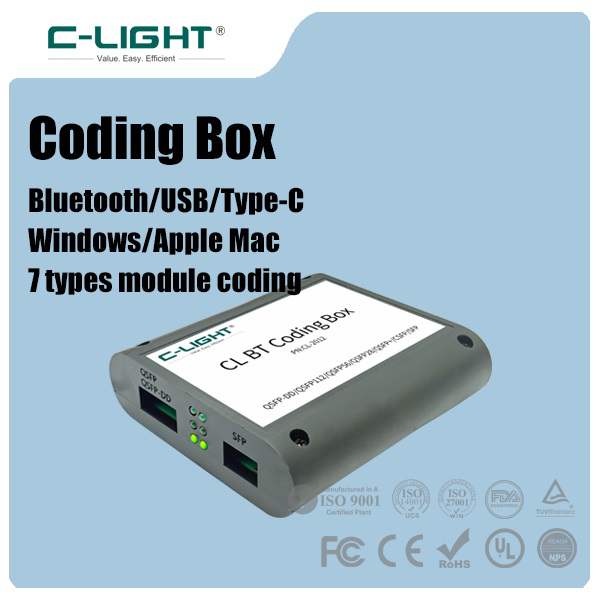
Verify compatibility: Confirm that the module matches the host platform, port, optical link, and required coding.
Perform appropriate testing: Where required, verify module identification, diagnostics, optical power, and link performance after installation.
If a module shows signs of moisture exposure, physical damage, or possible ESD-related problems, it should be evaluated before deployment rather than assumed to be serviceable.
12. Common Optical Transceiver Storage Mistakes
Many storage problems result from simple handling and organization errors. Avoiding the following practices can significantly improve component protection.
Leaving modules outside ESD packaging: Exposed modules are more vulnerable to electrostatic discharge.
Removing dust plugs unnecessarily: Exposed optical interfaces can collect contamination.
Storing modules in uncontrolled environments: Temperature and humidity conditions may exceed manufacturer limits.
Using ordinary plastic containers: Unapproved packaging may not provide suitable ESD protection.
Mixing different module types: Poor identification can lead to incorrect deployment.
Stacking modules without protection: Mechanical pressure can damage housings and interfaces.
Ignoring storage history: Missing records make it difficult to assess packaging condition and product traceability.
Installing without inspection: Stored modules may still have contaminated optical interfaces.
13. C-LIGHT Optical Transceiver Solutions
As data center and telecom infrastructure evolves, selecting the right optical transceiver is only one part of achieving reliable connectivity. Proper handling, storage, installation, and compatibility verification also contribute to long-term network performance.
C-LIGHT provides optical connectivity solutions across a range of data rates and application requirements, including:
100G optical transceivers: QSFP28 modules for data center and telecom interconnections.
400G optical transceivers: QSFP-DD, OSFP, and QSFP112 solutions for high-bandwidth networks.
800G optical transceivers: High-speed connectivity for AI clusters and next-generation data centers.
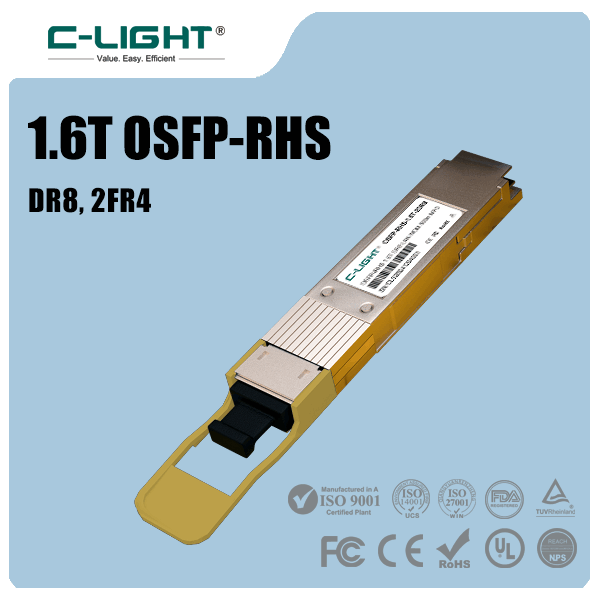
1.6T optical transceivers: Emerging high-capacity optical interfaces for future network infrastructure.
DAC and AEC cables: Short-reach electrical connectivity options for compatible switch and server architectures.
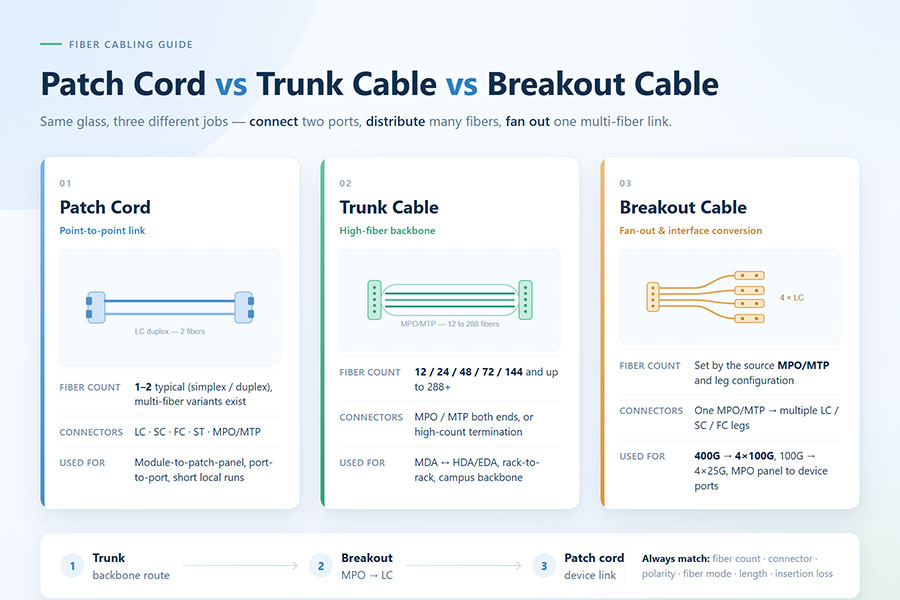
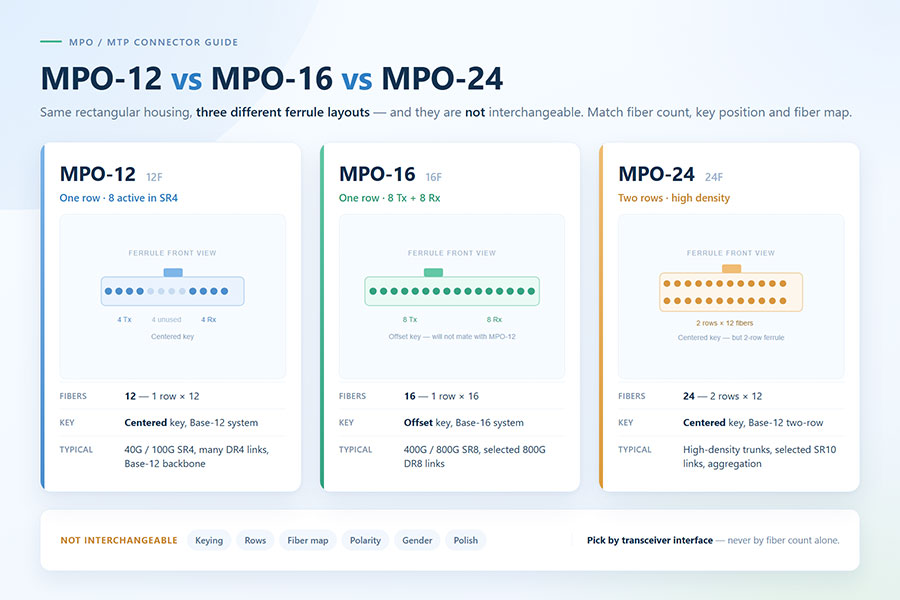
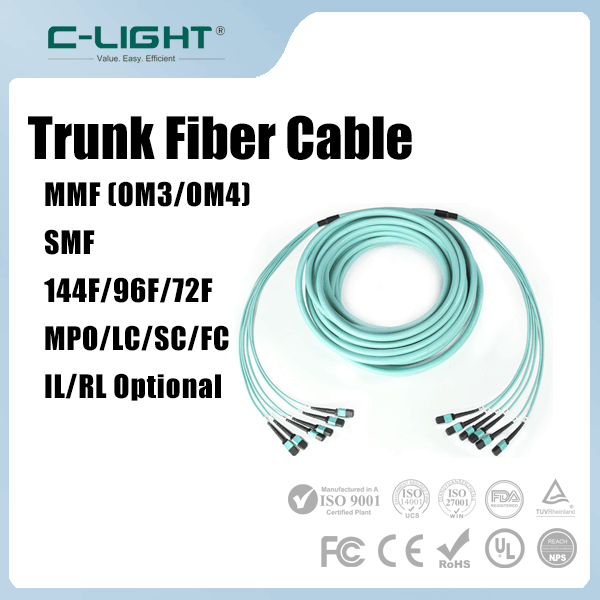
MPO/MTP fiber solutions: High-density optical cabling for parallel-fiber applications.
Correct product selection and careful component handling help support reliable deployment across different network environments. For product specifications, compatibility requirements, or customized optical connectivity solutions, Contact C-LIGHT.
14. Conclusion
Proper optical transceiver storage protects sensitive electronic and optical components before they enter service. The most important practices include maintaining ESD protection, controlling temperature and humidity, keeping optical ports capped, preventing mechanical damage, and organizing inventory by product specifications.
Before installation, every stored module should undergo packaging, physical, optical-interface, and compatibility checks. A consistent storage and inspection process helps reduce avoidable failures, preserve product condition, and support reliable optical connectivity across SFP, QSFP, QSFP-DD, OSFP, 400G, 800G, and 1.6T network environments.
 >

 >
 >
 >
 >
 >
 >
 >