TEL:+86 132 6656 7067





Network bandwidth and switching capacity are two important specifications used to evaluate data center networks and Ethernet switches. Both are commonly expressed in bits per second, such as Gbps or Tbps, but they describe different aspects of network performance.
Network bandwidth generally describes the data-carrying rate of a network connection or the aggregate capacity of network links. Switching capacity describes how much traffic a switch's internal switching architecture can transfer between its ports. A switch may have high-speed interfaces but still become a bottleneck if its internal fabric cannot handle the combined traffic demand.
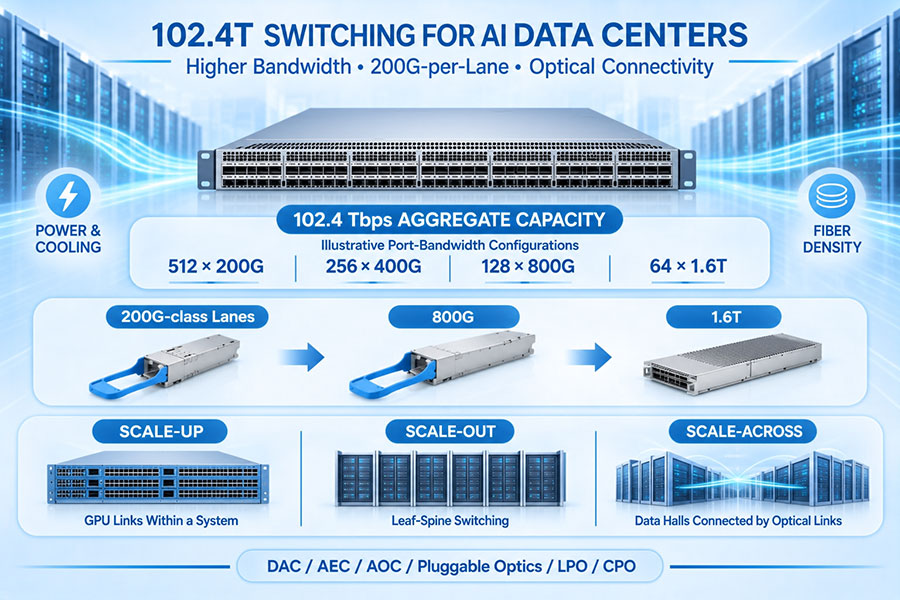
These specifications are particularly important in modern data centers, where 400G, 800G, and 1.6T connections carry large volumes of east-west traffic between servers, storage systems, and GPU clusters. Evaluating both external port bandwidth and internal switching capacity helps determine whether a switch can support its intended workload without becoming an internal bottleneck.
1. What Is Network Bandwidth?
Network bandwidth refers to the maximum data transmission rate available over a network connection or a group of connections. It indicates how much data can theoretically be transmitted per second under the specified operating conditions.
Network bandwidth is commonly measured in:
Mbps: Megabits per second.
Gbps: Gigabits per second.
Tbps: Terabits per second.
In Ethernet networks, bandwidth is often associated with the nominal speed of a physical port or link. For example, a 100G Ethernet interface has a nominal line rate of 100 Gbps in each direction when operating in full-duplex mode.
1.1 Network Bandwidth at the Port Level
Port bandwidth represents the nominal transmission rate supported by an individual interface. Common data center Ethernet speeds include:
| Ethernet Interface | Nominal Port Bandwidth | Typical Application |
|---|---|---|
| 10G | 10 Gbps | Enterprise access and server connectivity |
| 25G | 25 Gbps | Data center server connections |
| 100G | 100 Gbps | Leaf-spine and high-performance server links |
| 200G | 200 Gbps | High-speed server and switch connections |
| 400G | 400 Gbps | Spine switches and AI infrastructure |
| 800G | 800 Gbps | High-capacity data center fabrics |
| 1.6T | 1.6 Tbps | Next-generation high-density switching systems |
The actual usable application throughput may be lower than the nominal line rate because Ethernet framing, protocol headers, coding, and other overhead consume part of the transmitted capacity.
1.2 Aggregate Network Bandwidth
When a switch has multiple network interfaces, their port bandwidths can be added to calculate aggregate front-panel bandwidth.
Aggregate Port Bandwidth = Number of Ports × Port Speed
For example, a switch equipped with 32 × 400G Ethernet ports has:
32 × 400 Gbps = 12.8 Tbps
This represents 12.8 Tbps of aggregate port bandwidth in one direction, assuming all 32 ports operate at their nominal rates. Because Ethernet interfaces are generally full-duplex, the ports can transmit and receive simultaneously.
2. What Is Switching Capacity?
Switching capacity, also called switching bandwidth or switch fabric capacity, describes the maximum aggregate data rate that a switch's internal switching architecture can transfer between ingress and egress interfaces.
Inside an Ethernet switch, incoming frames are processed and forwarded through switching resources such as ASICs, internal buses, crossbars, or distributed switching fabrics. These resources connect the switch's interfaces and allow traffic to move between ports.
Switching capacity indicates whether the internal architecture can handle the combined traffic demand generated by the external interfaces. If the internal capacity is insufficient, the switch may experience internal contention even when individual physical links have not reached their nominal speeds.
2.1 The Role of the Switching Fabric
The switching fabric is the internal data-transfer architecture responsible for moving traffic between ports. Its implementation varies by switch design.
Common switching architectures include:
Shared bus: Multiple interfaces use a shared internal transmission path.
Shared memory: Incoming packets are stored in memory and subsequently forwarded to their destination ports.
Crossbar fabric: Multiple input and output paths can operate concurrently through an internal switching matrix.
Distributed fabric: Multiple switching ASICs or fabric elements cooperate to move traffic across the system.
Modern high-performance data center switches commonly use ASIC-based architectures designed to support high aggregate throughput and parallel packet processing.
2.2 Switching Capacity and Internal Bottlenecks
A switch may advertise high-speed 400G or 800G interfaces, but those interface speeds alone do not prove that all ports can transmit and receive at full line rate simultaneously.
If the internal switching fabric cannot accommodate the combined traffic demand, it can become a bottleneck. Packets may experience internal contention, queue buildup, or drops under heavy load.
A properly designed non-blocking switch provides sufficient internal capacity to support the specified simultaneous traffic demand across its supported interfaces. However, switching capacity alone does not establish every aspect of non-blocking performance. Forwarding rate, buffer resources, port-group restrictions, and other architectural limitations must also be considered.
3. Network Bandwidth vs. Switching Capacity
The main difference is where each specification applies. Network bandwidth describes the transmission capacity of external network links, while switching capacity describes the aggregate data-transfer capability of the switch's internal architecture.
| Comparison | Network Bandwidth | Switching Capacity |
|---|---|---|
| Primary meaning | Data transmission rate of a network link or group of links | Aggregate data-transfer capacity of the switch's internal fabric |
| Measurement | bps, Mbps, Gbps, or Tbps | bps, Gbps, or Tbps |
| Where it applies | Network interfaces and connections | Internal switching architecture |
| Main purpose | Indicates available link transmission capacity | Indicates the switch's ability to handle combined port traffic |
| Typical factors | Port speed, link configuration, and connected equipment | ASIC architecture, fabric design, and internal data paths |
| Potential limitation | Insufficient link speed or uplink capacity | Insufficient internal switching or processing resources |
| Typical evaluation | Port rate and aggregate link bandwidth | Fabric capacity, forwarding rate, and non-blocking capability |
Although both values use the same units, they should not be treated as interchangeable. A switch's aggregate port bandwidth describes the capacity offered by its external interfaces, while switching capacity describes the internal resources available to transfer that traffic.
4. How to Calculate Switching Capacity
Switch manufacturers do not always use the same reporting convention for switching capacity. Some specifications report one-direction fabric bandwidth, while others report the combined ingress and egress capacity for full-duplex operation.
For a simplified non-blocking full-duplex design, the required internal fabric capacity can be estimated as:
Required Full-Duplex Switching Capacity = Total Port Bandwidth × 2
Here, total port bandwidth is the sum of the nominal speeds of the relevant interfaces, counted once. The multiplication by two accounts for simultaneous transmission and reception.
4.1 Example: 32 × 400G Ethernet Switch
Consider a data center switch with 32 ports, each operating at 400 Gbps.
Step 1: Calculate aggregate port bandwidth.
32 × 400 Gbps = 12,800 Gbps = 12.8 Tbps
Step 2: Account for full-duplex operation.
12.8 Tbps × 2 = 25.6 Tbps
| Metric | Calculation | Result |
|---|---|---|
| Port count | 32 | 32 ports |
| Individual port speed | 400 Gbps | 400 Gbps |
| Aggregate port bandwidth, one direction | 32 × 400 Gbps | 12.8 Tbps |
| Full-duplex aggregate port capacity | 12.8 Tbps × 2 | 25.6 Tbps |
| Estimated fabric requirement | Based on the full-duplex convention | 25.6 Tbps |
Under this convention, a switching fabric with at least 25.6 Tbps of capacity is required to support all 32 ports transmitting and receiving at full line rate simultaneously.
Some vendors may publish 12.8 Tbps as the one-direction switching capacity and describe the same design as 25.6 Tbps full-duplex capacity. Therefore, always check the manufacturer's definition before comparing specifications.
4.2 Example: 64 × 100G Ethernet Switch
A switch with 64 × 100G ports has the following aggregate port bandwidth:
64 × 100 Gbps = 6.4 Tbps
Under a full-duplex reporting convention:
6.4 Tbps × 2 = 12.8 Tbps
This example demonstrates why two switches with similar port counts may advertise different switching capacity figures depending on their port speeds and the calculation convention used.
5. What Is a Non-Blocking Switch?
A non-blocking switch is designed to support the required simultaneous traffic across its interfaces without the internal switching fabric becoming a bandwidth bottleneck.
For a switch to provide non-blocking line-rate forwarding under its specified operating conditions, its internal switching capacity and packet forwarding resources must be sufficient for the offered traffic load.
For example, a switch with 48 × 25G ports has 1.2 Tbps of aggregate port bandwidth in one direction. Under the full-duplex convention, the corresponding aggregate capacity is 2.4 Tbps.
If the internal fabric supports only 1.5 Tbps under a specification that counts both directions, it may not support all ports transmitting and receiving at full line rate simultaneously. The actual result depends on the vendor's measurement methodology and the switch architecture.
It is also important to distinguish between non-blocking internal switching and network-wide non-blocking performance. A switch can have sufficient internal capacity while its external uplinks, downstream links, or connected network paths remain oversubscribed.
6. Switching Capacity vs. Forwarding Rate
Switching capacity is not the only specification used to evaluate switch performance. Forwarding rate is another important metric, usually measured in packets per second (pps) or millions of packets per second (Mpps).
Switching capacity measures the volume of data the internal fabric can transfer. Forwarding rate measures how many packets the switch can process and forward in a given period.
| Metric | Switching Capacity | Forwarding Rate |
|---|---|---|
| Measurement unit | Gbps or Tbps | pps or Mpps |
| What it measures | Aggregate internal data-transfer capacity | Number of packets processed and forwarded per second |
| Main performance concern | Available internal bandwidth | Packet processing capacity |
| Important test condition | Traffic volume and direction | Packet size and traffic profile |
Packet size matters because a switch processing small packets must handle more packets per second than it does when processing large packets at the same bit rate.
For example, a 100G interface carrying minimum-sized Ethernet frames requires a much higher packet-processing rate than the same interface carrying large frames. A switch can therefore have sufficient switching bandwidth but still be limited by its packet forwarding performance in certain traffic conditions.
For a complete evaluation, both switching capacity and forwarding rate should be checked against the expected traffic profile.
7. How Network Bandwidth and Switching Capacity Affect Data Center Performance
In modern data centers, network performance depends on the combined capabilities of physical links, switch fabrics, forwarding engines, and the wider network topology.
7.1 East-West Traffic
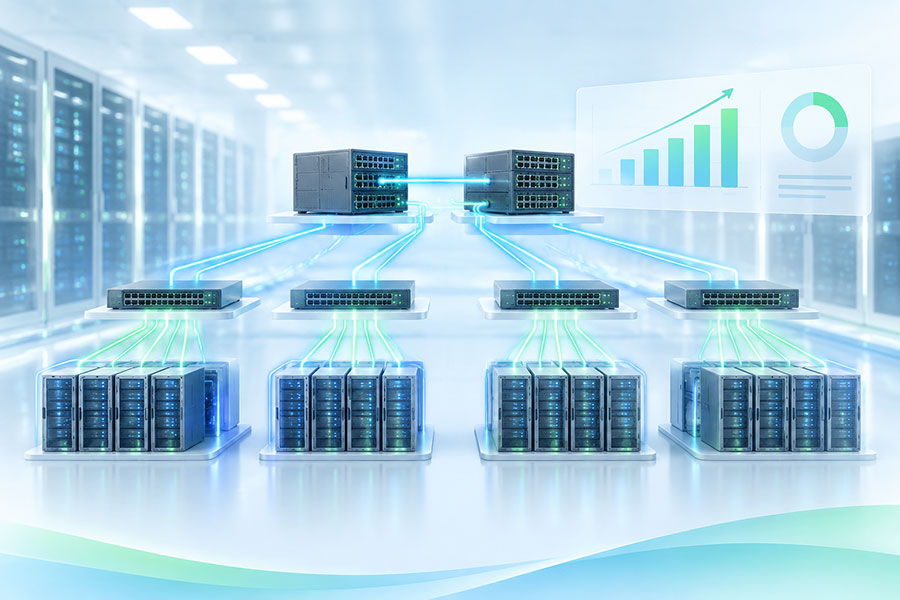
East-west traffic refers to communication between internal servers, storage systems, and compute nodes. In a leaf-spine network, traffic between different leaf switches normally passes through the spine layer.
High-speed server connections do not guarantee that the network can carry all cross-rack traffic simultaneously. Leaf uplinks, spine capacity, and internal switching resources must all support the expected traffic demand.
For example, a leaf switch may have 48 × 25G server ports but only four 100G uplinks. Its aggregate server-facing bandwidth is 1.2 Tbps, while its uplink bandwidth is 400 Gbps in one direction. This creates a 3:1 leaf-level oversubscription ratio, even if the leaf switch itself has sufficient internal switching capacity.
7.2 AI and GPU Clusters
AI training and distributed computing workloads generate substantial traffic between GPUs and servers. Collective communication operations can produce synchronized transfers across many network interfaces.
These workloads require high-capacity links and switching fabrics that can handle large aggregate traffic volumes. Network architects must also consider path distribution, congestion control, latency, and the behavior of the network during peak traffic periods.
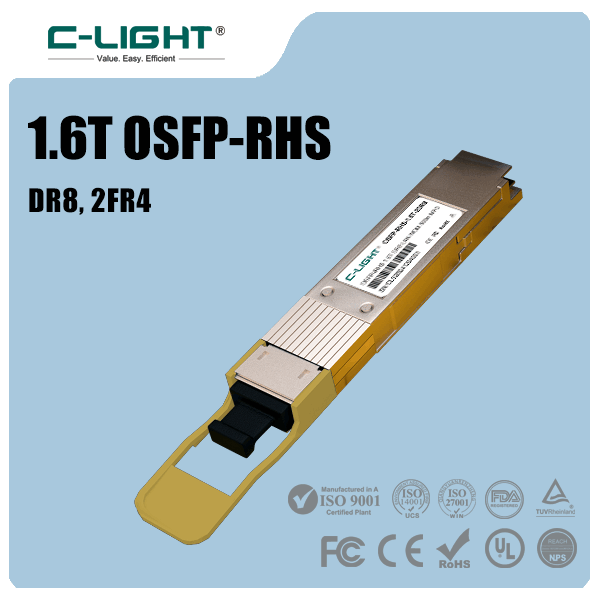
As network speeds increase, optical connectivity becomes an important part of the switching architecture. C-LIGHT offers 400G QSFP-DD optical modules, 800G QSFP-DD optical modules, 800G OSFP optical modules, and 1.6T OSFP-RHS optical modules for high-speed data center interconnects.
7.3 Internal and External Bottlenecks
Network bottlenecks can occur at several points:
Port bottleneck: An individual interface cannot provide enough transmission capacity.
Uplink bottleneck: Aggregate downstream traffic exceeds the capacity of upstream links.
Switching fabric bottleneck: Internal switching resources cannot handle the combined traffic demand.
Forwarding bottleneck: Packet processing capacity is insufficient for the packet rate.
Network path bottleneck: Routing or load-balancing behavior concentrates traffic on limited paths.
Increasing switching capacity will not resolve every network performance problem. If the actual limitation is a congested uplink, an overloaded server interface, or an unevenly distributed traffic flow, the solution must address that specific constraint.
8. How to Evaluate a Switch's Bandwidth Specifications
When selecting a data center switch, engineers should examine several related specifications rather than relying on a single headline number.
| Specification | What to Check |
|---|---|
| Port bandwidth | Supported interface speeds and the number of active ports |
| Aggregate port bandwidth | Total external interface capacity, with direction clearly defined |
| Switching capacity | Internal fabric capacity and whether the figure is one-direction or full-duplex |
| Forwarding rate | Packet processing performance, including the stated packet-size conditions |
| Non-blocking capability | Whether all supported ports can operate at line rate simultaneously under specified conditions |
| Buffer resources | Buffer architecture and suitability for bursty or congestion-sensitive traffic |
| Port-group restrictions | Whether certain port combinations share internal bandwidth or hardware resources |
| Power and thermal limits | Whether the switch can support the intended high-speed interfaces within its operating limits |
It is also important to compare vendor specifications using consistent definitions. A switching capacity value that includes both ingress and egress traffic should not be directly compared with a one-direction figure without converting the measurement convention.
9. Conclusion
Network bandwidth and switching capacity describe different but closely related aspects of network performance. Network bandwidth indicates the transmission capacity of individual links or a group of interfaces, while switching capacity describes the aggregate data-transfer capability of a switch's internal architecture.
For high-performance data center networks, both must be sufficient to support the expected traffic load. A switch with high-speed ports but inadequate internal capacity may create a switching bottleneck. Conversely, a powerful switching fabric cannot compensate for insufficient external link bandwidth or congested uplinks.
Engineers should evaluate port speeds, aggregate bandwidth, switching capacity, forwarding rate, and non-blocking performance together. This approach provides a more accurate basis for selecting switches and designing scalable networks for cloud computing, distributed storage, and AI infrastructure.
Frequently Asked Questions
Q1: What is the main difference between network bandwidth and switching capacity?
Network bandwidth describes the transmission rate of network links, while switching capacity measures the aggregate data-transfer capability of a switch's internal fabric.
Q2: Are network bandwidth and switching capacity measured in the same units?
Yes. Both are commonly measured in Mbps, Gbps, or Tbps, but they describe different parts of the network.
Q3: How is aggregate port bandwidth calculated?
Multiply the number of active ports by their nominal port speed. For example, 32 × 400G ports provide 12.8 Tbps of aggregate bandwidth in one direction.
Q4: Why is switching capacity often twice the aggregate port bandwidth?
Some specifications count both ingress and egress traffic to represent simultaneous full-duplex operation. Other vendors report one-direction capacity, so the measurement convention must be checked.
Q5: Does higher switching capacity always mean better switch performance?
Not necessarily. Forwarding rate, buffer resources, port restrictions, latency, and external network capacity also affect actual performance.
Q6: What does non-blocking switching capacity mean?
It means the internal switching architecture can support the required simultaneous traffic across the supported ports without becoming an internal bandwidth bottleneck.
Q7: What is the difference between switching capacity and forwarding rate?
Switching capacity measures data-transfer volume in bits per second, while forwarding rate measures the number of packets processed per second.
Q8: Can a switch have high bandwidth but low forwarding performance?
Yes. A switch may have sufficient fabric bandwidth but insufficient packet-processing capacity for traffic consisting of large numbers of small packets.
Q9: Does switching capacity affect east-west traffic?
Yes. Internal switching capacity helps determine whether a switch can handle traffic exchanged between servers and other endpoints through its ports.
Q10: Can high switching capacity eliminate network congestion?
No. Congestion can still occur on external links, oversubscribed uplinks, or unevenly utilized paths even when the internal fabric has sufficient capacity.
Q11: Is switching capacity the same as backplane bandwidth?
The terms are often used to describe the internal data-transfer capacity of a switch, although the exact definition can vary between manufacturers and product architectures.
Q12: How much switching capacity does a 32-port 400G switch need?
Its aggregate port bandwidth is 12.8 Tbps in one direction. Under a full-duplex convention that counts both directions, the corresponding capacity is 25.6 Tbps.
Q13: Why should engineers check the vendor's calculation method?
Manufacturers may report one-direction or full-duplex switching capacity. Comparing figures without checking the convention can produce misleading conclusions.
Q14: Does a 400G or 800G port guarantee the same end-to-end throughput?
No. Actual throughput also depends on the connected interfaces, switching resources, network paths, protocol overhead, and congestion conditions.
Q15: Which specifications matter most when selecting a data center switch?
Port bandwidth, aggregate capacity, switching capacity, forwarding rate, non-blocking performance, buffer resources, and port configuration restrictions should be evaluated together.
 >

 >
 >
 >
 >
 >
 >
 >