TEL:+86 132 6656 7067





Auto-Negotiation (AN) is an Ethernet physical-layer mechanism that allows two connected devices to exchange supported capabilities and determine a compatible operating mode. On high-speed Ethernet interfaces, this process can involve more than selecting a port speed. Depending on the PHY technology, the devices may also exchange information about Forward Error Correction (FEC), link capabilities, and other operating parameters.
In modern data centers, Auto-Negotiation is particularly relevant to certain backplane and direct-attach copper interfaces. It helps switches, network adapters, and other connected devices establish compatible links without requiring every parameter to be configured manually. However, not all high-speed optical interfaces use the same negotiation process. Some operate with fixed-speed configurations or platform-specific initialization procedures.
Understanding the relationship between Auto-Negotiation, Link Training, FEC, and PHY initialization is essential when deploying 25G, 50G, 100G, 200G, and higher-speed Ethernet connections.
1. What Is Auto-Negotiation in Ethernet?
Auto-Negotiation is a physical-layer function that enables two Ethernet link partners to advertise their supported capabilities and select a compatible operating mode. It helps determine which Ethernet technology both devices can use over the connected medium.
Depending on the Ethernet interface, advertised capabilities may include:
Supported Ethernet speeds and PHY technologies.
FEC capabilities and supported FEC modes.
Pause and flow-control capabilities.
Other technology-specific operating parameters.
The objective is to identify a mutually supported mode before the corresponding PHY is enabled for normal data transmission.
For example, if one device supports 25G and 10G while the connected device supports only 10G, the negotiation process may select 10G if that mode is supported by the applicable interface and both devices advertise it. If both support a compatible 25G mode, they may establish the link at 25G instead.
2. Why Is Auto-Negotiation Important for High-Speed Ethernet?
High-speed Ethernet interfaces have more complex physical-layer requirements than basic Ethernet connections. Different speeds may use different lane counts, signaling rates, modulation formats, and FEC configurations.
Without a compatible configuration, two devices may fail to establish a link even when their connectors and nominal port speeds appear similar.
Auto-Negotiation helps address this complexity by allowing supported devices to exchange capabilities before selecting the operating mode.
Its main benefits include:
Interoperability: Helps compatible devices identify a common Ethernet operating mode.
Flexible speed selection: Allows supported interfaces to select a mutually available speed.
FEC coordination: Can exchange FEC capabilities and requests when defined by the relevant PHY.
Reduced manual configuration: Avoids manually specifying every supported parameter on interfaces that implement negotiation.
Technology selection: Helps determine which supported PHY technology should be activated.
Auto-Negotiation does not guarantee compatibility between arbitrary devices. Both endpoints must support the same negotiation mechanism and at least one compatible operating mode.
3. How Does High-Speed Ethernet Auto-Negotiation Work?
High-speed Ethernet Auto-Negotiation commonly uses an exchange of link codewords or pages to communicate capabilities. IEEE 802.3 Clause 73 defines an important Auto-Negotiation mechanism for backplane and copper cable interfaces.
The process can be divided into several stages, although the exact sequence and supported information depend on the PHY implementation.
3.1 Step 1: Link Initialization
When a physical connection is established, the two devices begin the initialization process required by the applicable Ethernet interface. If Auto-Negotiation is enabled and supported, each side starts transmitting the signaling used by its negotiation mechanism.
For Clause 73, this involves link codewords transmitted using a signaling method that allows capability exchange before the selected high-speed data mode is activated.
3.2 Step 2: Base Page Exchange
Each device transmits a Base Page containing information about its supported capabilities. The receiving device interprets the advertised information and stores the capabilities reported by its link partner.
Depending on the interface, the Base Page can communicate information related to supported technologies, FEC abilities, and other control functions.
Both endpoints therefore obtain information about the operating modes available at the opposite end of the connection.
3.3 Step 3: Next Page Exchange
If additional information is required, Auto-Negotiation can use Next Pages to exchange capabilities beyond those included in the Base Page.
Next Pages can carry extended technology information and other messages defined by the relevant negotiation specification. The exchange uses acknowledgment and synchronization mechanisms to ensure that information is received and processed correctly.
Not every link requires Next Page exchange. Its use depends on the capabilities being advertised and the applicable Ethernet implementation.
3.4 Step 4: Highest Common Denominator Resolution
After capability exchange, the devices determine which operating mode they can both support. In Clause 73, this selection uses a priority-resolution mechanism to identify the Highest Common Denominator (HCD) technology.
The HCD is the highest-priority compatible technology available to both link partners according to the defined priority rules. It is not necessarily the highest speed supported by either device individually.
For example:
| Device A Capabilities | Device B Capabilities | Potential Common Mode |
|---|---|---|
| 25G, 10G | 25G, 10G | 25G, if the PHY modes are compatible |
| 25G, 10G | 10G only | 10G, if supported by both |
| 100G, 50G | 50G only | 50G, if the interface modes are compatible |
| 100G only | 50G only | No common mode |
These examples illustrate capability matching rather than a universal speed-priority table. Actual priority resolution follows the applicable IEEE specification and PHY implementation.
3.5 Step 5: PHY Configuration
After a compatible technology has been selected, the devices configure the corresponding physical-layer functions. These may include the selected speed, lane arrangement, PCS and PMA settings, and the applicable FEC mode.
For interfaces that require Link Training, the training procedure follows the relevant negotiation and configuration stages. Once the PHY establishes a valid link, normal Ethernet data transmission can begin.
4. What Is IEEE Clause 73 Auto-Negotiation?
IEEE 802.3 Clause 73 defines an Auto-Negotiation mechanism used by specified Ethernet PHY technologies, particularly certain backplane and copper cable interfaces.
It allows connected devices to advertise and exchange supported technologies through Base Pages and, when needed, Next Pages. The devices then use priority resolution to select a compatible operating mode.
Clause 73 is important in high-speed Ethernet because it provides a structured way to coordinate capabilities before activating the selected PHY.
Its functions can include:
Advertising supported Ethernet technologies.
Exchanging additional capability information through Next Pages.
Resolving the highest-priority common technology.
Communicating applicable FEC abilities or requests.
Coordinating other supported link capabilities.
Clause 73 should not be treated as a universal negotiation mechanism for every Ethernet connection. Different PHY types may use different Auto-Negotiation clauses or may not use Auto-Negotiation at all.
5. How Does FEC Negotiation Work?
Forward Error Correction (FEC) is a physical-layer error-correction function that helps a receiver detect and correct certain transmission errors without requiring every corrupted data block to be retransmitted.
At high Ethernet speeds, signal integrity becomes increasingly important. Electrical and optical channels can introduce noise, distortion, and other impairments that affect the received signal. FEC provides additional protection against errors within the correction capability of the selected code.
5.1 FEC Capabilities and Requests
For Ethernet PHYs that support FEC negotiation, Auto-Negotiation can communicate the FEC capabilities or requests of each link partner. The devices use the applicable rules to determine a compatible FEC configuration.
The exact negotiation behavior depends on the Ethernet standard and PHY type. Some interfaces support defined FEC negotiation, while others require the FEC mode to be configured according to the module, cable, or platform requirements.
5.2 Common FEC Types
| FEC Type | General Characteristics | Typical Consideration |
|---|---|---|
| Base-R FEC | Uses a relatively lightweight correction scheme | Applied in selected Ethernet PHY implementations |
| RS-FEC | Uses Reed-Solomon coding for stronger error correction | Common in several high-speed Ethernet interfaces |
| Other PHY-specific FEC | Defined according to the relevant Ethernet interface | Must match the supported PHY and link requirements |
FEC adds coding overhead and processing requirements, and different FEC modes have different correction capabilities and latency characteristics. Selecting a mode that is incompatible with the remote device can prevent the link from operating correctly.
6. Auto-Negotiation vs. Link Training
Auto-Negotiation and Link Training are related but separate physical-layer functions. Auto-Negotiation determines which supported operating mode should be used. Link Training adjusts transmitter and receiver signal characteristics to improve the quality of the electrical channel.
6.1 What Does Link Training Do?
High-speed electrical signals can experience insertion loss, reflections, crosstalk, and frequency-dependent attenuation as they travel through PCB traces, connectors, packages, and copper cables.
Link Training allows connected devices to optimize transmitter equalization based on feedback from the receiving side. Depending on the PHY, this process can adjust parameters such as transmitter pre-emphasis or equalization settings.
For example, a receiver may indicate that a transmitted signal requires stronger or weaker equalization. The transmitting device adjusts its settings, and the receiver evaluates the resulting signal quality. This process continues according to the applicable training procedure.
6.2 Clause 72 Link Training
IEEE 802.3 Clause 72 defines Link Training for specified backplane Ethernet PHYs. It is used to optimize electrical signal transmission over supported channels.
In common KR and CR implementations, Link Training can follow successful Auto-Negotiation when the selected PHY requires it. The devices exchange training information and adjust transmitter settings to improve the received signal.
Clause 72 is not a universal requirement for every high-speed Ethernet interface. Its use depends on the selected PHY and physical medium.
6.3 Key Differences
| Comparison | Auto-Negotiation | Link Training |
|---|---|---|
| Primary purpose | Selects a compatible operating mode | Optimizes electrical signal quality |
| Main information | Speed, technology, FEC capabilities, and other advertised abilities | Transmitter equalization and receiver feedback |
| Typical mechanism | Capability advertisement and priority resolution | Training patterns and parameter adjustment |
| Relevant standard example | IEEE Clause 73 | IEEE Clause 72 |
| Primary result | Selection of a common PHY mode | Optimized electrical channel performance |
Auto-Negotiation establishes what technology the link partners should use. Link Training, when required, helps that selected technology operate reliably over the electrical channel.
7. Does Auto-Negotiation Work on 400G and 800G Optical Interfaces?
Auto-Negotiation behavior varies significantly between Ethernet PHY types. It is incorrect to assume that every 400G or 800G optical interface uses Clause 73 or automatically negotiates its speed.
Many optical Ethernet connections use a configured operating rate and a compatible optical module at each end. The switch port, host electrical interface, transceiver, and remote device must support the same Ethernet mode. The physical link may then initialize through the procedures defined for that optical PHY.
Some equipment platforms support Auto-Negotiation on selected high-speed interfaces or cable configurations. Other platforms restrict negotiation to specific media or require a fixed-speed setting.
For example, a switch may support Auto-Negotiation on a particular DAC-based interface while requiring fixed-speed configuration for an optical module using another PHY. This is a platform-specific capability, not a universal rule for all DAC or optical links.
Before deployment, engineers should verify:
Whether the switch port supports Auto-Negotiation for the selected PHY.
Whether the connected device uses the same negotiation mechanism.
Whether the transceiver or cable supports the intended operating mode.
Whether the link requires a fixed FEC configuration.
Whether the port has lane or breakout restrictions.
8. What Happens When Auto-Negotiation Fails?
Auto-Negotiation failure can prevent a high-speed Ethernet link from reaching its operational state. The cause may be an unsupported capability, incompatible configuration, or a problem with the physical connection.
8.1 No Common Operating Mode
If the devices advertise no compatible Ethernet technology, they cannot resolve a common operating mode. This may happen when one endpoint supports only a PHY type that the other endpoint does not implement.
8.2 Incompatible FEC Settings
If the required FEC mode is not supported or configured consistently, the link may fail during initialization or show persistent physical-layer errors.
8.3 Link Training Does Not Complete
For interfaces that require Link Training, the selected electrical channel may not achieve acceptable signal quality. Incorrect equalization settings, excessive channel loss, or unsupported training behavior can prevent the link from becoming operational.
8.4 Unsupported Cable or Transceiver
A module or cable may have the correct physical connector but still lack support for the required PHY, lane configuration, or electrical characteristics. Physical fit does not establish protocol compatibility.
8.5 Configuration Mismatch
One endpoint may have Auto-Negotiation enabled while the other is configured for a fixed operating mode. Depending on the interface, this mismatch can prevent successful negotiation or create an inconsistent link configuration.
9. How to Troubleshoot High-Speed Ethernet Auto-Negotiation
A systematic troubleshooting process helps identify whether a link problem originates from capability exchange, PHY configuration, signal quality, or hardware compatibility.
Check port capabilities: Confirm the supported Ethernet speeds and PHY types on both devices.
Verify negotiation settings: Check whether Auto-Negotiation is enabled or whether the interface requires fixed-speed configuration.
Review advertised capabilities: Confirm that both devices advertise at least one compatible operating mode.
Check FEC configuration: Verify that the selected FEC mode is supported and consistent with the interface requirements.
Inspect Link Training status: For PHYs that use training, check whether the process completes successfully.
Verify lane configuration: Confirm that the number of lanes and their operating rates match the selected port mode.
Check the transceiver or cable: Verify module compatibility, cable type, optical reach, and physical specifications.
Review error counters: Examine CRC errors, symbol errors, FEC statistics, and link transitions.
Check software and firmware: Confirm that the switch operating system and firmware support the intended interface mode.
Optical links should also be checked for connector contamination, fiber damage, incorrect polarity, and optical power levels. Electrical links require attention to cable quality, channel loss, and signal integrity.
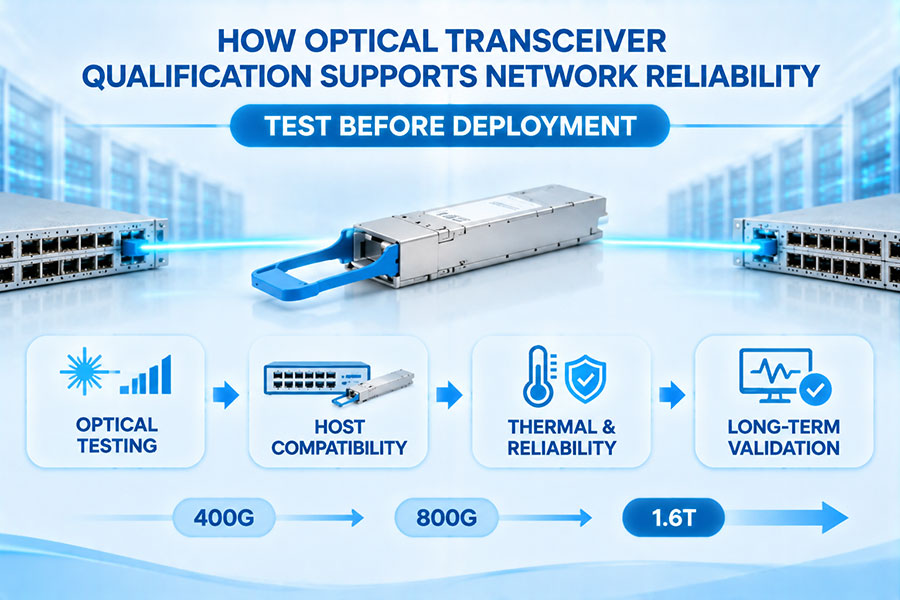
For optical module qualification and physical-layer validation, C-LIGHT provides an Optical Transceiver Testing and Validation Guide covering key test and verification considerations.
10. Conclusion
Auto-Negotiation is an important capability-exchange mechanism for supported high-speed Ethernet interfaces. It allows connected devices to advertise their technologies, identify a compatible operating mode, and coordinate selected physical-layer capabilities before normal data transmission begins.
IEEE Clause 73 provides a widely used Auto-Negotiation framework for specified backplane and copper cable PHYs. Clause 72 Link Training serves a different purpose by optimizing electrical signal quality after the relevant operating mode has been selected. FEC provides error-correction capability and may be coordinated through negotiation where the PHY supports it.
However, Auto-Negotiation is not universal across all Ethernet speeds and media. High-speed optical interfaces may use fixed-rate configurations or platform-specific procedures. Reliable deployment therefore requires checking the switch, PHY, transceiver or cable, FEC settings, and remote endpoint as one complete link.
Frequently Asked Questions
Q1: What is Auto-Negotiation in high-speed Ethernet?
It is a physical-layer mechanism that allows connected devices to exchange capabilities and select a compatible Ethernet operating mode.
Q2: What information is exchanged during Auto-Negotiation?
Depending on the PHY, devices may exchange supported Ethernet technologies, speeds, FEC capabilities, and other link operating information.
Q3: What is IEEE Clause 73?
Clause 73 defines an Auto-Negotiation mechanism used by specified Ethernet backplane and copper cable PHY technologies.
Q4: What is a Base Page in Auto-Negotiation?
A Base Page is an information unit used to advertise a device's supported capabilities to its link partner.
Q5: What is a Next Page?
A Next Page carries additional capability or message information when the Base Page exchange is not sufficient.
Q6: What does Highest Common Denominator mean?
HCD is the highest-priority operating technology supported by both link partners according to the applicable priority-resolution rules.
Q7: Does Auto-Negotiation select the highest speed automatically?
It selects a compatible mode according to the advertised capabilities and defined priority rules. The result is not necessarily the highest speed supported by either device individually.
Q8: What is the difference between Auto-Negotiation and Link Training?
Auto-Negotiation selects a compatible operating mode, while Link Training adjusts transmitter characteristics to improve electrical signal quality.
Q9: What is IEEE Clause 72?
Clause 72 defines Link Training for specified backplane Ethernet PHYs, allowing connected devices to optimize electrical transmission parameters.
Q10: Does Auto-Negotiation configure FEC?
For PHYs that support FEC negotiation, devices can exchange FEC capabilities or requests and resolve a compatible configuration.
Q11: Do all 400G and 800G optical interfaces use Auto-Negotiation?
No. Support depends on the PHY, switch platform, media type, and implementation. Some optical connections use fixed-speed configurations.
Q12: Can two devices establish a link if only one supports Auto-Negotiation?
It depends on the PHY and whether a supported parallel-detection or fixed-configuration method is available. Both ends must still use compatible operating parameters.
Q13: Why can Auto-Negotiation fail even when both ports support 100G?
The devices may use different PHY types, lane configurations, FEC settings, or negotiation mechanisms despite having the same nominal port speed.
Q14: Does Auto-Negotiation guarantee a stable high-speed link?
No. It helps select a compatible mode, but signal integrity, cable quality, optical power, FEC performance, and hardware compatibility still affect link stability.
Q15: What should engineers check when troubleshooting Auto-Negotiation?
They should verify advertised capabilities, PHY compatibility, speed settings, FEC, Link Training status, lane mapping, transceiver compatibility, and physical-layer error counters.
 >

 >
 >
 >
 >
 >
 >
 >