TEL:+86 132 6656 7067





A 10G SFP+ transceiver and a 1G SFP transceiver share a similar physical form factor, so an SFP+ module can generally fit into an SFP-compatible cage. However, physical fit does not guarantee electrical or operational compatibility. A conventional 1G-only SFP port cannot operate a standard 10G SFP+ transceiver at 10Gbps.
Successful operation depends on the host port's supported data rates, electrical interface, firmware, transceiver compatibility and network configuration. Some switches have dual-rate SFP/SFP+ ports that support both 1G and 10G, but these capabilities must be confirmed in the equipment documentation before selecting a module.
1. Can a 10G SFP+ Transceiver Be Used in an SFP Port?
The answer depends on what the equipment manufacturer means by an SFP port.
If it is a conventional 1G-only SFP port, a standard 10G SFP+ transceiver will not operate correctly, even though the module may physically fit into the slot. The electrical interface and supported signaling rate of the host port are designed for 1G operation rather than 10G Ethernet.
If the port is actually a dual-rate SFP/SFP+ interface that supports both 1G and 10G, a compatible SFP+ module may work at its supported operating speed, provided that the module and host are correctly configured.
↓
10G SFP+ Module
↓
Physical Fit May Be Possible
But 10G Operation Is Not Supported
Dual-Rate 1G/10G Port
↓
Compatible SFP+ Module
↓
1G or 10G Operation According to Host Support
The important distinction is between mechanical compatibility and operational compatibility. The module fitting into the cage does not mean the host can process its electrical signaling.
2. Why Do SFP and SFP+ Modules Have Similar Physical Dimensions?
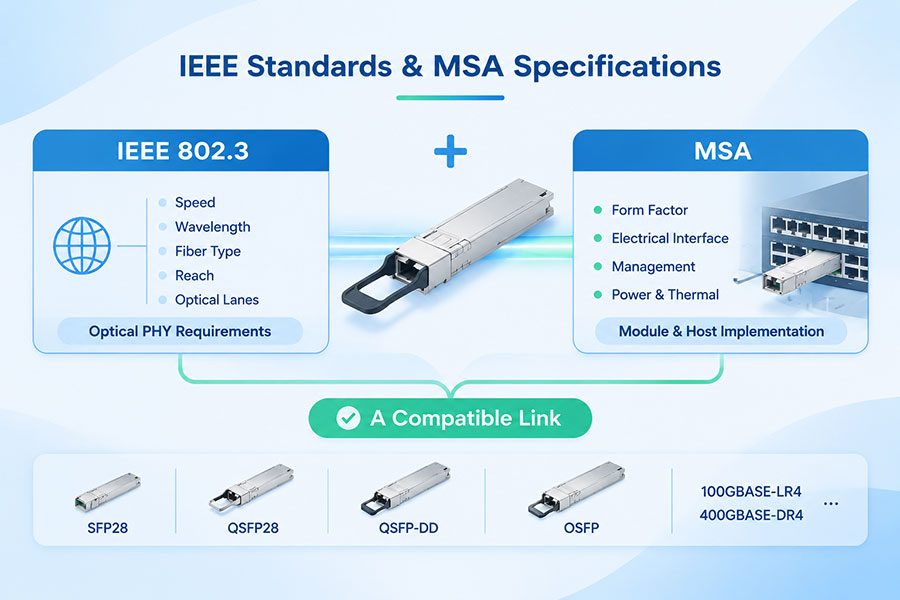
SFP and SFP+ belong to the same small form-factor pluggable module family. They share a similar mechanical package and connector arrangement, allowing both types to use a similar host cage design.
This physical similarity makes SFP+ modules appear interchangeable with SFP modules. However, the electrical interfaces are designed for different data-rate classes.
A conventional 1G SFP interface supports Gigabit Ethernet signaling. SFP+ was developed for higher-speed applications, including 10GbE, and uses a higher-speed electrical host interface.
| Feature | SFP | SFP+ |
|---|---|---|
| Physical Form | Small form-factor pluggable | Enhanced small form-factor pluggable |
| Common Data Rate | 1Gbps | 10Gbps class |
| Host Electrical Interface | Designed for lower-speed SFP operation | Designed for higher-speed serial signaling |
| Physical Cage | Standard SFP cage | Generally uses the same physical cage dimensions |
| Typical Application | Gigabit Ethernet and access networks | 10GbE, storage and higher-speed network links |
| Upward Compatibility | Cannot be assumed to support 10G modules | Some SFP+ hosts support 1G SFP modules |
The host device must provide the correct electrical signaling, clocking and data-rate support. A mechanical cage that accepts an SFP+ module is not sufficient to establish a 10G link.
3. What Happens When You Insert a 10G SFP+ Module into a 1G SFP Port?
On a conventional 1G-only SFP port, the host does not provide the 10G electrical interface required by a standard SFP+ transceiver. As a result, the module cannot establish a normal 10GbE connection through that port.
Depending on the switch or router, the behavior may include:
The module is not recognized by the host device.
The port reports an unsupported transceiver or interface condition.
The port remains down or fails to establish a link.
The network device reports an unsupported speed or configuration.
The module is detected, but the host cannot operate it at 10Gbps.
The exact behavior depends on the equipment design and software implementation. A displayed module identification record does not prove that the port supports the module's operating speed.
4. Can an SFP+ Port Accept a 1G SFP Transceiver?
The reverse arrangement is more commonly supported. Many SFP+ ports can operate at 10G and also accept compatible 1G SFP modules.
However, this is not universal. Some SFP+ ports support 1G and 10G operation, while others are restricted to 10G. The host platform's hardware design, firmware, port configuration and supported transceiver list determine whether a 1G module can be used.
| Host Port | Inserted Module | Typical Compatibility | Important Condition |
|---|---|---|---|
| 1G SFP | 1G SFP | Generally supported | Module must be compatible with the host |
| 1G SFP | 10G SFP+ | Not supported on a conventional 1G-only port | Host does not support 10G electrical operation |
| 10G SFP+ | 10G SFP+ | Generally supported | Check module coding and platform support |
| 10G SFP+ | 1G SFP | Supported on many, but not all, platforms | Host must support 1G operation in that port |
| Dual-Rate SFP/SFP+ | Compatible 1G or 10G module | Potentially supported at either rate | Both port and module must support the selected rate |
This difference is important when planning network upgrades. Moving from a 1G port to a 10G port may allow some existing 1G SFP modules to remain in use. Moving a 10G SFP+ module into an older 1G-only port is generally not a valid way to achieve 10G connectivity.
5. What Is a Dual-Rate SFP+ Port?
A dual-rate SFP+ port is a host interface designed to support more than one operating speed, commonly 1G and 10G. It can provide flexibility when a network contains equipment from different upgrade generations.
For example, a switch may offer SFP+ ports that can operate at either 1GbE or 10GbE. The port speed can be selected through the device configuration, or supported link behavior may depend on the host's implementation.
Dual-rate capability should be verified at two levels:
Host port: The switch or router must support the required speed on the specific physical port.
Transceiver: The optical module must support the selected operating rate and the corresponding optical interface.
A module advertised as 1G/10G multi-rate may support multiple optical data rates, but this does not make every 1G-only SFP port capable of operating it. The host electrical interface and software must also support the module's required mode.
6. Does a 1G/10G Multi-Rate SFP+ Transceiver Solve the Compatibility Problem?
Multi-rate transceivers can support more than one line rate, helping network operators use a common module family in selected mixed-speed environments. Some 10G SFP+ modules are specified for both 1G and 10G-class operation.
However, module-level multi-rate capability and host-port compatibility are separate requirements.
For example, a module may list 1G/10.3G operation in its datasheet. It still needs a host port that supports the relevant electrical interface and the selected data rate. A conventional 1G-only port should not be assumed to accept the module just because its optical specification includes a 1G rate.
↓
Supports Selected 1G / 10G Optical Modes
↓
Host Port Must Support the Corresponding Electrical Mode
↓
Correct Configuration and Compatible Remote Endpoint
Before using a multi-rate module, confirm the host port's speed matrix, the module's data-rate specification and the configuration requirements of both link endpoints.
7. What Is the Difference Between SFP and SFP+ Electrical Interfaces?
The primary technical limitation is not the module's physical size but the data rate supported by the host electrical interface.
A conventional SFP port is designed for lower-speed serial communication, commonly Gigabit Ethernet. SFP+ introduces a higher-speed electrical interface designed for 10Gbps-class operation.
The SFP+ host interface is commonly associated with the SFI high-speed serial interface defined in SFP+ specifications. Host-side signal integrity, electrical equalization and module characteristics are designed around this higher-speed operation.
| Interface Factor | 1G SFP Host | 10G SFP+ Host |
|---|---|---|
| Target Data Rate | 1GbE class | 10GbE class |
| Electrical Signaling | Lower-speed host serial interface | Higher-speed SFI-class host interface |
| Host Processing | Designed for Gigabit Ethernet operation | Designed for 10G-class signaling and signal integrity |
| 10G Module Support | Not supported by a standard 1G-only port | Designed for compatible 10G SFP+ modules |
| 1G Module Support | Generally supported | Depends on the specific host implementation |
The physical cage can look similar, but the host interface determines which signaling rates can actually be supported. This is why mechanical fit should never be used as the only compatibility test.
8. What Should You Check Before Installing a 10G SFP+ Module?
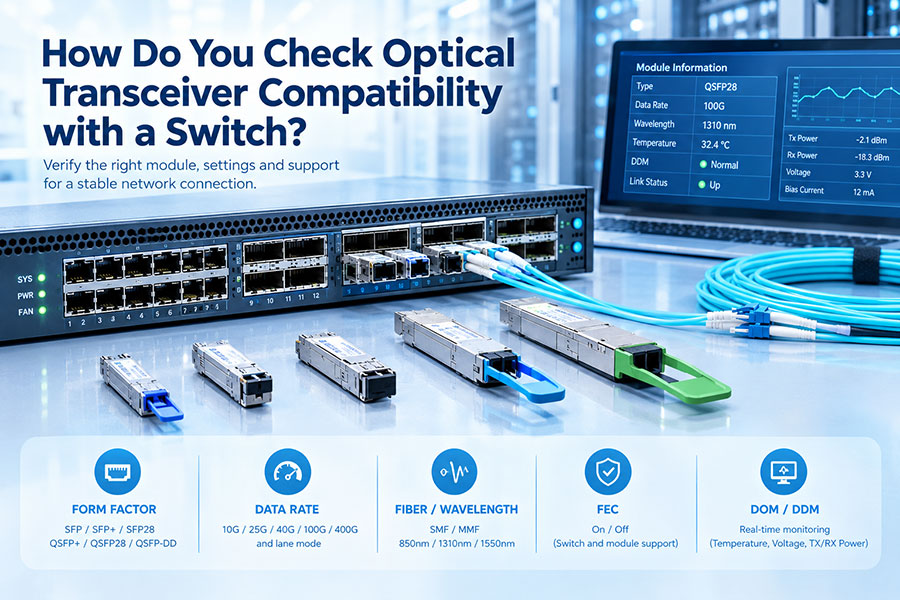
Before inserting a 10G SFP+ transceiver into a device, verify the following equipment and module specifications:
Port speed: Confirm that the specific host port supports 10GbE.
Port type: Check whether the port is 1G SFP, 10G SFP+ or dual-rate SFP/SFP+.
Transceiver compatibility: Verify that the module's model and vendor coding are accepted by the equipment.
Firmware support: Check whether the installed software version supports the module and required operating mode.
Optical standard: Confirm the module's SR, LR, ER or other optical interface.
Wavelength and fiber: Match 850 nm multimode or the specified single-mode wavelength and fiber type.
Connector: Verify LC, SC or MPO/MTP connector compatibility.
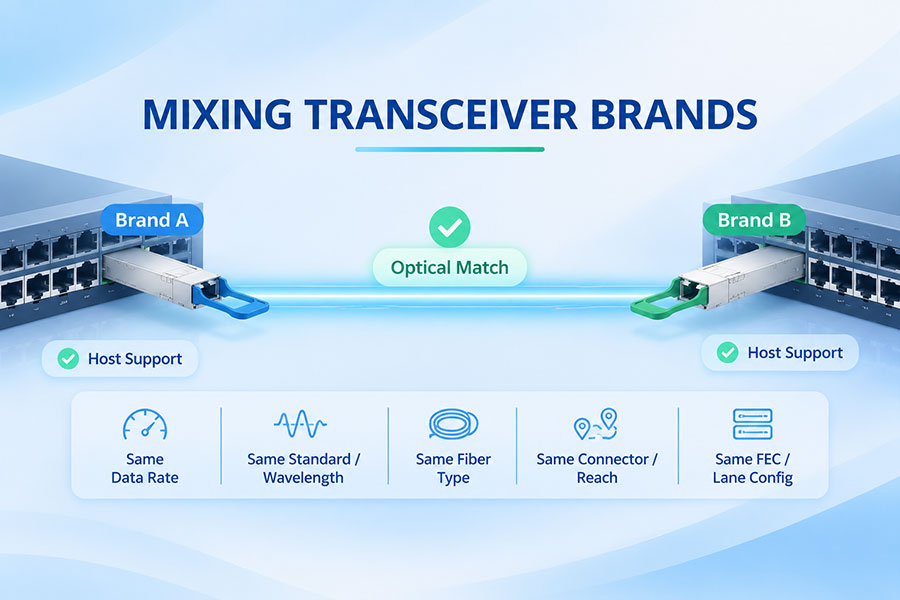
Remote endpoint: Ensure that the far-end device supports the same Ethernet rate and compatible optical interface.
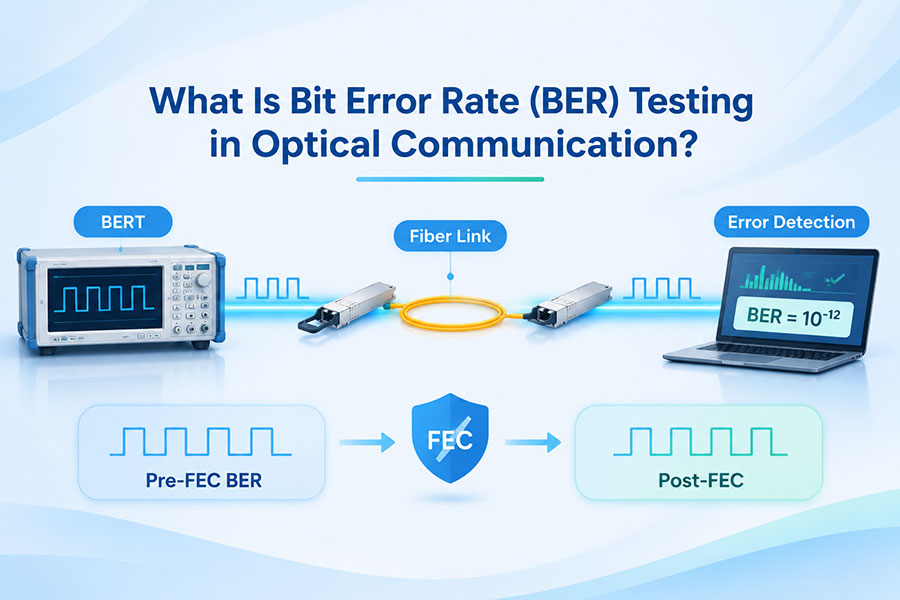
FEC and configuration: Confirm the required FEC mode and port settings where applicable.
For a reliable result, check the equipment manufacturer's compatibility list for the exact switch model and port number. Some devices have different speed capabilities across ports that appear physically identical.
9. How to Check Whether a Switch Supports 10G in an SFP Port
Device documentation is the most reliable place to determine the supported speed of an optical port. The product specification may describe the interface as 1G SFP, 10G SFP+, or dual-rate 1G/10G SFP/SFP+.
Network administrators can use the following identification process:
Locate the switch model and hardware revision.
Check the datasheet or hardware installation guide for port speed specifications.
Identify the exact port number and confirm its supported Ethernet rates.
Review the supported transceiver list for the selected model.
Check the switch operating system for port-speed and module compatibility settings.
Confirm whether the port requires a specific 1G or 10G configuration.
Some network platforms provide commands that display transceiver details, interface speed and diagnostic status. The command format varies by manufacturer and operating system.
10. Can You Use a 10G SFP+ SR or LR Module in a 1G SFP Port?
No, not in a conventional 1G-only SFP port. The SR or LR designation describes the optical interface, not the electrical data-rate capability of the host port.
A 10G SFP+ SR module may use 850 nm multimode optics, while a 10G SFP+ LR module commonly uses 1310 nm single-mode optics. Both are 10G-class transceivers, so neither becomes a 1G module simply because its optical wavelength or transmission distance matches an existing fiber link.
| 10G SFP+ Optical Type | Typical Fiber | Typical Wavelength | Can a Standard 1G SFP Port Operate It at 10G? |
|---|---|---|---|
| 10G SR | Multimode fiber | 850 nm | No |
| 10G LR | Single-mode fiber | 1310 nm | No |
| 10G ER | Single-mode fiber | 1550 nm | No |
| 10G ZR | Single-mode fiber | Typically 1550 nm | No |
A 10G SFP+ module may also have a multi-rate optical interface, but operation in a 1G-only host still requires explicit host support. The optical reach designation does not change the host port's electrical capabilities.
11. What Happens When You Connect a 10G SFP+ Module to a 1G Network?
A 10G SFP+ transceiver connected to a compatible 10G host can communicate with another compatible 10G optical interface over a correctly matched fiber link.
If the remote network equipment only supports 1G, the connection may fail unless both the local host and installed transceiver support a compatible 1G operating mode.
There are three separate compatibility requirements:
Local host: Must support the selected module and data rate.
Remote host: Must support the same operating rate and compatible optical interface.
Optical link: Must match the wavelength, fiber type, connector and transmission-distance requirements.
Autonegotiation should not be assumed to resolve every SFP/SFP+ mismatch. The equipment may require a manually configured port speed, and some optical interfaces do not negotiate speed in the same manner as copper Ethernet connections.
12. Can a 1G SFP Module Be Used in a 10G SFP+ Port?
Many 10G SFP+ ports support compatible 1G SFP modules, providing useful backward compatibility for network upgrades. However, this depends on the switch or router hardware, firmware and supported transceiver list.
For example, a dual-rate SFP+ port may support both 1G and 10G operation. In that case, a compatible 1G SFP module can be installed and the port configured for 1G operation.
Other platforms may restrict particular 1G transceiver types, including copper SFP modules or specific optical models. Therefore, the equipment datasheet remains the final reference.
This compatibility direction is different from trying to use a 10G SFP+ module in a 1G-only SFP port. Backward compatibility does not mean that a lower-speed port can support a higher-speed transceiver.
13. C-LIGHT 10G SFP+ Multi-Rate Optical Transceivers
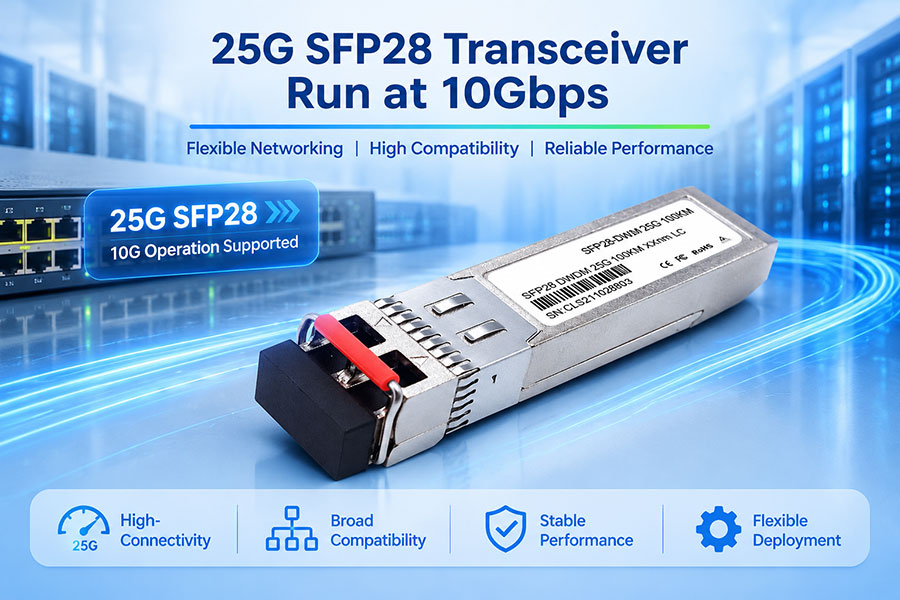
C-LIGHT provides 10G SFP+ optical transceivers with different wavelengths, fiber types and transmission distances. Selected product models support both 1G and 10G-class data rates, making them relevant to compatible mixed-speed network designs.
C-LIGHT 10G SFP+ Optical Transceiver
The C-LIGHT 10G SFP+ product family includes single-mode and multimode options. Available models cover optical transmission distances from 220 m and 300 m to 2 km, 10 km, 20 km, 40 km, 70 km, 80 km, 100 km and selected 120 km configurations.
Selected part numbers are specified for 1G/10.3G operation, while other models are listed for 9.95–11.1G or 1G–11.3G operation. This distinction is important when choosing a module for a mixed-speed environment.
| Part Number | Data Rate | Fiber Type | Wavelength | Distance |
|---|---|---|---|---|
| CLSFP8510GSR | 1G / 10.3G | MMF | 850 nm | 300 m |
| CLSFP1310GLR | 1G / 10.3G | SMF | 1310 nm | 10 km |
| CLSFP1310GLR20 | 1G / 10.3G | SMF | 1310 nm | 20 km |
| CLSFP1310GLR40 | 1G / 10.3G | SMF | 1310 nm | 40 km |
| CLSFP1510GER | 9.95–11.1G | SMF | 1550 nm | 40 km |
Although selected C-LIGHT models list dual-rate operation, their use still depends on the host port's supported electrical interface, firmware, module compatibility and configured speed. A multi-rate module should not be assumed to operate in a standard 1G-only SFP port.
14. How to Select the Correct Module for Your Switch
When replacing a 1G module with a 10G SFP+ transceiver, the first step is to confirm that the switch port itself supports 10GbE. After that, the optical characteristics and module compatibility must be checked.
| Selection Item | What to Verify |
|---|---|
| Switch Port | 1G SFP, 10G SFP+ or dual-rate SFP/SFP+ |
| Data Rate | 1G, 10G or supported multi-rate configuration |
| Transceiver Form Factor | SFP or SFP+ package and host cage support |
| Optical Standard | SR, LR, ER, ZR, BiDi or other specified interface |
| Wavelength | Compatible transmit and receive wavelength arrangement |
| Fiber Type | Single-mode or multimode fiber |
| Transmission Distance | Module-rated reach and complete link budget |
| Equipment Compatibility | Host vendor, model, hardware revision and firmware support |
| Port Configuration | Speed setting, autonegotiation and FEC requirements where applicable |
15. Conclusion
A 10G SFP+ transceiver may physically fit into an SFP-compatible port, but that does not mean it can operate in a conventional 1G-only SFP interface. The electrical interface and host equipment must support 10G signaling before the module can establish a 10GbE connection.
Many SFP+ ports can also accept compatible 1G SFP modules, but this backward compatibility depends on the specific switch or router. Dual-rate ports and multi-rate transceivers offer additional flexibility, although both the host and module must support the same operating mode.
Before purchasing or installing a 10G SFP+ module, check the switch datasheet, port speed, supported transceiver list, firmware requirements, optical standard and far-end compatibility. This avoids selecting a module that fits mechanically but cannot establish the required network link.
Looking for compatible 10G SFP+ optical transceivers?
Contact C-LIGHT with your switch model, port speed and required fiber distance. Our team can help check multi-rate options, optical specifications and equipment compatibility.
 >

 >
 >
 >
 >
 >
 >
 >